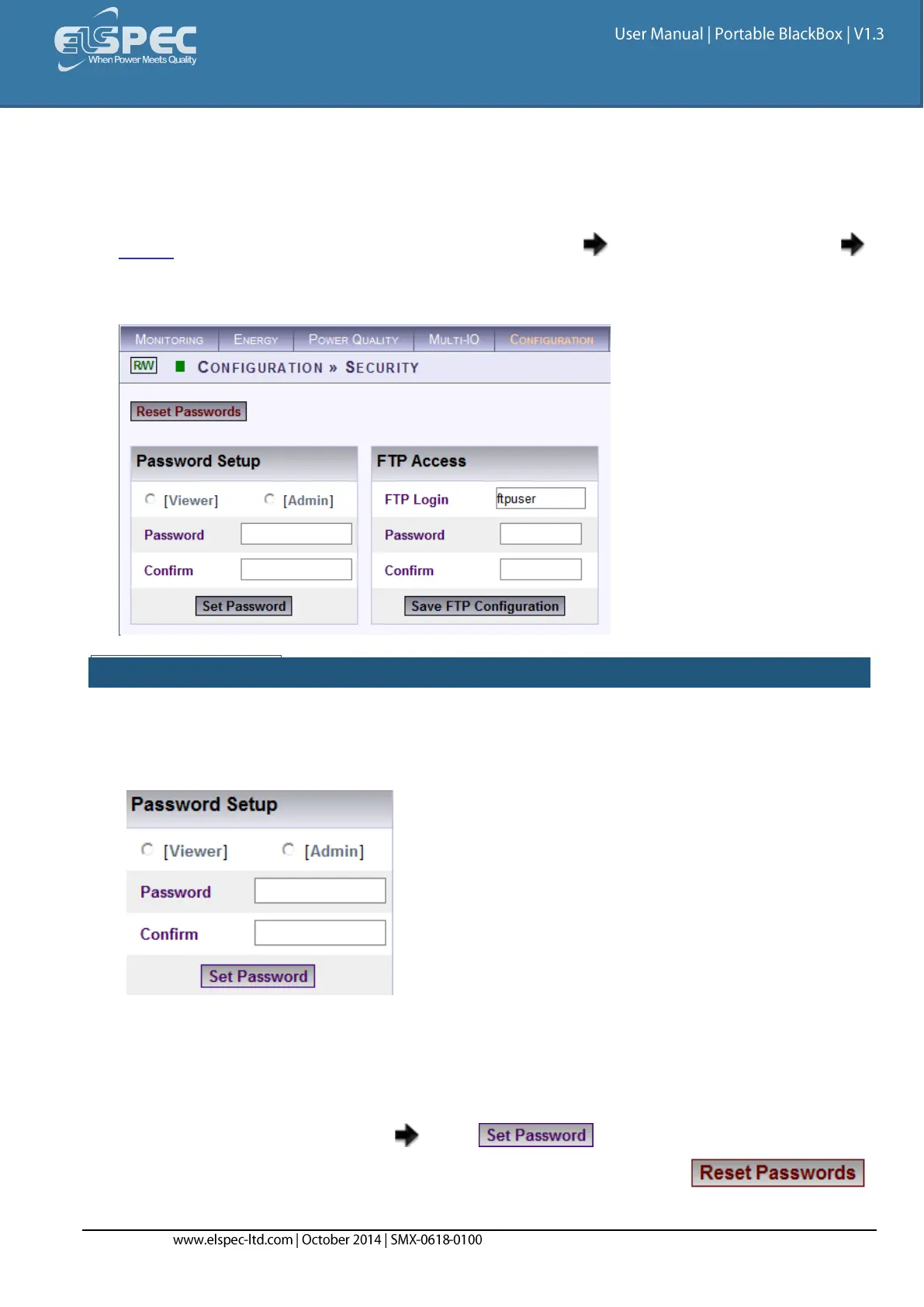
Security
In this window you can set either Entry Passwords to the Web Interface and/or Provide Access to the
FTP Server for your G4500/G3500 Portable BLACKBOX.
Access the Portable BLACKBOX via Elspec's Web Interface log on as the Administrator
select the Configuration Tab
Under Communication select the Security Tab:
PASSWORD SETUP:
This section enables the Administrator to change or reset the passwords of Viewer & Administrator
levels at one option at a time:
Select either the Viewer or Admin option:
Levels:
Viewer: Users are able to view all the functions within Elspec's Web Interface, but are
unable to configure the Portable BLACKBOX (Manufacture's Default Password is 123)
Admin: Usually the Administrator of the Portable BLACKBOX, is able to view & configure
the unit (Manufacture's Default Password is 12345)
Enter & Confirm the Password select
To Reset the passwords to the Manufacture's Default passwords select



 To Next Page