Enabling / Disabling PQZIP
As mentioned previously, your Portable BLACKBOX arrives from the factory with PQZIP recording
Disabled. By initiating Enable will prompt your Portable BLACKBOX to commence recording &
Disable simply means that your device cease recording.
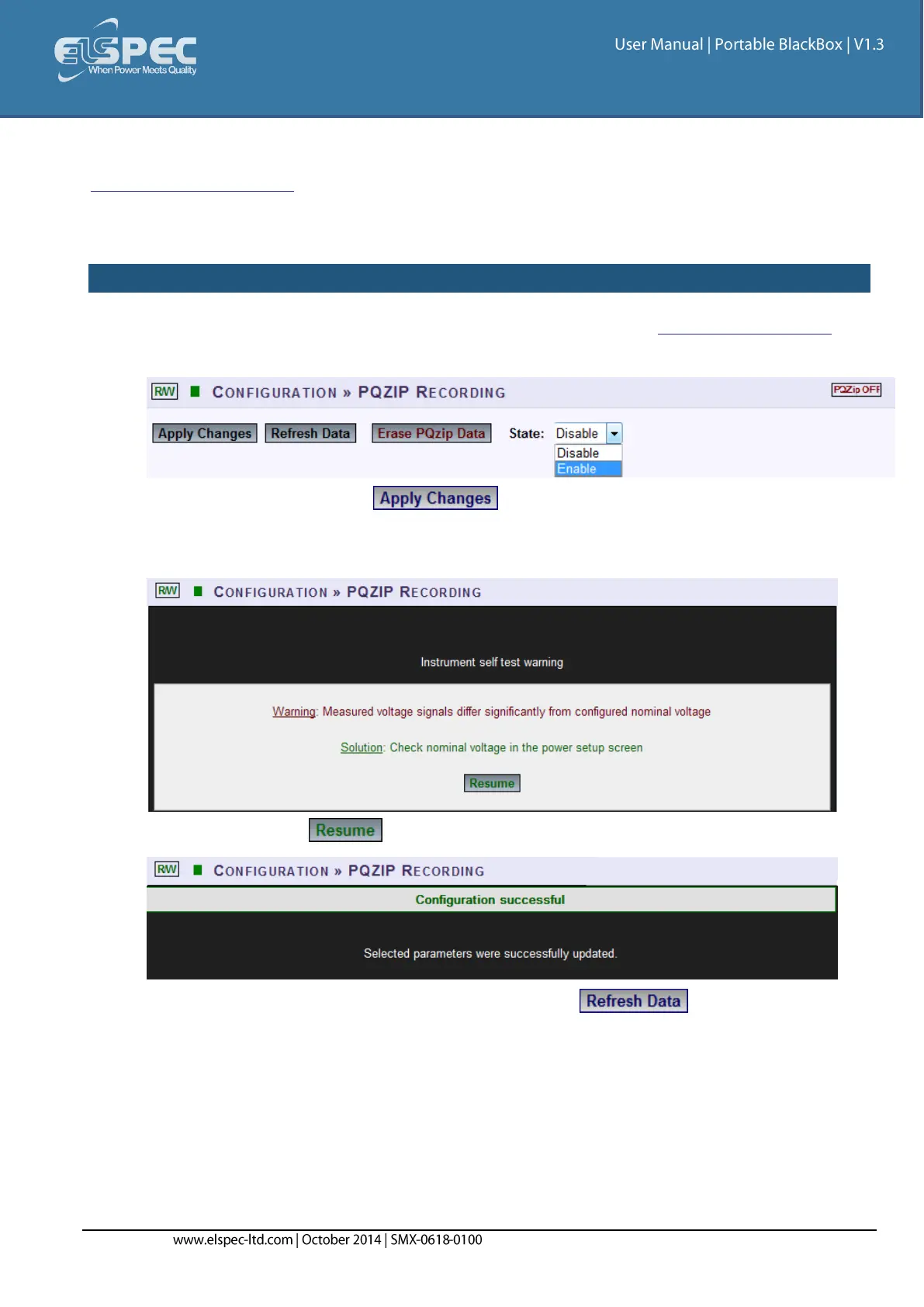
HOW TO ENABLE & DISABLE PQZIP RECORDING
Access your Portable BLACKBOX Unit's PQZIP Configuration via the PQZIP Recording Tab
In the State drop-down selection select Enable:
To apply your changes select
The following warning may appear if some parameter readings are inconsistent with the
configuration. In this case make sure all parameters are correct before enabling the PQZIP:
Confirm by selecting & the following success message will appear:
To view your changes (refresh your current view) select


 To Next Page