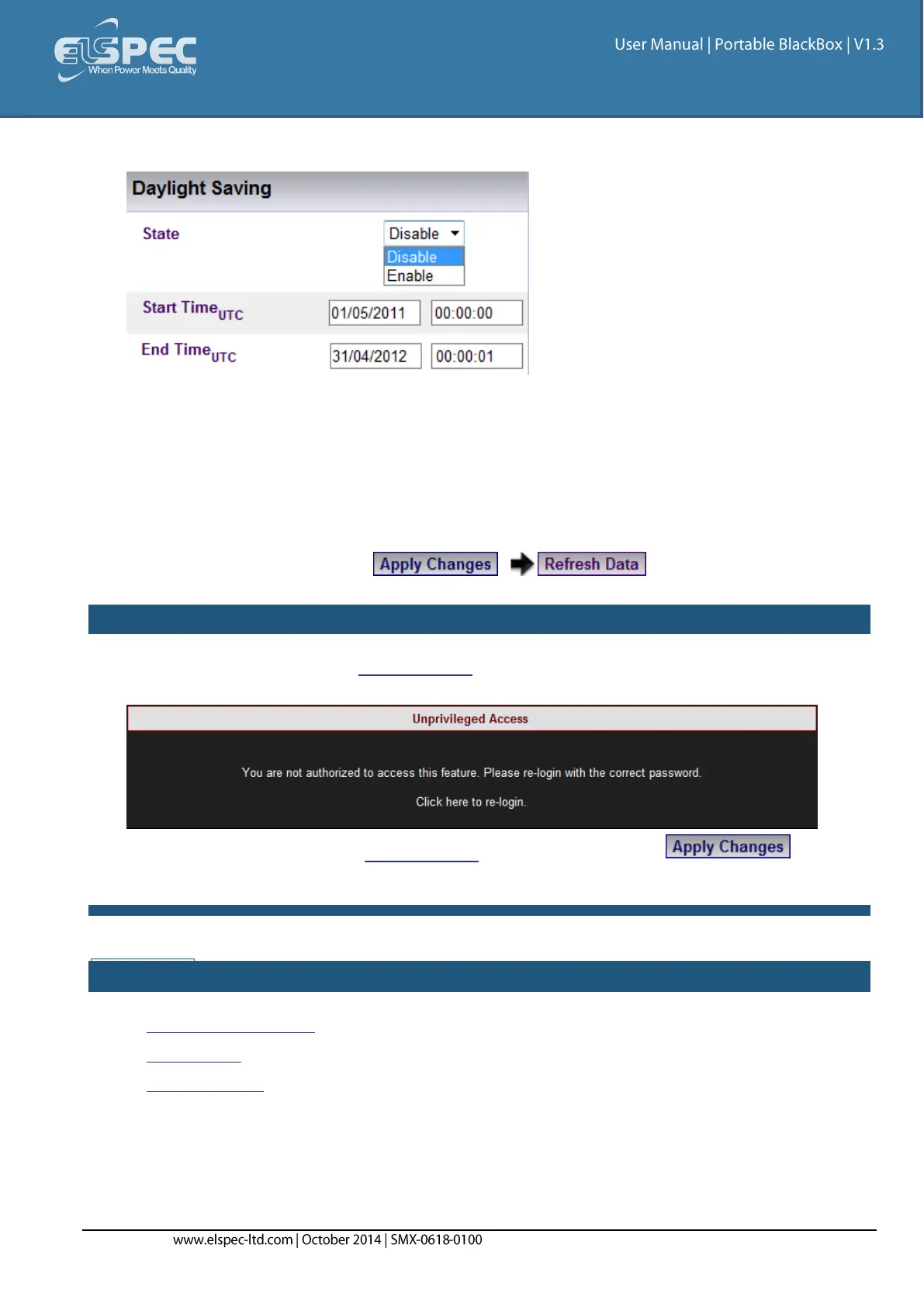
Daylight Saving
You can Enable the daylight saving time (Winter / Summer Clock) feature and set the period in
this section. This will cause the time to automatically adjust to daylight savings time during
the pre-defined period. This information is passed to the PQSCADA together with all other
information via PQZIP where it is displayed to the user. To set the daylight saving time:
Select Enable
Enter Start / End Date & Time (UTC)
To apply your changes select to review your changes
NOTE NOTE NOTE
If you are not logged on as the Administrator, you will not be able to change any of these
settings & you will receive the following error message in your attempt to do so:
Once you have signed on as the Administrator, ensure that you select to
actually affect your changes.
SEE ALSO:
About Time Settings
Time Setup
Network Time



 To Next Page