Status Summaries
Within the Network Window you are able to view two sections that summarize your Portable
BLACKBOX's network configurations. The summaries include:
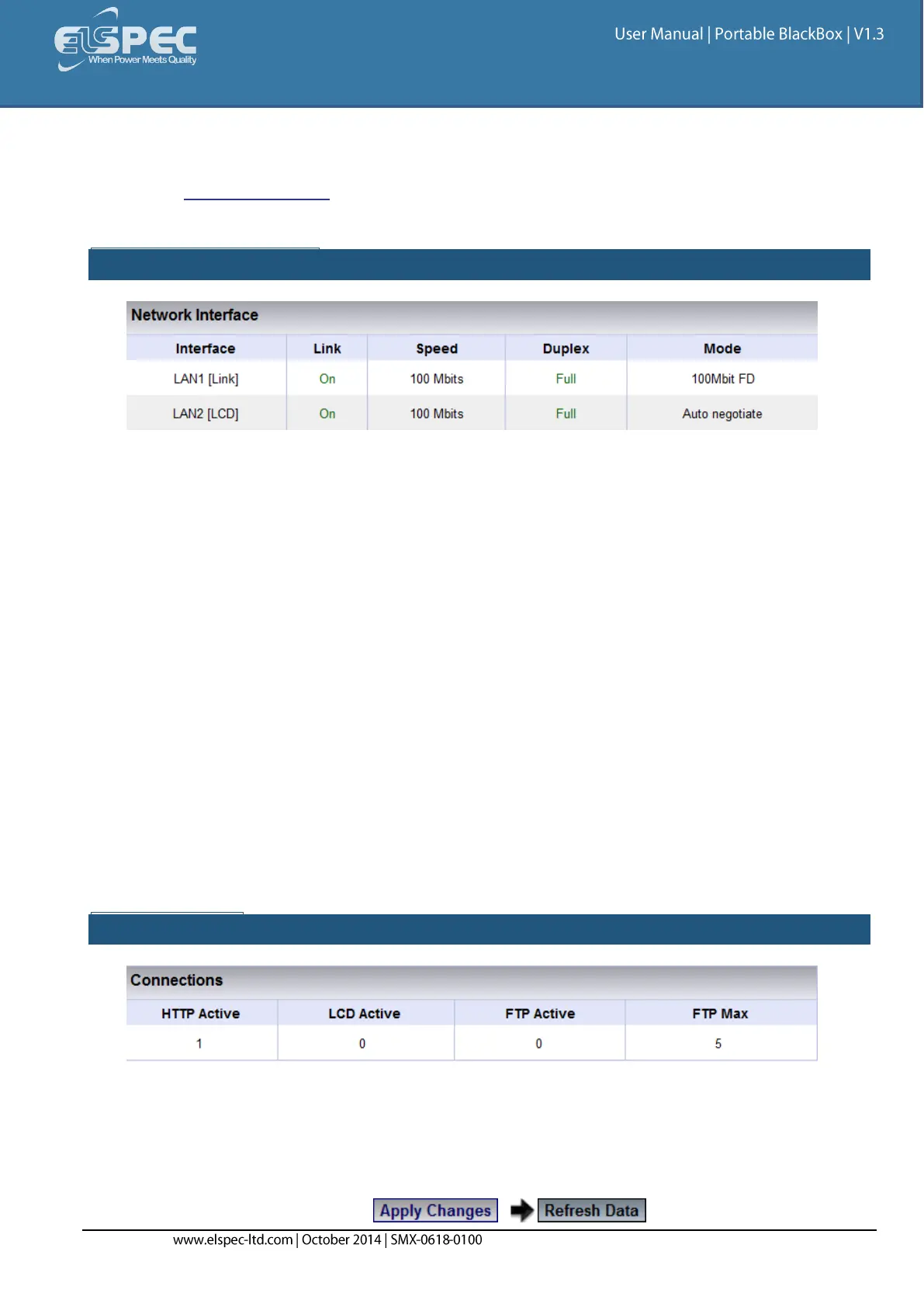
NETWORK INTERFACE:
LAN 1 Status:
Link: On (indicates Portable Unit's IP Address is established in your Network) / Off
(BLACKBOX Unit's IP Address is not established)
Speed: Flow control of data transferral speed
Duplex: Full (using Full Duplex for communication) / Half (using Half Duplex for
communication)
Mode: Auto negotiate means that your Portable BLACKBOX is connected with the
Network sever chooses common transmission parameters (Speed, Duplex Mode & Flow
Control)
LAN 2 G4100 LCD Status:
Link: On (indicates your G4100 Unit's IP Address is established in the 2nd Network) /
Off (Unit's IP Address is not established / not in use)
Speed: Flow control of data transferral speed
Duplex: Full (using Full Duplex for communication) / Half (using Half Duplex for
communication)
Mode: Transmission parameter is set at 10Mbit at Full Duplex (FD) to the 2nd
Network's Server
CONNECTIONS:
HTTP Active: Connection status of your Portable BLACKBOX Unit & Web Browser as per Port
Configuration
LCD Active: Connection status of G4100 as per LAN 2 Configuration to the 2nd Network
FTP Active: Connection status of the File Transfer Control Channel as per Port Configuration
FTP Max: Number of users defined FTP Access
To apply your changes select to review your changes



 To Next Page