User Custom Compliance - User Defined Pages
In addition to real-time evaluations for a number of Power Quality Compliance standards, the
Portable BLACKBOX's built-in PQ engine supports a user-compliance mode in which all compliance
parameters can be self-edited & modified. This self-editing & modification allows the user to set
parameters meet unique conditions, rules, measurement intervals at different observation periods.
The windows consist of:
User Defined Page 1 - Which encompasses: Voltage Frequencies, Voltage Dips Supply, Long
Interruptions & Temporary Overvoltage (Swells)
User Defined Page 2 - Which encompasses: Voltage Variations, Rapid Voltage Changes,
Unbalanced Voltage & Voltage Flickering
User Defined Page 3 - Which encompasses: Voltage Harmonics (Including individual
Harmonics)
OPEN & ACTIVATE THE USER DEFINED PAGES:
Access the Portable BLACKBOX unit via Elspec's Web Interface log on as the
Administrator select Configuration Tab PQ Compliance Tab
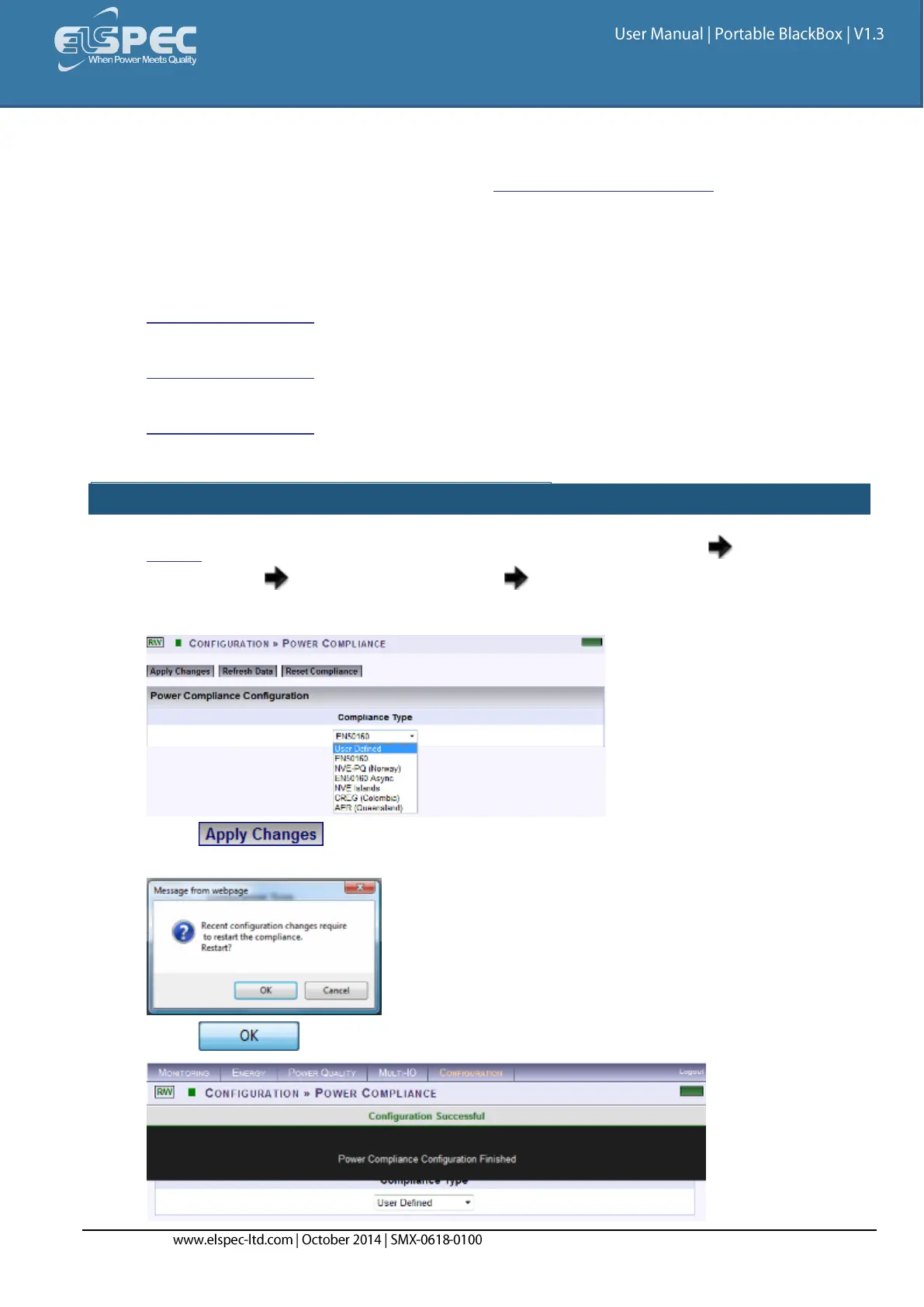
In the Power Compliance window select User Defined:
Select & the following Message Box will appear in order to Restart the
Compliance Evaluations by the Portable BLACKBOX:
Select & you will receive the following Success Message:



 To Next Page