Digital Input - Setup
The type of digital input of the G4500/G3500 BLACKBOX is dry contact & the input is capable of
several different functions. The digital input can be used to either detect remote signals, or as a
pulse counter.
In remote detection the Portable's digital interface is used to sense a "high" or "low" or "false (off)"
or "true (on)" state, such as a switch closure. The terms "high" & "low" may refer to the logic level
state that a circuit is in when a signal is "true", or "on". For more common purposes the BLACKBOX's
digital input signal can be configured when "on" (DI = on/off) it will function (change to 1). For
example in a range of motor startups, should the motor fail to start (off) the input signal will change
to another state & the G4500/G3500 will perform an action (such as an E-Mail Notification).
Alternatively should the motor start (on) & then fail (off) the input signal will change to another
state & the G4500/G3500 will perform any Pre-Configured Action. This can be used in other
applications such as in intensity levels temperature, distance, & more. In addition under remote
signal detection, the Portable BLACKBOX records input signals & stores it in PQZIP Files. The
G4500/G3500 can also be configured to activate many tasks for the PQZIP Files.
In the second application, the digital input of the Portable BLACKBOX is used to count Energy Pulses
by means of its internal Energy meters. The sampling rate over the 4 Digital Input Channels is 16
Samples per Cycle at 800Hz @ 50Hz & 960 Hz @ 60Hz.
CONFIGURING DIGITAL INPUTS:
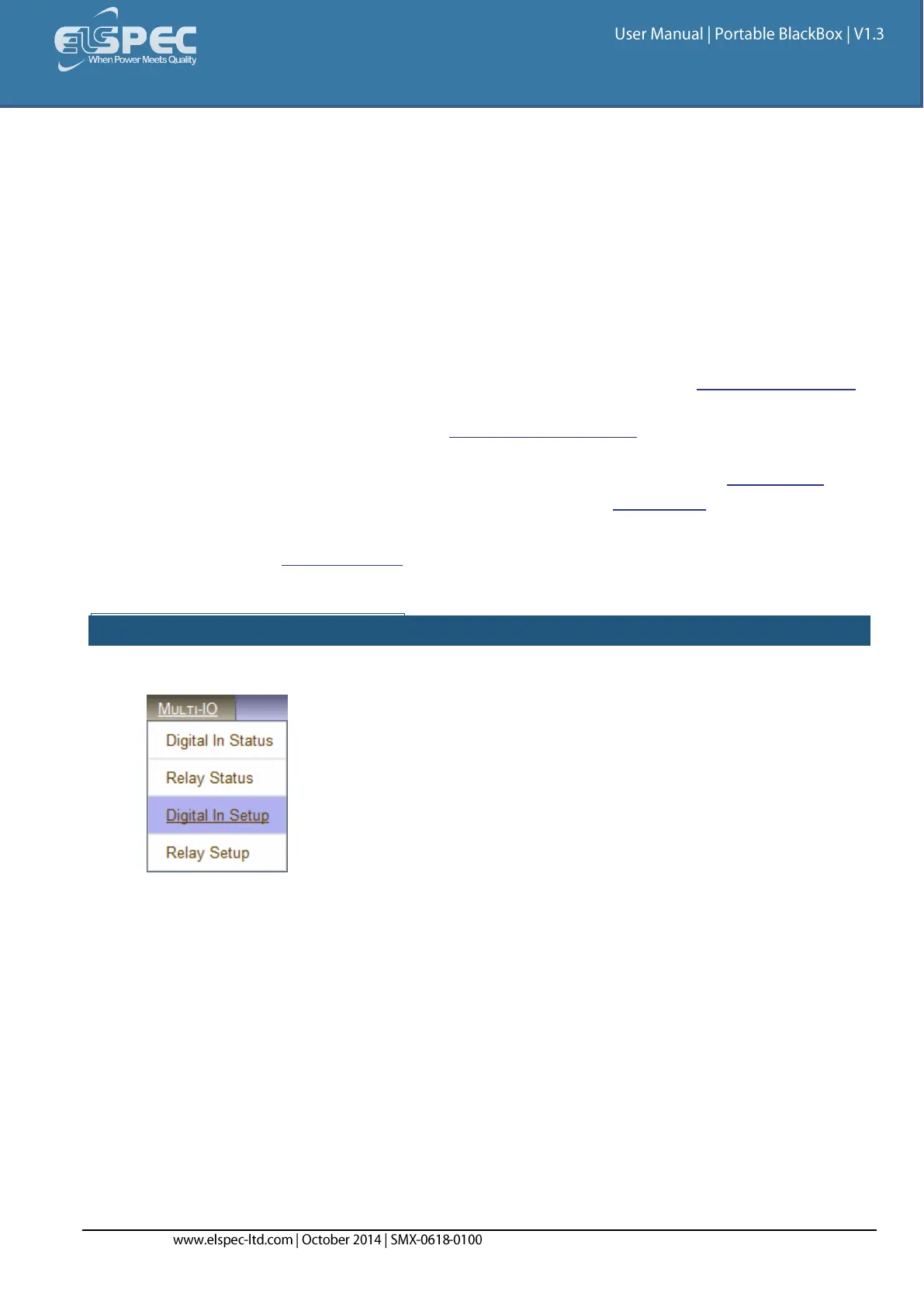
Open the Multi-IO Tab & select Digital In Setup Tab:
From the four available digital inputs, choose the one you want to configure. The mode may
be configured either as:
Disabled Mode: The Digital Input will be disabled & therefore be inactive
Normal Mode: Input data is sampled & stored in the PQZIP files
Di Pulse Mode: Input data is sampled & stored in PQZIP as in Normal Mode. In
addition, the number of input pulses are counted inside the unit for the Energy Meter
When selecting the Di Pulse Mode, you need to configure:
The Aggregation Factor,
The Measuring Unit,
The Signal Type, &
The minimum time period for the input to remain constant post-changes (Debounce):


 To Next Page