PQ Compliance Summary
In this window you are able to review the specific Compliance Standard & Status that is being
evaluated by your G4500/G3500 Portable BLACKBOX's Internal Compliance Engine.
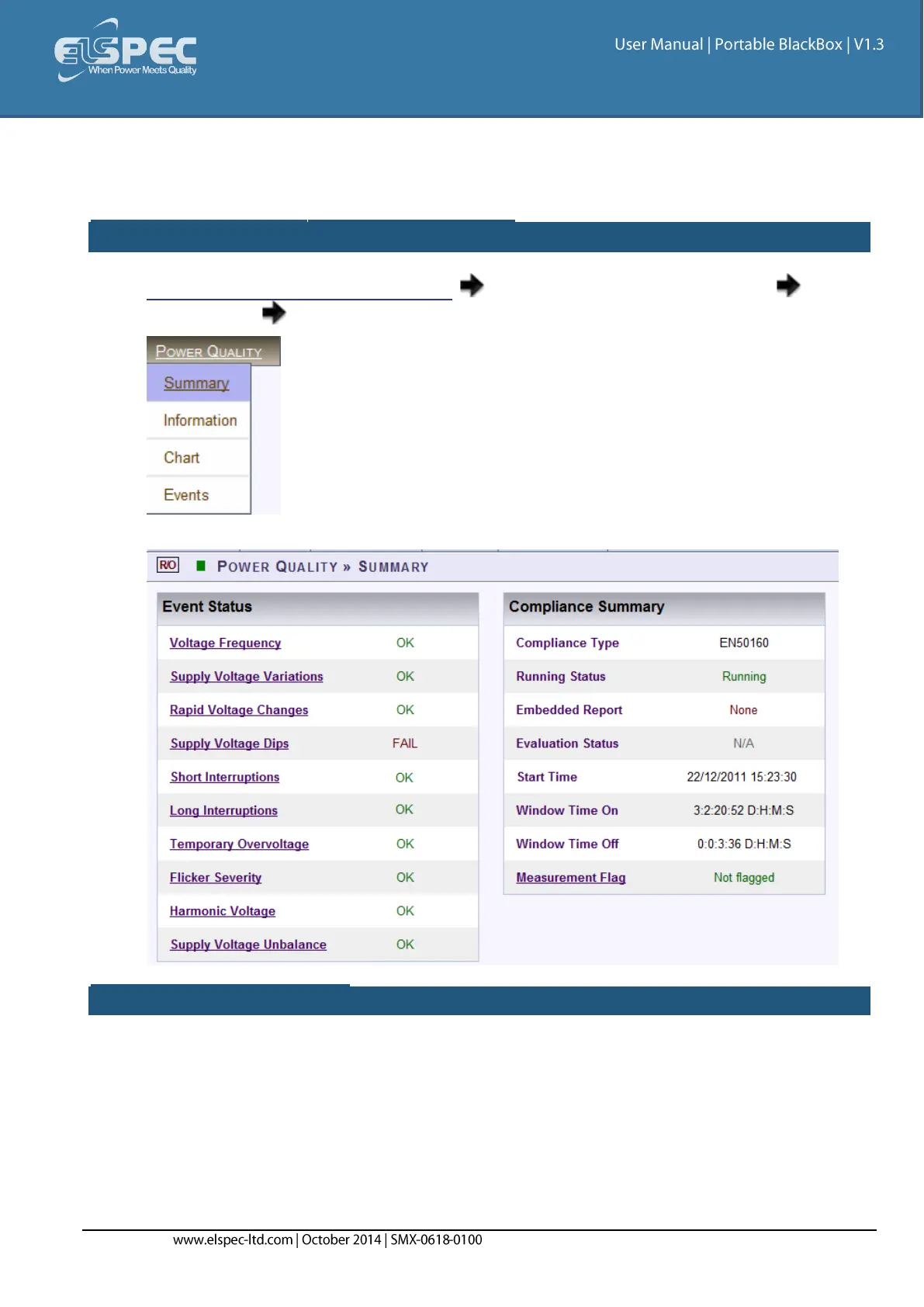
Open the compliance SUMMARY WINDOW:
Access your Portable BLACKBOX Unit log on as the Viewer/Administrator under
Power Quality open the Summary Tab:
The Summary window will now open:
EVENTS STATUS SCREEN:
The Events Status Table shows a high level PASS or FAIL indication of each PQ parameter. Any PQ
parameter that has an incomplete observation period will be presented as N/A (Not Available). The
definitions defined below are PQ Parameters configured as per EN50160 compliance (as per the
example used for the Compliance Information Window). You may choose any other PQ Compliance or
set your own unique PQ Compliance:



 To Next Page