Voltage & Frequency
The purpose of this section is view, understand, or change configurations you made in your Initial
Quick Configuration for your Voltage & Frequency values. The configurations are made for the
Portable BLACKBOX after you have Connected your Voltage Probes.
OPEN THE VOLTAGE & FREQUENCY WINDOW:
Access your Portable Device via Elspec's Web Interface log on as the Administrator
under Configuration Device Setup select the Voltage & Frequency Tab:
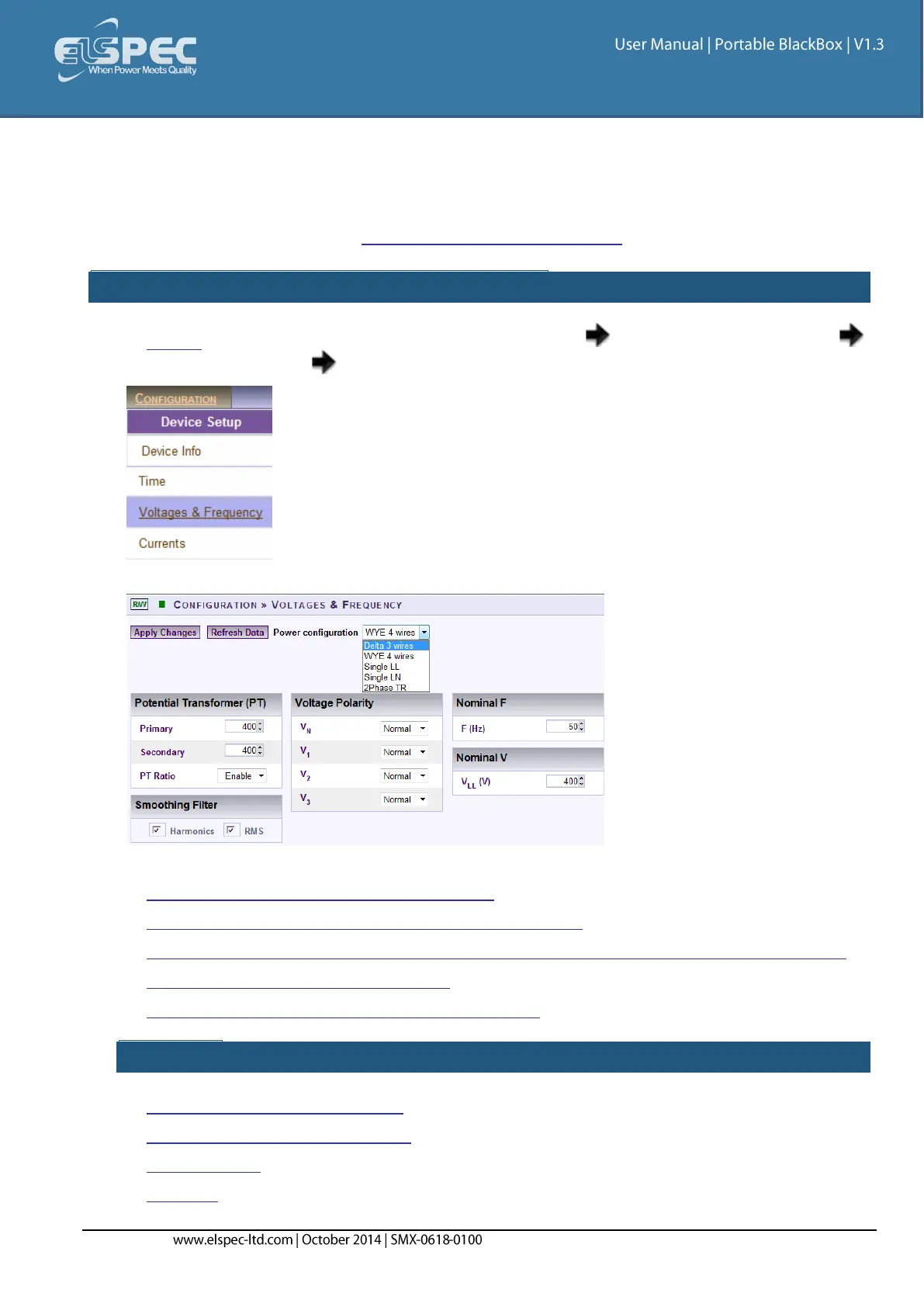
The Voltage & Frequency window will now open:
In this window you will be able to:
View / Change your Power Configurations
View / Change your Potential Transformation Ratios
Smooth the curve in significant change of PQ Parameter (IEC61000-4-7 Compliance)
Toggle the polarity without rewiring
Define nominal values for Voltage & Frequency
SEE ALSO:
Device Configuration Overview
Device Info - Unit Configuration
Time Settings
Currents



 To Next Page