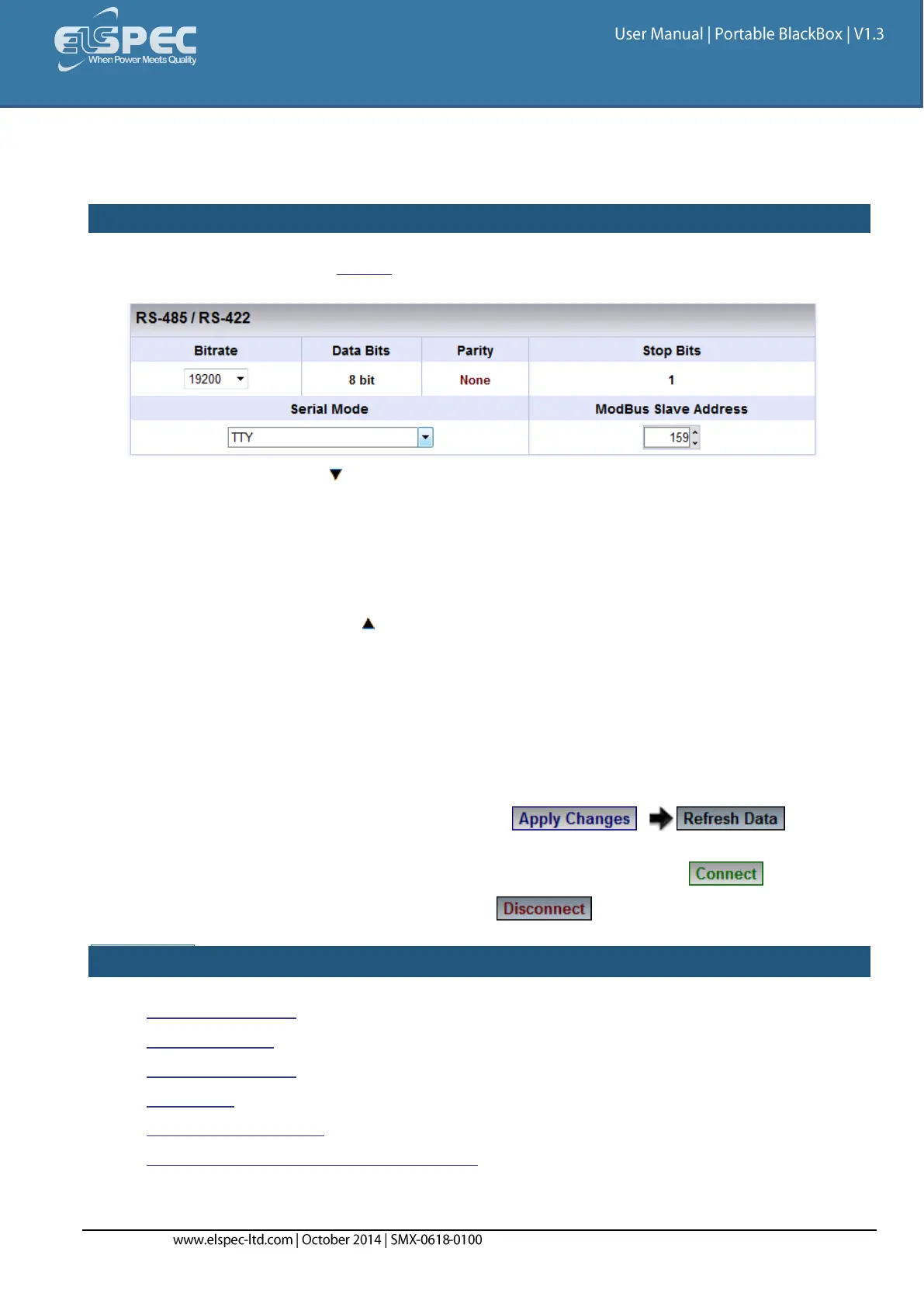
RS-485 / RS-422
The setup configures the parameters of RS-485/RS-422 serial interface.
HOW TO CONFIGURE RS-485 / RS-422 SERIAL INTERFACE
As per the previous step Access the Serial Ports Window & in the RS-485/RS-422 Section
complete the applicable Parameters:
Bit rate: With the adjust the transfer rate for data
Data Bits: (For information only) Indicates the number of data bits in a byte
Parity: (For information only) Parity code indicating error detection (Movement of
digital data from one location to another)
Stop Bits: (For information only) Number of stop bits used to mark the end of a byte
transmission
Serial Mode: With the select configuration from available Options:
TTY: Debug shell mode for PPP stream
Elcom : Elspec communication for connecting to the Equalizer
MODBUS RTU: MODBUS protocol (serving as a slave on a Modbus network)
GPS: For GPS attachment to this serial port
PPP: Connection for PPP communication through this serial port
MODBUS Slave Address: Unique ID of the BLACKBOX on a Modbus network
For your changes to be taken into effect select to review
your changes
In order to establish connection as per the setup configurations select
In order to discontinue the connection select
SEE ALSO:
About Serial Ports
RS-485/ RS-422
PPP Configuration
PPP Status
Modem Configuration
About Connecting Communication Ports



 To Next Page