Alarm Signal
The Alarm Signal function allows the conditioning of the Relay Output Signal on the internal alarm
of the Portable BLACKBOX unit. There is only one Alarm code available at this time; the one that
lights the RED light on the Panel:
CONFIGURE THE RELAY BASED ON AN ALARM SIGNAL:
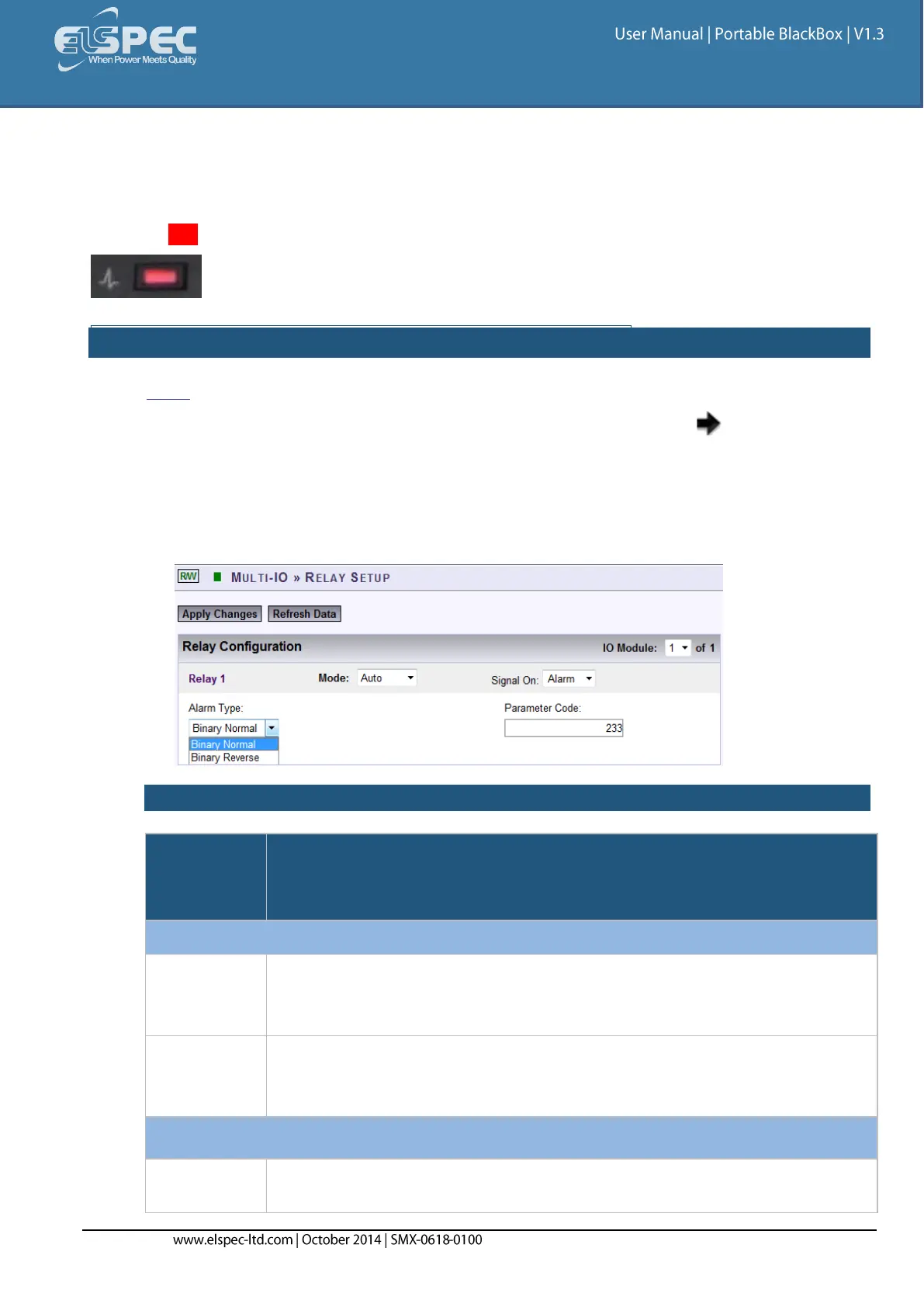
Open the Multi-IO Tab & select the Relay Setup Tab
Select Auto Mode for the Applicable Relay that you want to configure select Signal On
Alarm:
The Alarm Signal's configuration needs to be based on:
Alarm Type, &
Parameter Code:
TABLE OF ALARMS:
This means that should the value (Alarm Flag) of the alarm be 0 then the
output is 0 (Relay is Not Energized) & should the value (Alarm Flag) of the
alarm be 1, then the output is 1 (Relay is Energized).
This means that should the value (Alarm Flag) of the alarm be 0, the output
is 1 (Relay Channel is Energized) and should the value (Alarm Flag) be 1,
the output is 0 (Relay is Not Energized).
Currently there is only one alarm parameter called “General Status” which
is also represented by illuminating a red Indication Light on the front of the



 To Next Page