WARNING
Before you start ensure that the panel is de-energized & that you take the necessary
Safety Precautions!
Unit Powering
You may either power up either G4500 / G3500 Portable BLACKBOX by using the main AC Power
Supply / the Auxiliary Power Supply / Battery Power Supply:
connect by using the AC POWER SUPPLY:
85-260V AC ± 10%, 50/60Hz
OR
120-370V DC
2A/250V Fuse Holder
Use only suitable fuse replacement!
Make sure the Instrument is properly
grounded through the power cord to
protective earth ground
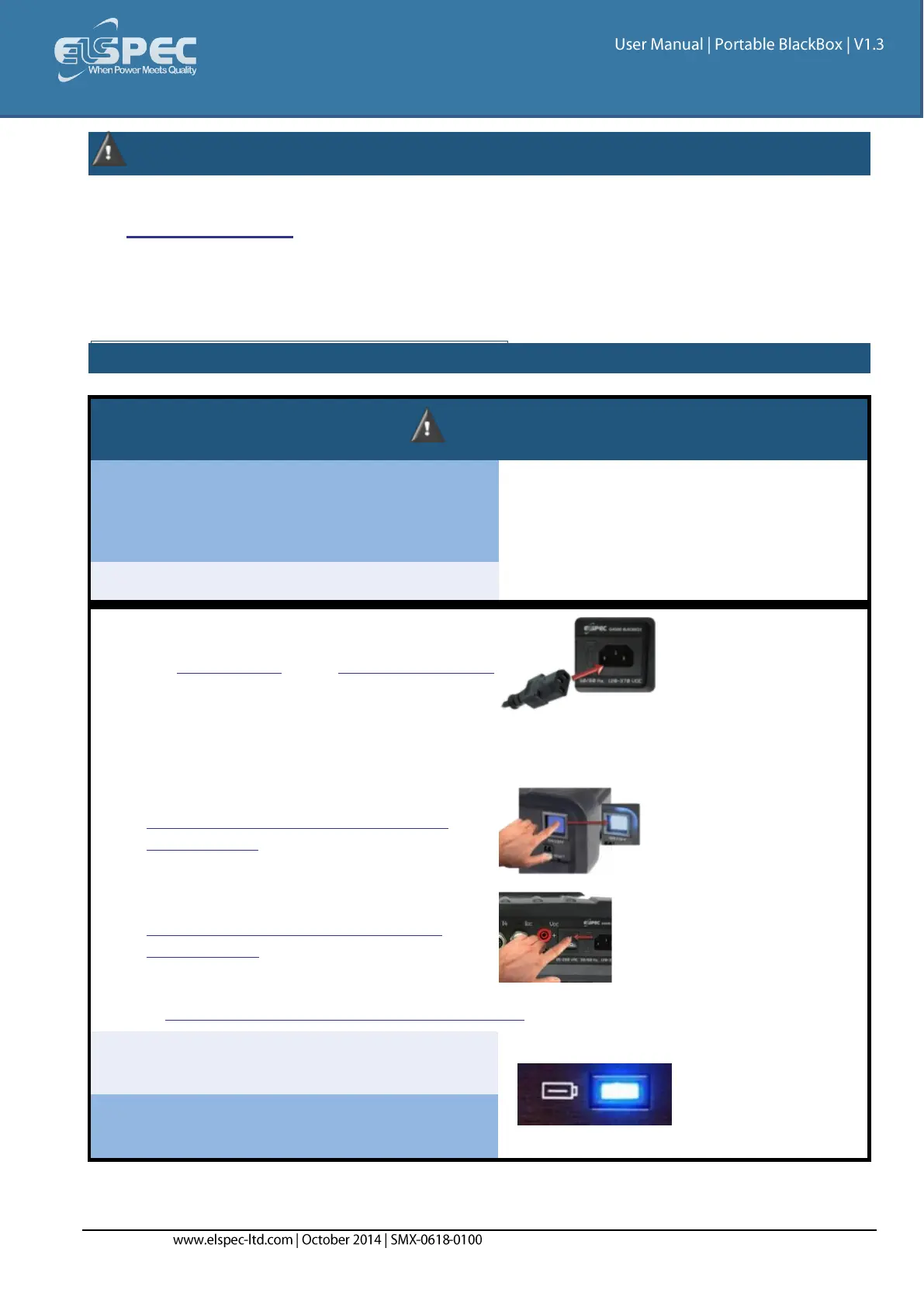
On the Rear Panel connect the female end of
the Power Cable to the Main Power Supply
inlet socket of the unit:
Connect the male plug end of the Power
Cable to the electrical supply outlet
On the Front Panel turn on the Main
Power Supply Switch to the ON position:
On the Rear Panel turn on the Main
Power Switch to the ON position:
Verify that the unit is running on AC Power by using the status indicator lights:
Main Power Applied, Battery
Charging
Main Power Applied, Battery
Fully Charged



 To Next Page