Power
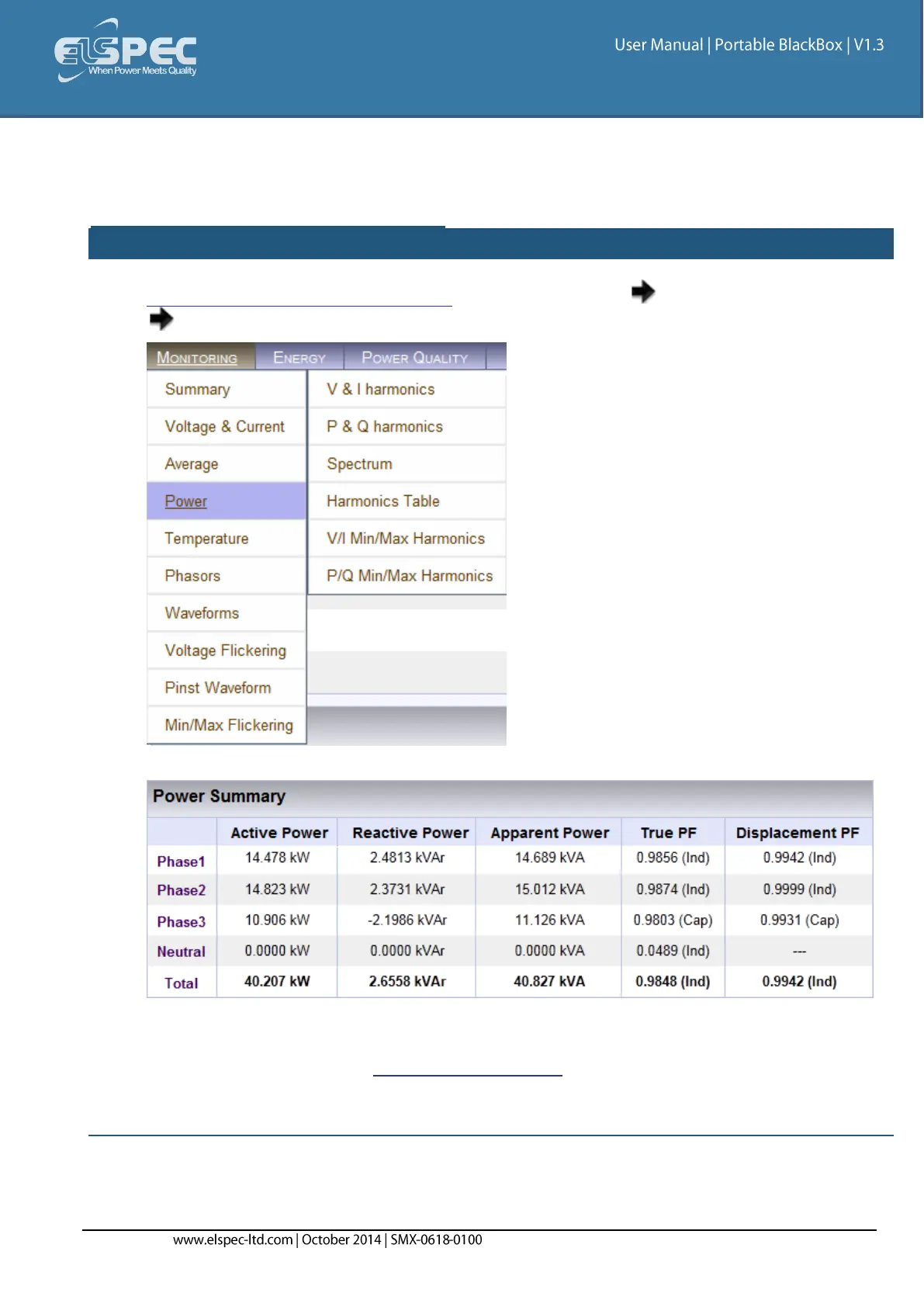
This page displays different electrical power parameters relevant to the Specific G4500/G3500
BLACKBOX Unit Configuration.
open the Power summary window:
Access your Portable BLACKBOX Unit via the Web Interface select Monitoring
Power:
The Power Summary Window will now open:
Should any of the Phase Integers display a negative value, you will need to Reverse the
Polarity for the Phase in the Current Configurations. Alternatively you may also physically
reverse the current clamp at the power source, by changing the direction. Generators
commonly display a negative Active Power value.



 To Next Page