Voltage & Frequency Configurations
As mentioned previously, after you have Plugged in the Voltage Probes it will be automatically
recognized. Therefore, only minor configuration adjustments will need to be made in the Voltage &
Frequency Configuration Window.
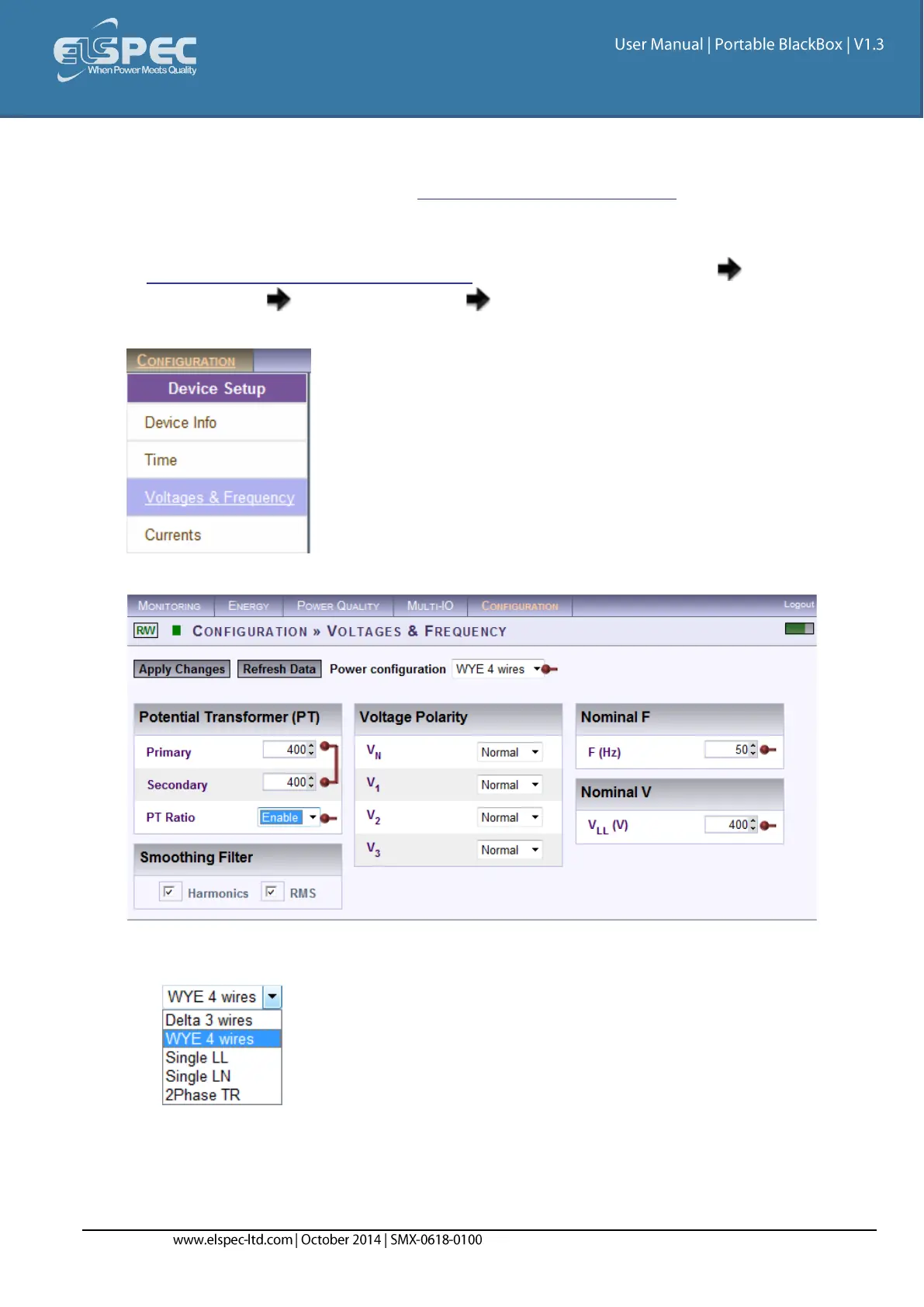
Access your Portable BLACKBOX Unit via Elspec's Web Interface log on as the
Administrator under Configuration Device Setup select the Voltage & Frequency
Tab:
In the Voltage & Frequency Window:
Select the applicable Network Type Settings according to your Network Type from
the drop-down selection:
If you wish to measure the Potential Transformer (MV/HV Networks - Voltage
Measurements by PT's) select Enable:


 To Next Page