see also:
About Measurement Readings
Access Measurement Summary
Verify Voltage & Current
Enabling PQZIP Recording
In order to record actual data for further analysis by PQSCADA & Investigator, you must first enable the
PQZIP Recording.
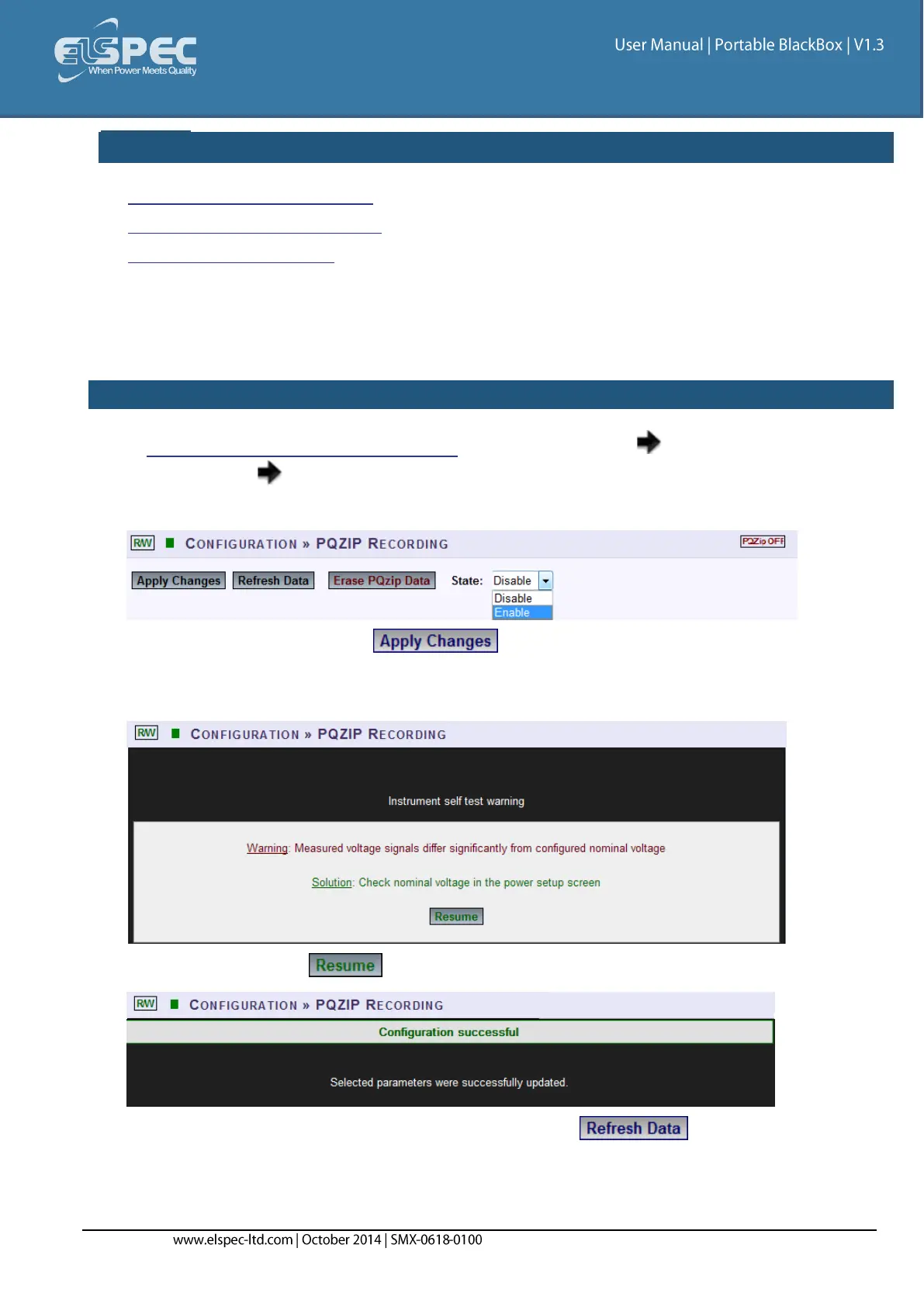
HOW TO ENABLE PQZIP RECORDING
Access your Portable BLACKBOX Unit via the Web Interface Open
Configuration PQZIP Recording
In the State drop-down selection select Enable:
To apply your changes select
The following warning may appear if some parameter readings are inconsistent with the
configuration. In this case make sure all parameters are correct before enabling the PQZIP:
Confirm by selecting & the following success message will appear:
To view your changes (refresh your current view) select



 To Next Page