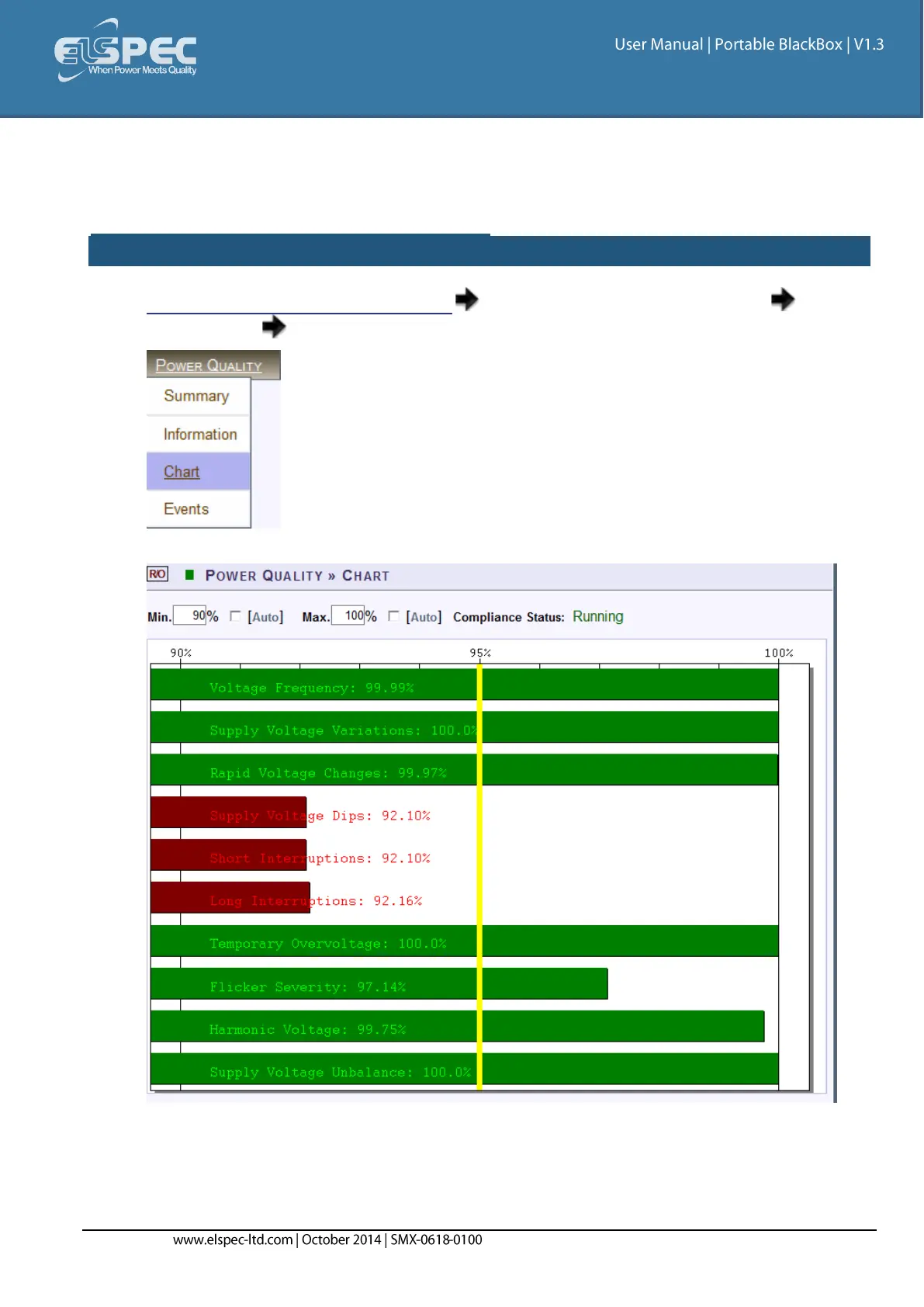
Compliance Chart
This page displays graphical bars of compliance levels (equals to percentage of time OK). This
screen is most helpful as you can immediately ascertain the status of compliance to PQ Standards.
access the Compliance CHART window:
Access your Portable BLACKBOX Unit log on as the Viewer/Administrator under
Power Quality open the Chart Tab:
The Information window will now open:
The minimum and maximum values in the chart may be configured by deselecting Auto for
each value (Default = 90% Min / 100% Max)



 To Next Page