EasyManua.ls Logo

Elspec G4500 BlackBox - Page 28

Elspec G4500 BlackBox
358 pages
Print Icon
To Next Page IconTo Next Page
To Previous Page IconTo Previous Page
Loading...
28
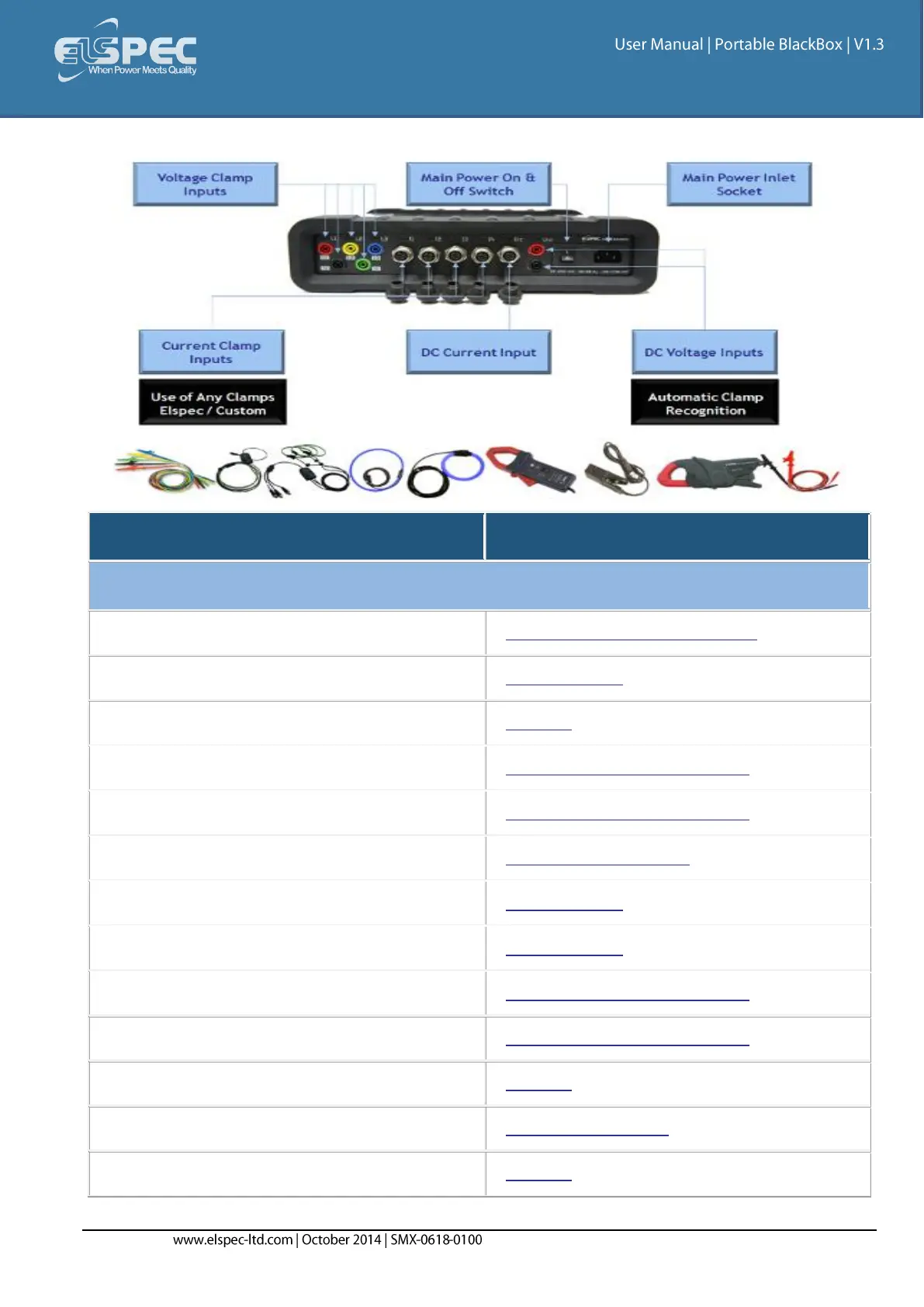
Physical layout of the controls & indicators of the G4500's Rear Panel:
INDICATOR / CONTROL
DETAILED USAGE REFERENCE
FRONT PANEL
Wi-Fi Activity & Antenna
Wireless Single PC Connection
Auxiliary Power Supply
Unit Powering
Digital Inputs
IO Ports
Serial Ports
Establish 1
ST
Time Connection
USB Network Communication Port
Establish 1
ST
Time Connection
Battery Indicator
Battery Replacements
Power Indicator
Unit Powering
Main Power Supply On/Off Switch
Unit Powering
LAN Ports
Establish 1
ST
Time Connection
WAN Port
Establish 1
ST
Time Connection
External Temperature Port
IO Ports
Reset Button
Instrument Settings
Relay Port
IO Ports

Table of Contents