G
G
4
4
5
5
0
0
0
0
&
&
G
G
3
3
5
5
0
0
0
0
P
P
o
o
r
r
t
t
a
a
b
b
l
l
e
e
P
P
o
o
w
w
e
e
r
r
Q
Q
u
u
a
a
l
l
i
i
t
t
y
y
A
A
n
n
a
a
l
l
y
y
z
z
e
e
r
r
U
U
S
S
E
E
R
R
&
&
I
I
N
N
S
S
T
T
A
A
L
L
L
L
A
A
T
T
I
I
O
O
N
N
G
G
U
U
I
I
D
D
E
E
G3500 LAN/LCD CONNECTION
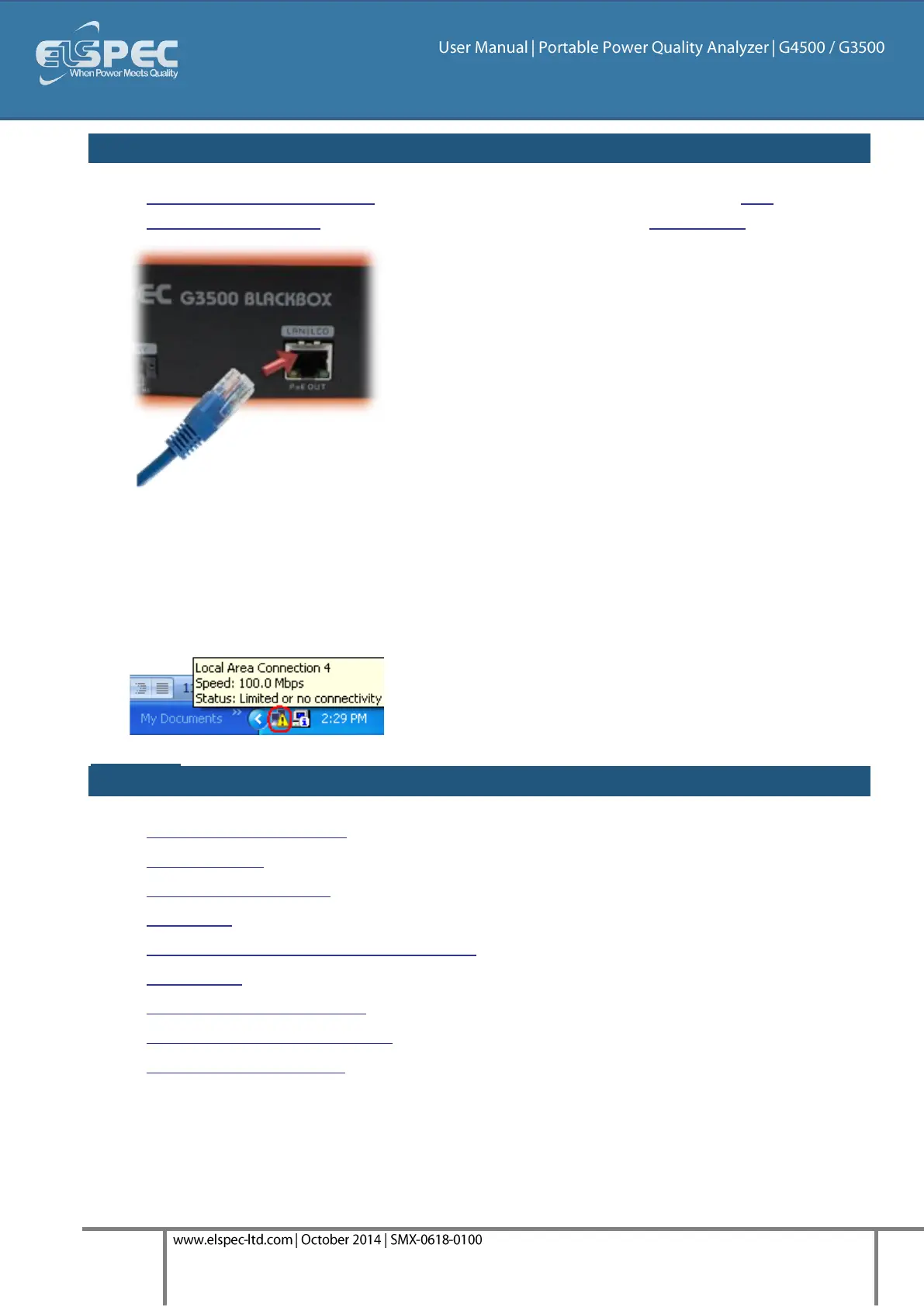
After you have switched on your G3500 Portable PQ Analyzer, connect the LAN
Communication Cord to the port marked LAN/LCD on the units' Front Panel:
The green link-LED of the LAN1 connector begins to flash as Windows begins communicating
with the unit
Wait for about 2 minutes as the Windows operating system reverts to the default "No Server"
IP configuration
When this is completed, the "Local Area Connection Status" icon in the "Quick Start" tray will
change to "Limited or no connectivity":
see also:
About Quick Installation
Unit Powering
About Portable Wiring
Grounding
Plug and Play Voltage & Current Probes
Unit Access
About Quick Configuration
Verify Measurement Readings
Enable PQZIP Recording



 To Next Page