128
Reference Manual
00809-0100-4026, Rev KC
Configuration
October 2018
Configuration
5.4.11 Using the Setup functions
Use the Setup function if you are already familiar with the configuration process for the Rosemount 5400
or to change the current settings:
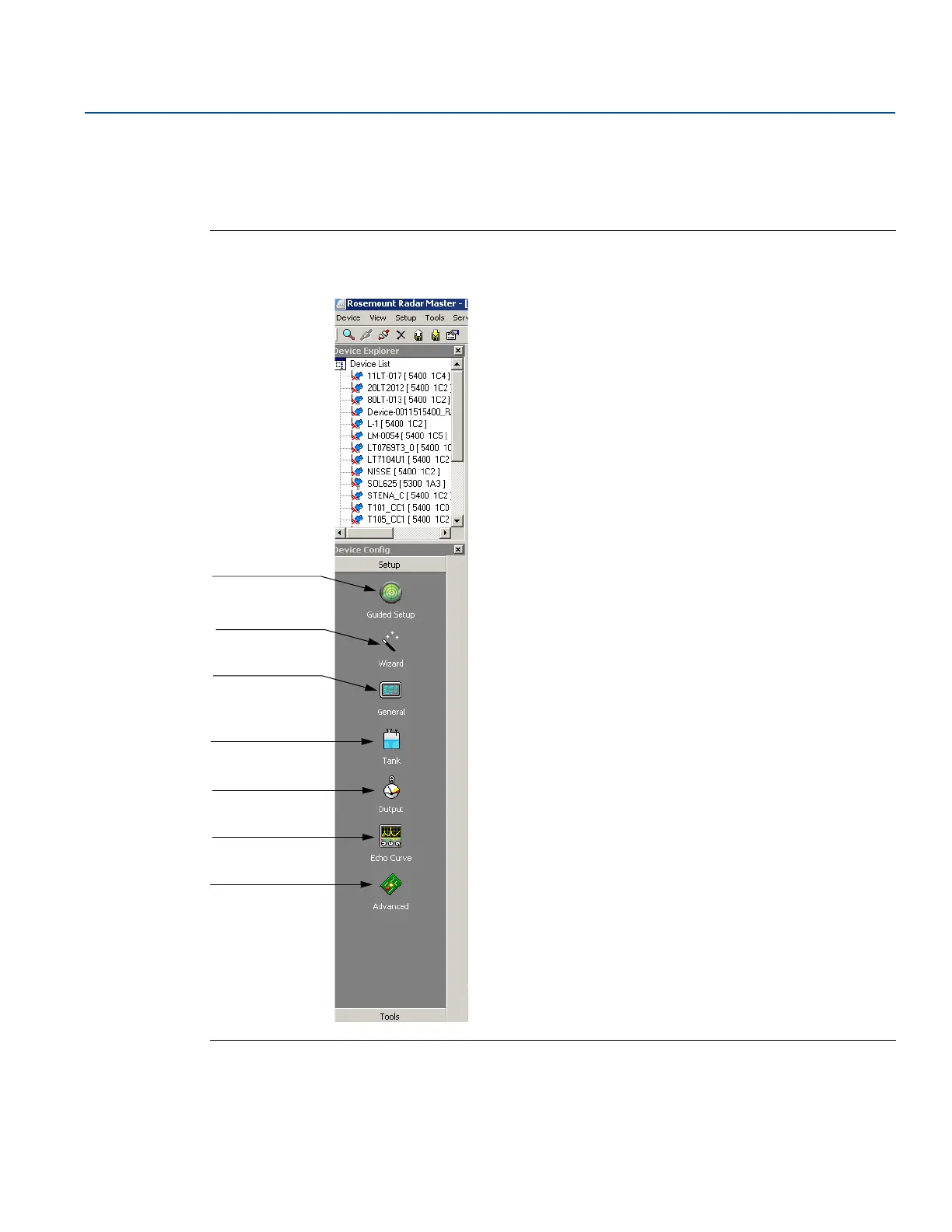
Figure 5-12. Setup Functions in RRM
1. Start the RRM software.
2. In the RRM workspace, choose the appropriate icon for
configuring transmitter parameters:
Guided Setup: this dialog guides you through the
most important steps to perform a successful
configuration of the device. The guide consists of a
few steps.
Wizard: guides the user through the basic
configuration procedure of the Rosemount 5400
transmitter
General: configures general settings, such as
measurement units and communication parameters,
and which LCD display variables to display
Tank: configures tank geometry, tank environment,
and volume
Output: configures Analog Output
Echo Curve: disturbance echo handling
Advanced: advanced configuration
General
Echo Curve
Advanced
Wizard
Analog Output
Tank geometry,
Environment,
Volume
Guided Setup













 To Next Page