Advanced Configuration
October 2018
Reference Manual
00809-0100-4026, Rev KC
Advanced Configuration
270
C.5.5 Hold Off setting
The Hold Off parameter is set to a default value that rarely needs any adjustment (see “Hold Off
distance” on page 259 for definition of Hold Off distance). The Process seal antenna is slightly more
affected by disturbances in the nozzle than the cone and rod antennas. If necessary, a small Hold Off
adjustment may be sufficient to solve the problem.
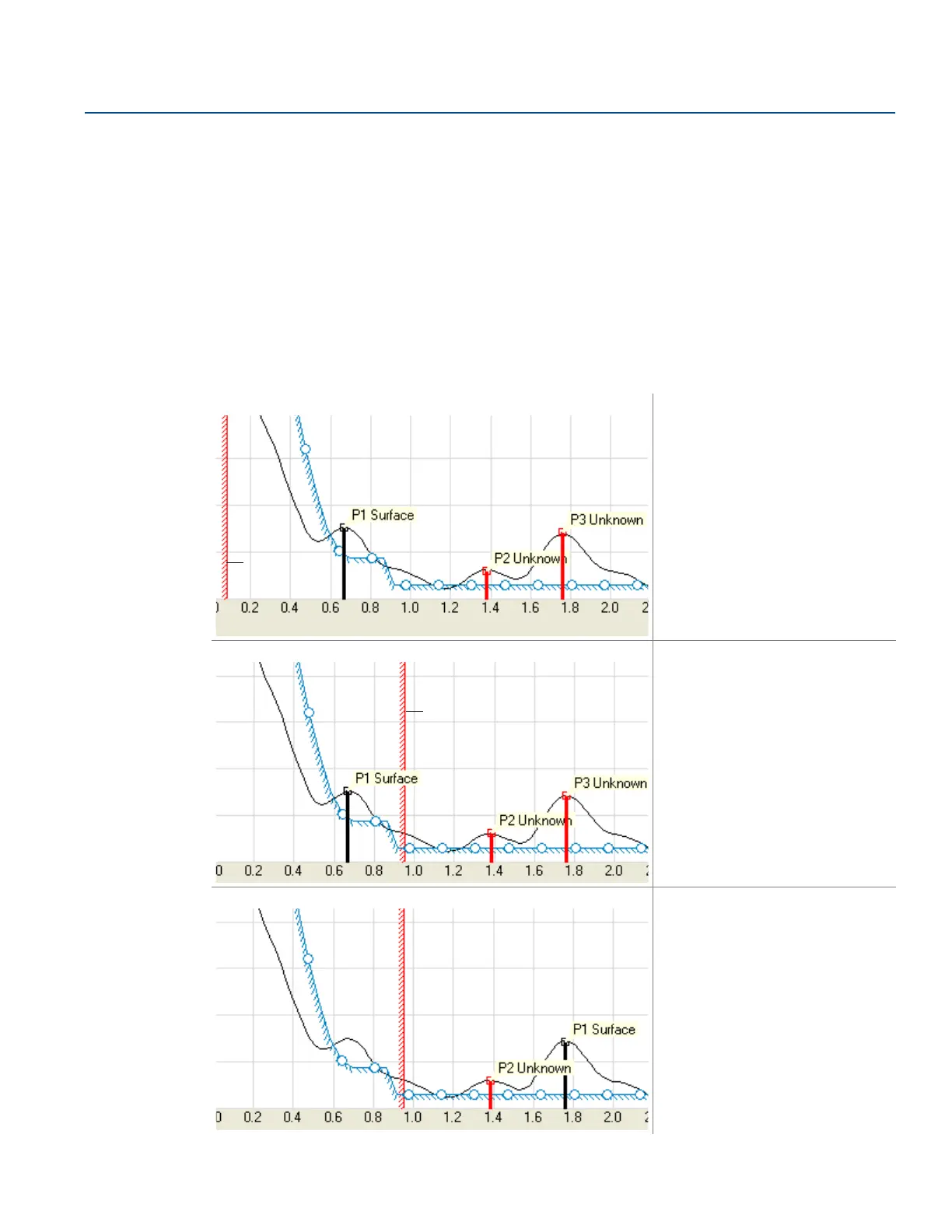
In a typical situation, a small object, such as a weld joint, may give rise to a disturbing echo. If this
disturbance is strong enough, the transmitter may misinterpret this echo as the product surface. By
setting the Hold Off large enough to avoid a measurement within and close to the nozzle, the problem is
solved, as illustrated below.
The Spectrum Plot function in RRM allows for adjustment to the Hold Off distance:
TABLE 0. (continued).
1. In RRM, select the Spectrum Plot
icon to open the Spectrum Analyzer
window.
2. Select the Configuration Mode
tab.
3. Select the Read button and view the
amplitude versus distance graph. If
there is a disturbance caused by an
object in the nozzle, the transmitter
may misinterpret the position of the
surface, as shown to the left. In this
example, the true surface position
is at amplitude peak P3.
4. Move the Hold Off distance line
away from the transmitter i.e. to a
position below the nozzle.
5. Select the Store button.
6. The transmitter will now disregard
any disturbing echoes in the nozzle
and find the product surface.
Hold Off
SPECTRUM ANALYZER













 To Next Page