152
Reference Manual
00809-0100-4026, Rev KC
Operation
October 2018
Operation
Using RRM
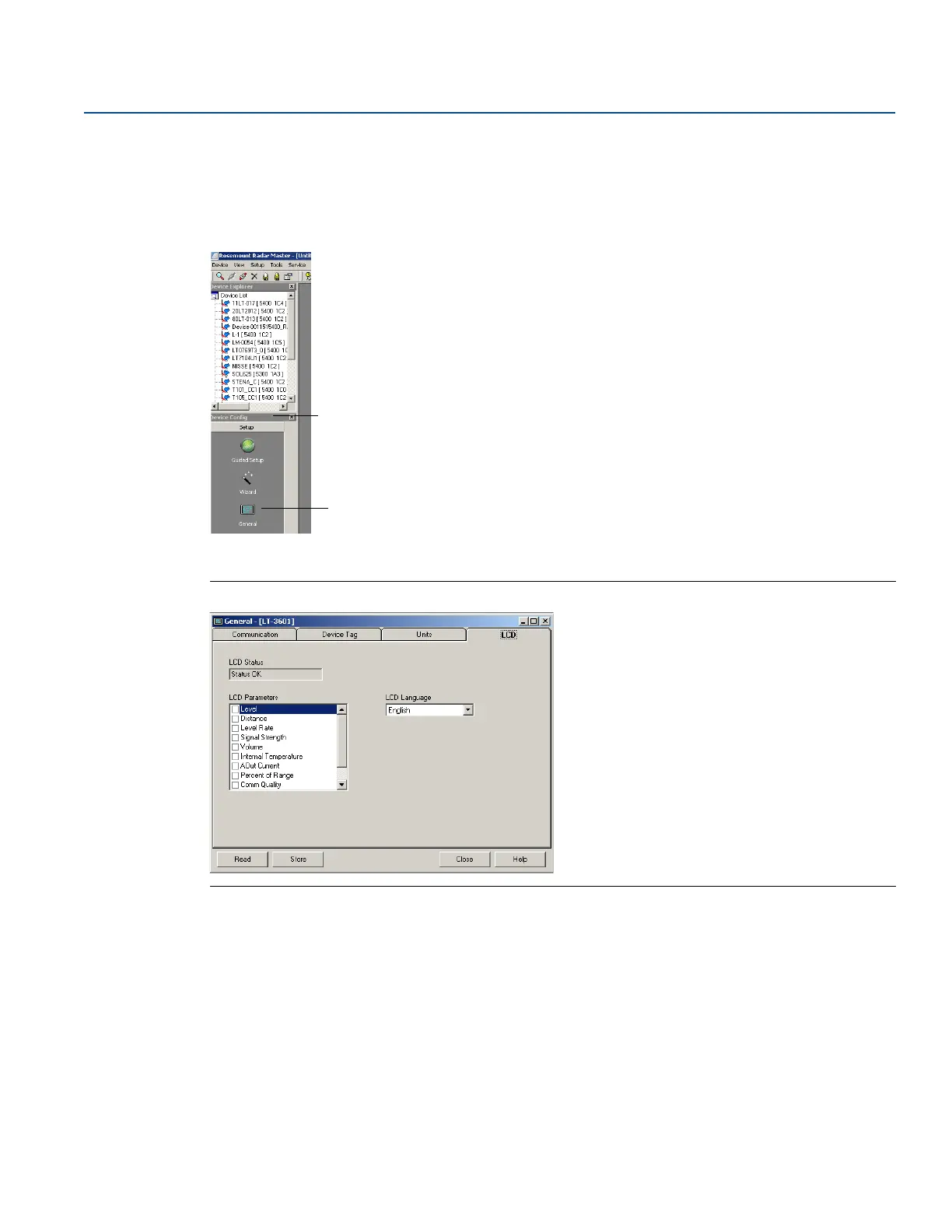
The LCD tab in the General window allows variables to be specified for view on the Display Panel screen:
1. Select the General option from the Setup menu, or select the General icon in the Device Configuration
window.
2. Select the LCD tab.
Figure 6-2. Specify Variables for the Rosemount 5400 Display Panel with RRM
3. Select the variables to appear on the display panel. The LCD display will alternate between the
selected items.
4. Select the Store button to save the LCD display settings in the transmitter database.













 To Next Page