1-32
32 | Setting Up the Printer
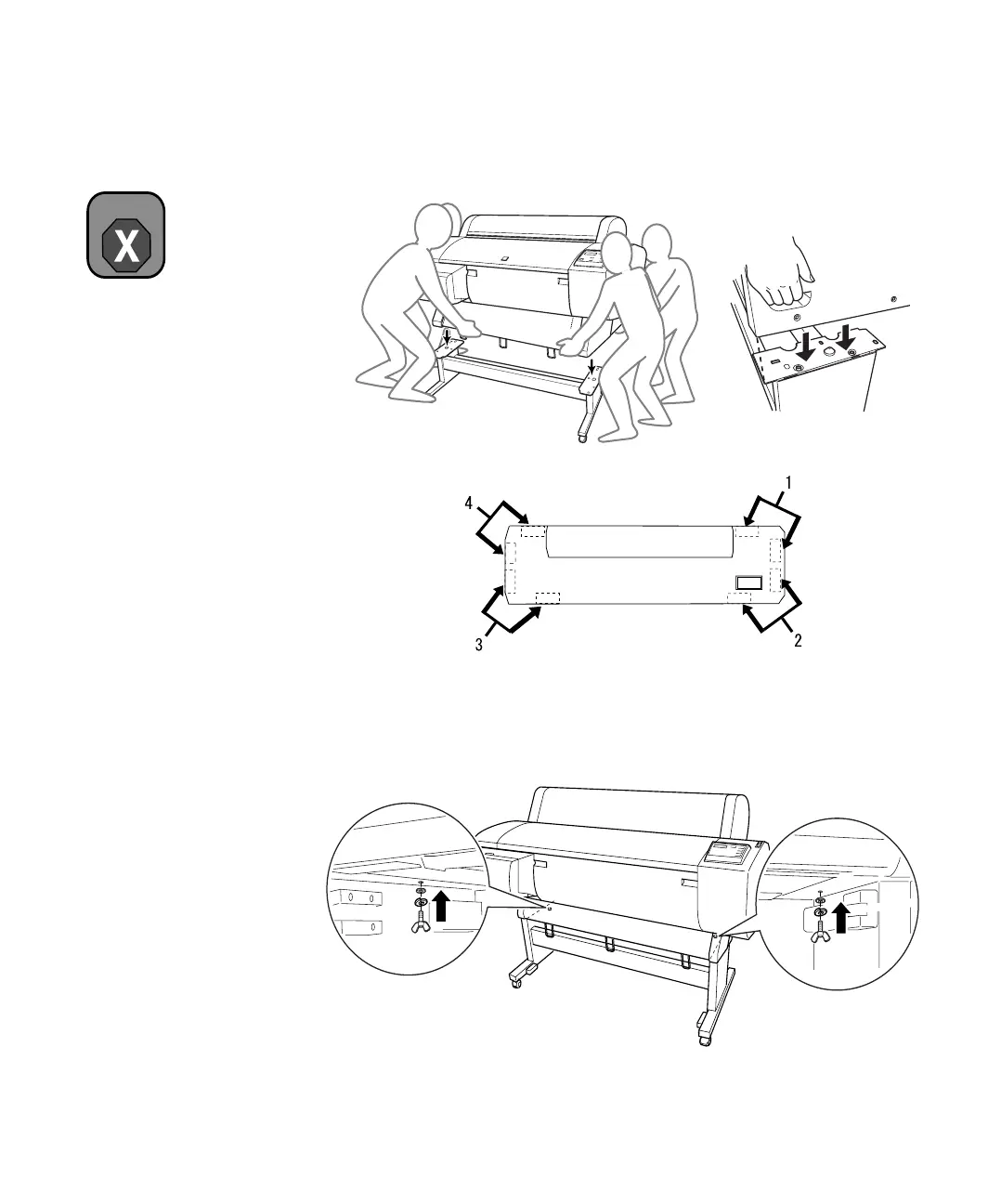
3. Using four people, grasp the printer in the four locations as shown, and
set the printer on the stand:
4. Fasten the printer to the stand with wing nuts, spring washers, and plain
washers (I).
Warning
Do not attempt to lift the
printer with fewer than four
people.
Top view














 To Next Page