-- 3 6 --
bi09d1e2
10.1 Inserting a compact flash card / PC--card
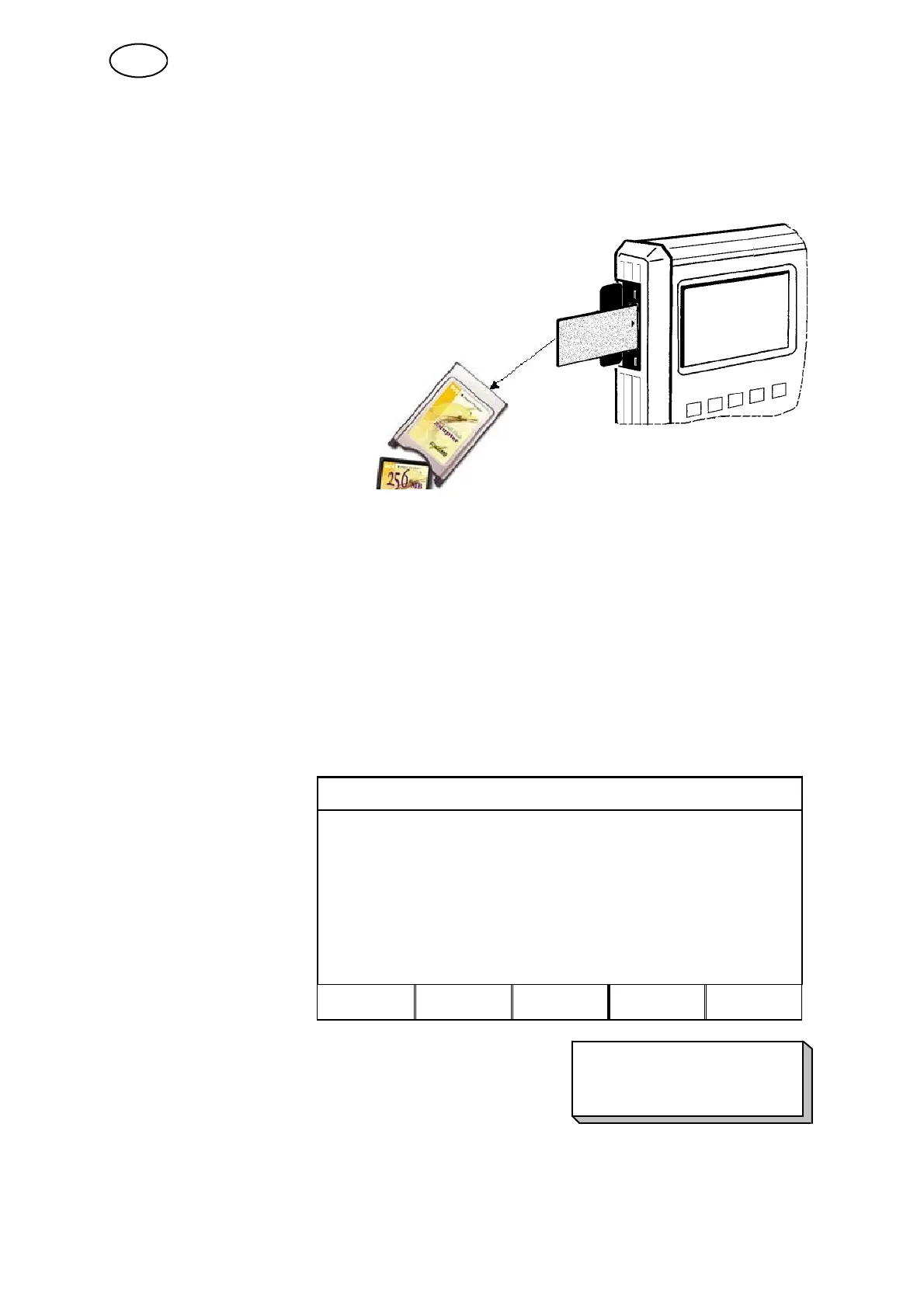
To enable you to use this function fully, you must first insert a compact flash card /
PC --card (PCMCIA) into the controller. A card adapter is also required to enable the
compact flash card and welding machine to work together.
S Switch off the power source’s main power switch.
S Open the left --hand end of the controller.
S Insert the card into the adapter.
S Push the adapter into the
controller so that the locking
bracket snaps shut.
S Close the door.
S Switch on the power
source’s main power
switch.
Note! The compact flash card must use the FAT 16 file system. Most new cards are
FAT 32 why card needs to be formatted before use.
Format your card:
S Put in the card / adapter in the PC.
S Go to file handling.
S Marke the catalogue and click right button of mouse, format and choose file
system FAT or FAT 16 (not 32).
S Click on start.
10.2 Example: Saving welding data settings in the internal memory
FILE MANAGER
Use the Down arrow to
highlight R:\. Press ALT.
C:\
R:\
INFO ALT QUIT ENTER
Use the Down arrow to highlight WeldData.awd and press
ENTER.
NEW FOLDER
WeldData.awd
Qdata050622_01.aqd
The entire welding data settings configuration saved in the welding data memory
(utilised memory positions 1--255) is now saved in the WeldData.awd file. Save on
the compact flash card in the same way.
GB



 To Next Page