-- 4 7 --
bi09d1e2
-- Activation of 2--stroke performed in the measure image, configuration m enu o r with
a soft key in the m easure image.
4--stroke
There are 3 start and 2 stop positions for 4--stroke. This is start and stop position 1.
When resetting position 1 is selected. See the chapter 12.3.4 ”4--stroke
configuration”.
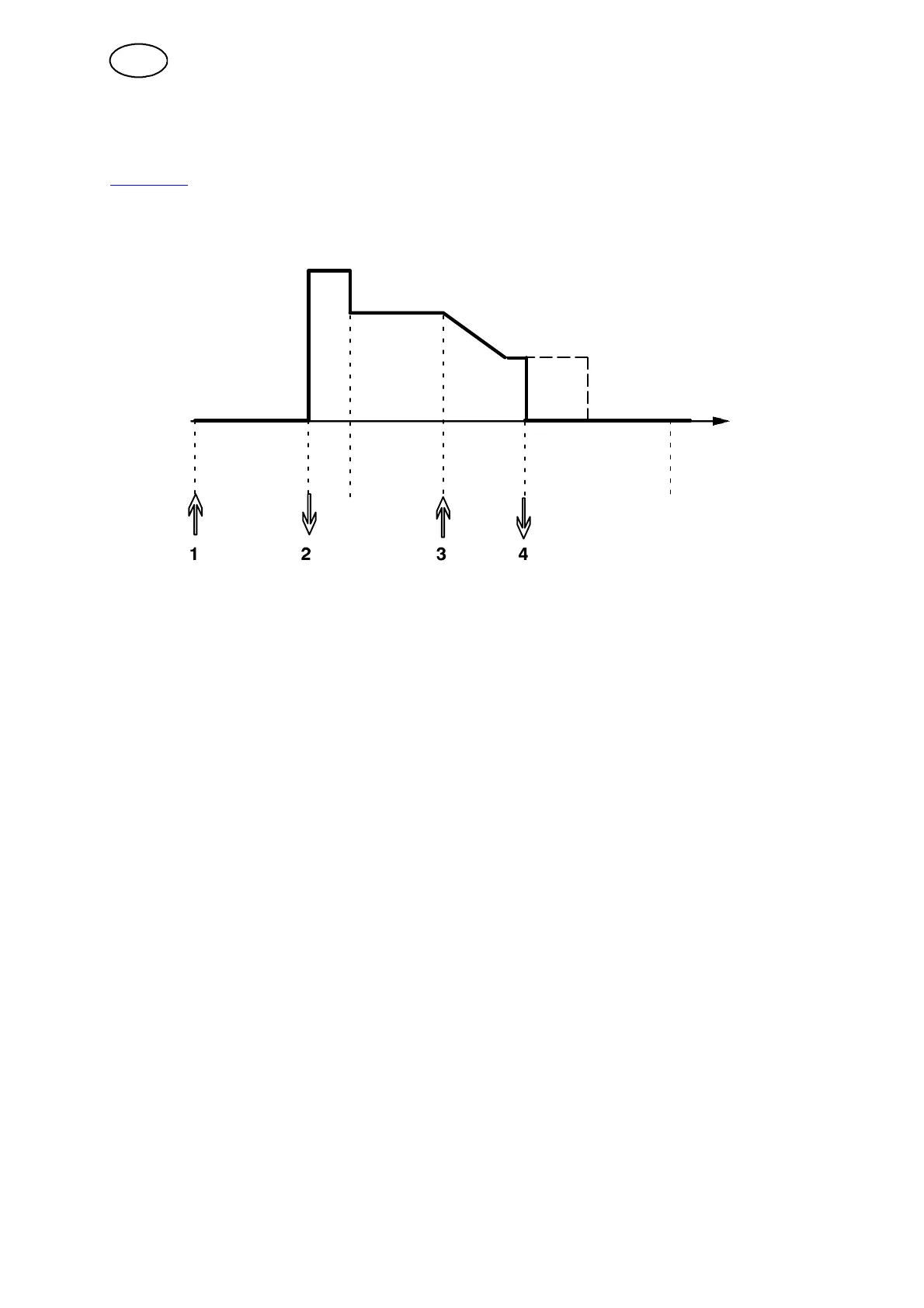
Gas pre-- flow Hot
start
Welding Crater fill Gas post--flow
Functions when using 4--stroke control of the trigger.
In 4--stroke operation gas pre--flow starts when the trigger is pressed (1). When the
trigger is released (2) the welding process starts. Pressing the trigger again (3) starts
crater filling (if selected) and reduces the weld data to a lower value. Releasing the
trigger (4) stops welding entirely and starts gas post--flow (if selected).
TIP: Crater filling stops when the trigger is r eleased. Keeping it held in instead
continues crater filling (the dotted line).
For a different start and stop function for 4--stroke, see chapter 12.3.4 ”4--stroke”.
-- Activation of 4--stroke performed in the measure image, configuration m enu o r with
a soft key in the m easure image.
12.3.2 Soft keys setup
We have already explained the ”soft” keys on the controller. When MIG/MAG welding
the user has the possibility of setting the function of these controls by selecting from
a list of set options. There are seven soft keys that can be assigned a function.
You can choose from the following options:
S None
S Gas purge
S Wire inching
S Trigger mode (2--stroke/4--stroke)
S Crater filling ON/OFF
S Creep start ON/OFF
S Hot start ON/OF F
GB



 To Next Page