EW50 Industrial LTE Cellular Gateway
220
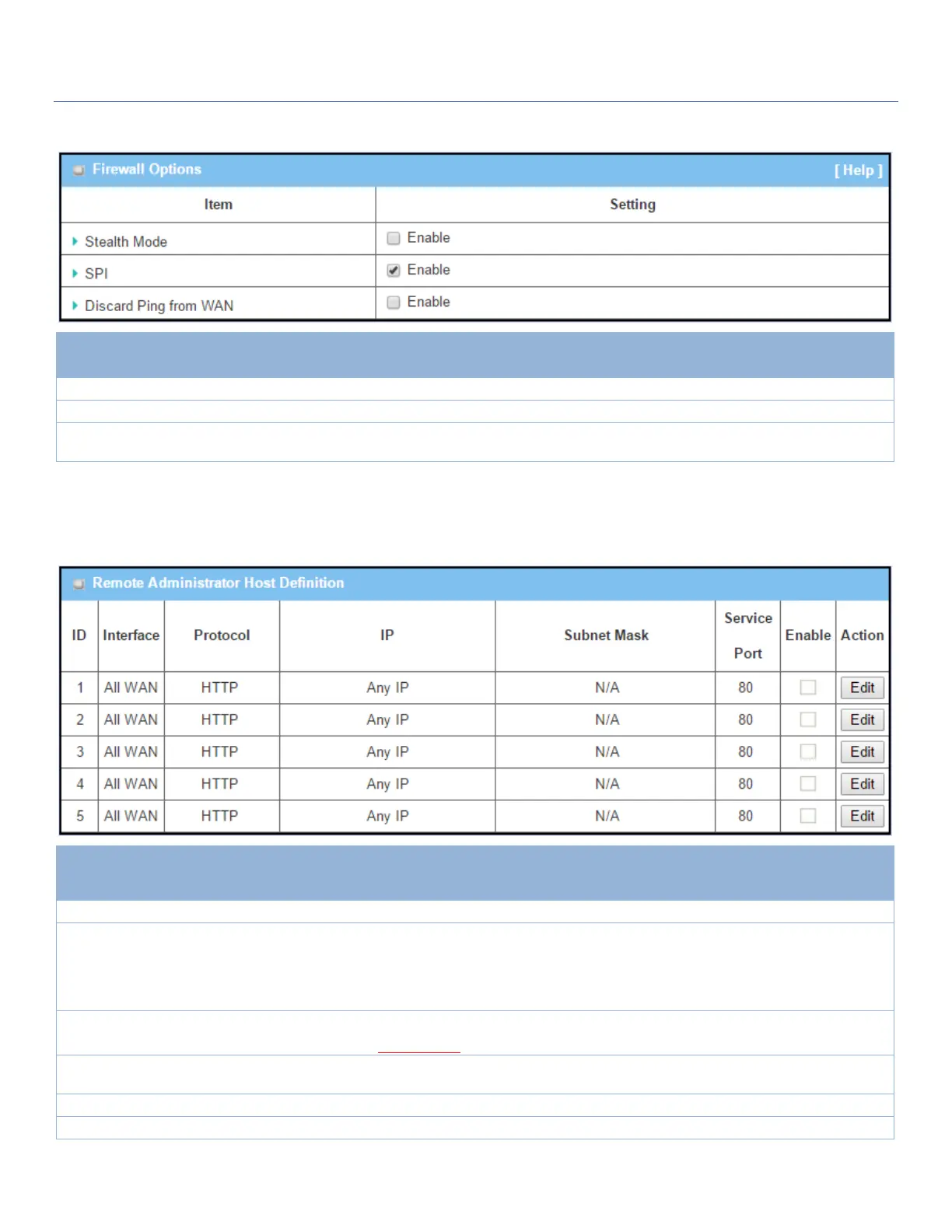
Enable Firewall Options
Check the Enable box to activate the Stealth Mode function
Check the Enable box to activate the SPI function
Check the Enable box to activate the Discard Ping from WAN function
Define Remote Administrator Host
The router allows the network administrator to manage the router remotely. The network administrator can
assign specific IP address and service ports to allow access to the router.
Remote Administrator Host Definition
Select HTTP or HTTPS method for router access.
Specifies the remote host to assign access rights for remote access.
Select Any IP to allow any remote hosts
Select Specific IP to allow the remote host coming from a specific subnet. An IP
address and a selected Subnet Mask compose the subnet.
80 for HTTP by default
443 for HTTPS by default
This field is to specify a Service Port to HTTP or HTTPS connection.
Value Range: 1 ~ 65535.
Click Enable box to activate this rule.
Click Enable box to activate this rule then save the settings.
Click Undo to cancel the settings



 To Next Page