EW50 Industrial LTE Cellular Gateway
258
6.3 FTP
The File Transfer Protocol (FTP) is a standard network protocol used to transfer computer files between a
client and server on a computer network. FTP is built on client-server model architecture and uses separate
control and data connections between the client and the server. FTP users may authenticate themselves with
a clear-text sign-in protocol, normally in the form of a username and password, but can also connect
anonymously if the server is configured to allow it.
For secure transmission that protects the username and password, and encrypts the content, FTP is
often secured with SSL/TLS (FTPS). SSH File Transfer Protocol (SFTP) is sometimes also used instead, but is
technologically different.
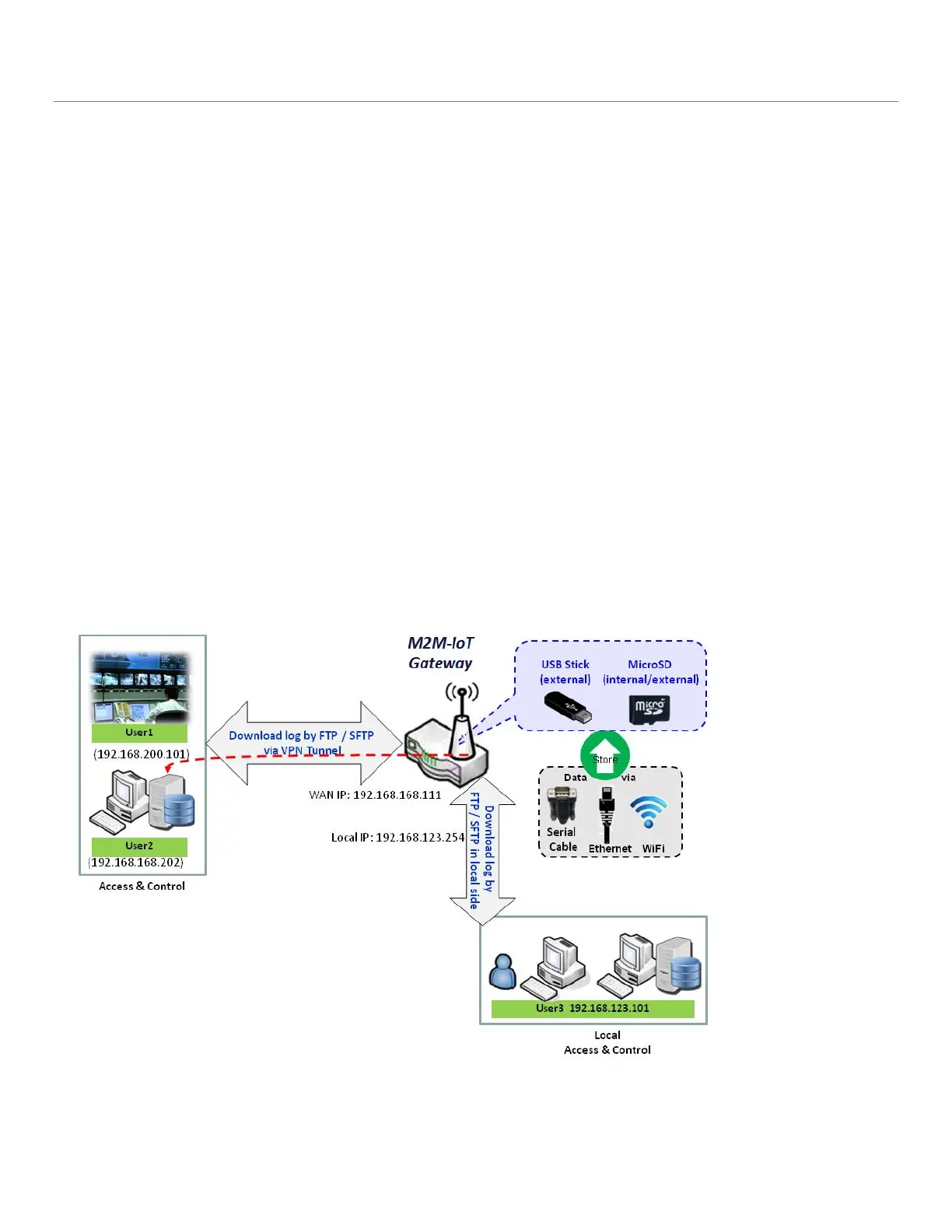
This gateway has an embedded FTP / SFTP server for administrator to download log files to his computer or
database. In the following two sections, you can configure the FTP server and create the user accounts that
can log in to the server. After logging in, you can browse the log directory and have permission to download
the stored log files and delete the files you have downloaded to make more storage space for further data
logs.
The available log files can be system logs (refer to Administration > System Operation > System Log), Network
Packets (refer to Administrator > Diagnostic > Packet Analyzer), Data Log (refer to Field Communication > Data
Logging > Log File Management), and GNSS Log (refer to Service > Location Tracking > GNSS). With proper
configuration for the various log functions that supported on your purchased product, you can download the
log via FTP / SFTP connections.



 To Next Page