EW50 Industrial LTE Cellular Gateway
287
Create / Edit Digital Output (DO) Profile Rule (DI/DO support required)
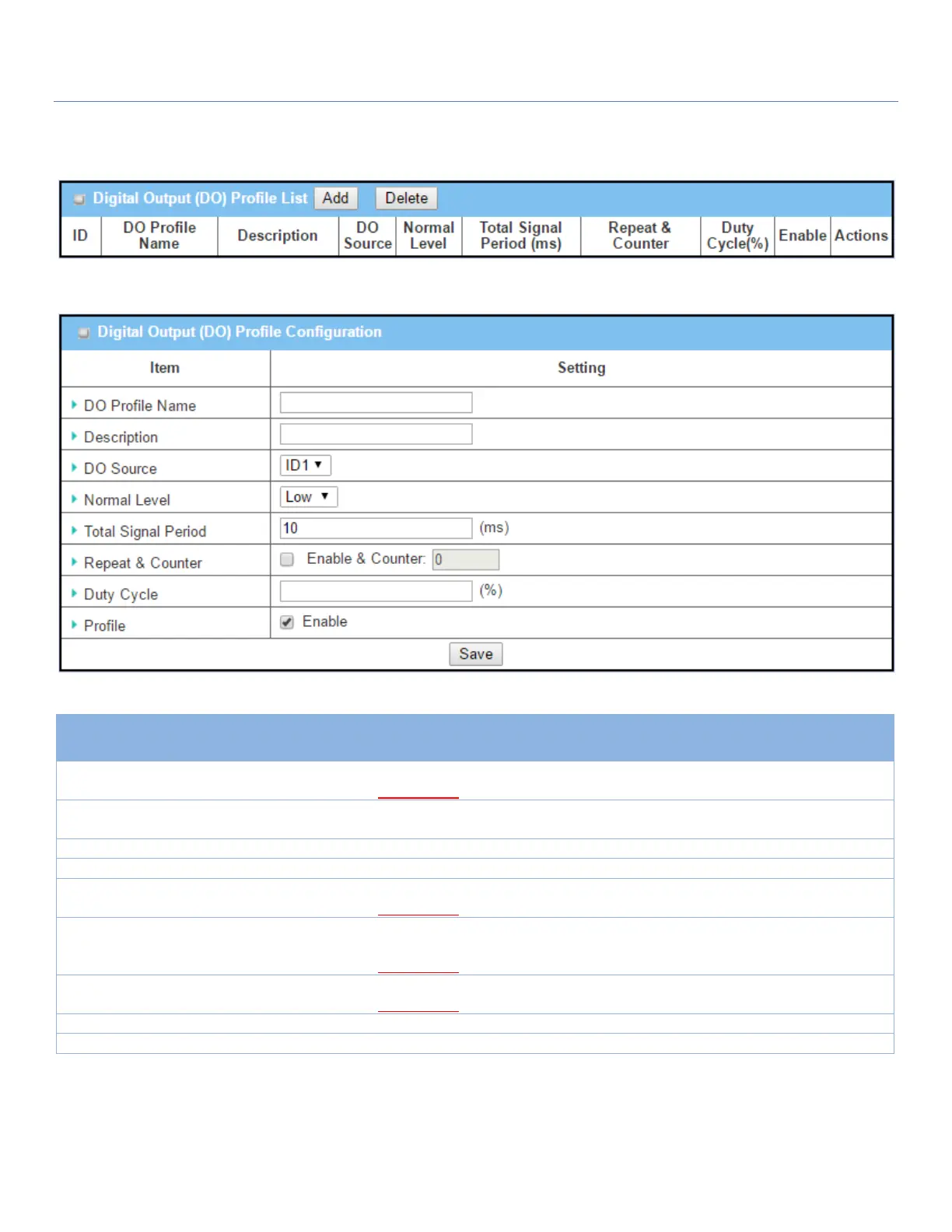
Set up the Digital Output (DO) Profile rules. It supports up to a maximum of 10 profiles.
When Add button is applied, the Digital Output (DO) Profile Configuration screen will appear.
Digital Output (DO) Profile Configuration
1. String format
2. Required setting
Specify the DO Profile Name.
Value Range: -1 ~ 32 characters.
1. Any text
2. Optional setting
Specify a brief description for the profile.
Specify the Normal Level: Low or High.
1. Numeric String format
2. Required setting
Specify the Total Signal Period.
Value Range: 10 ~ 10000 ms
Check the Enable box to activate the repeated Digital Output, and specify the
Repeat times.
Value Range: 0 ~ 65535
1. Numeric String format
2. Required setting
Specify the Duty Cycle for the Digital Output.
Value Range: 1 ~100 %
Click Enable box to activate this profile setting.
Click the Save button to save the configuration.



 To Next Page