XTP CrossPoint Series • Operation 53
4. Change the audio level: Press and release the View (
<
) button once (see figure 38) to
decrease the input audio level by 1 dB.
Press and release the View (
<
) button several more times (see figure 36) to decrease
the input audio level by 1 dB per button press. Note the output button indication
changes that occur each time the View (
<
) button is pressed.
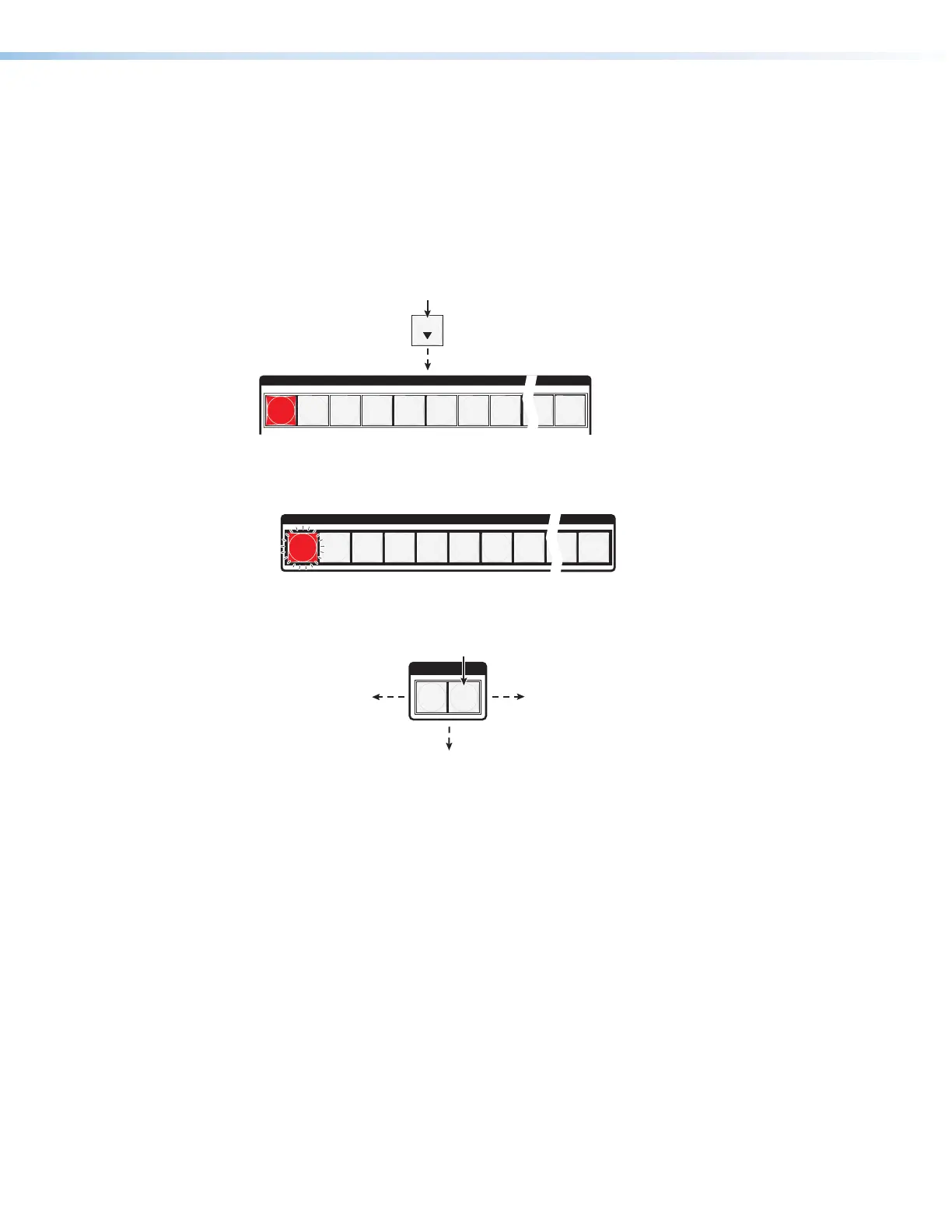
Figure 38 and figure 39 show the result of pressing the View (
<
) button a total of nine
times, an audio attenuation level of -1 dB. Note that the level is now displayed in red to
indicate a negative level.
VIEW
OUTPUTS
1
2
3
4
5
6 7
8
15
16
Press the button.
The output buttons display the audio level and
polarity (gain or attenuation) of the selected input.
Each output button indicates 1 dB when lit.
When the buttons are lit green, they indicate a
gain (+) audio level.
When the output buttons are lit red, they indicate
an attenuation (-) level.
•
•
Figure 38. Adjust the Analog Input Audio Level
Figure 39 shows the same –1 dB level as in figure 38, but displayed on an
XTP CrossPoint 1600 matrix switcher.
1
2
3
4
5
6 7
8
15
16
Figure 39. Level Display on an XTP CrossPoint 1600 Matrix Switcher
5. Exit Audio mode: Press and release the Audio button.
I / O
VIDEO AUDIO
The Audio button stops
blinking and lights.
Press the button.
All input buttons and output buttons
return to unlit or background illumination.
The Video button
lights green.



 To Next Page