XTP CrossPoint Series • Installation 12
Rear Panel Cabling and Features
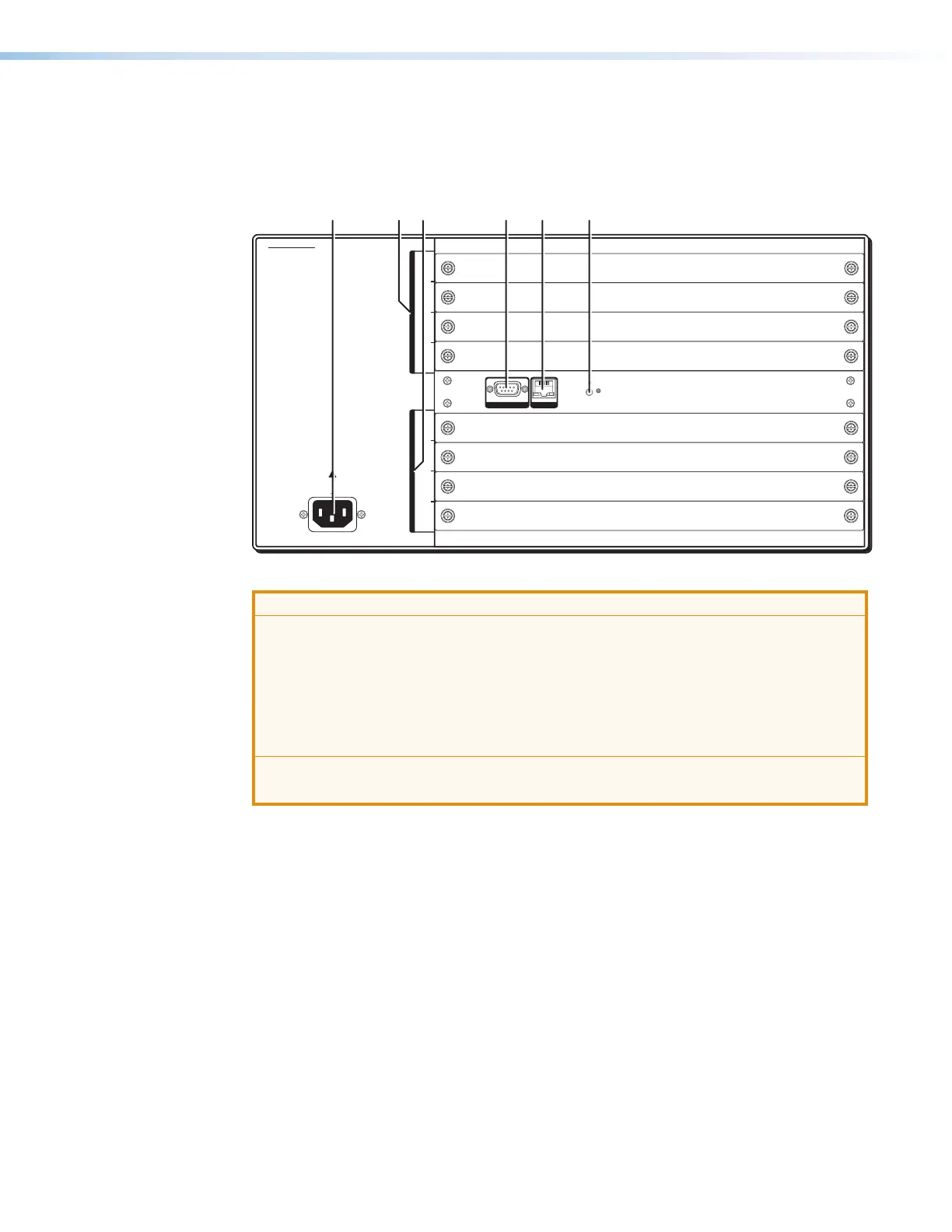
Figure 2 shows an XTP CrossPoint 1600. Figure 3 on the next page shows an
XTP CrossPoint 3200. The models have similar features, but different-sized enclosures and
a different arrangement of the features.
INPUTS
OUTPUTS
100-240V
50-60Hz
-- A MAX
1−4
5−8
9−12
13−16
1−4
5−8
9−12
13−16
LAN
ACTLINK
REMOTE
RS-232/RS-422
RESET
NP
T
UTPUT
100-240
-
H
-
1
1
1
A
EM
T
-232
R
-422
RESE
100-240V
DISCONNECT POWER
CORD BEFORE
SERVICING
XTP CROSSPOINT 1600
50-60Hz
12.0A MAX
1−4
5−8
9−12
13−16
1−4
5−8
9−12
13−16
OUTPUTS INPUTS
RESET
REMOTELAN
RS-232/422
AB CD EF
Figure 2. XTP CrossPoint 1600 Matrix Switcher Rear Panel
ATTENTION:
• Use electrostatic discharge (ESD) precautions (be electrically grounded) when
making connections. Electrostatic discharge can damage equipment, even if you
cannot feel, see, or hear it.
• Prenez des précautions contre les décharges électrostatiques (ESD) (soyez
électriquement relié à la terre) lorsque vous effectuez des connexions. Les
décharges électrostatiques peuvent endommager l’équipement, même si vous ne
pouvez pas le sentir, le voir ou l’entendre.
• Remove system power before making all connections.
• Débranchez l’alimentation du système avant de faire n’importe quelle connexion.
A
Input boards space (see page 14)
B
Output boards space (see page 17)
C
Remote RS-232/RS-422 port (see page 26)
D
LAN port (Ethernet connector) (see page 26)
E
Reset button and LED (see page 27)
F
Power connector (see page 27)



 To Next Page