RESTRICTED USE ONLY Fargo Electronics, Inc.
DTC400 Card Printer/Encoder User Guide (Rev. 2.2)
3-27
Installing the Printer Driver (continued)
Step Procedure
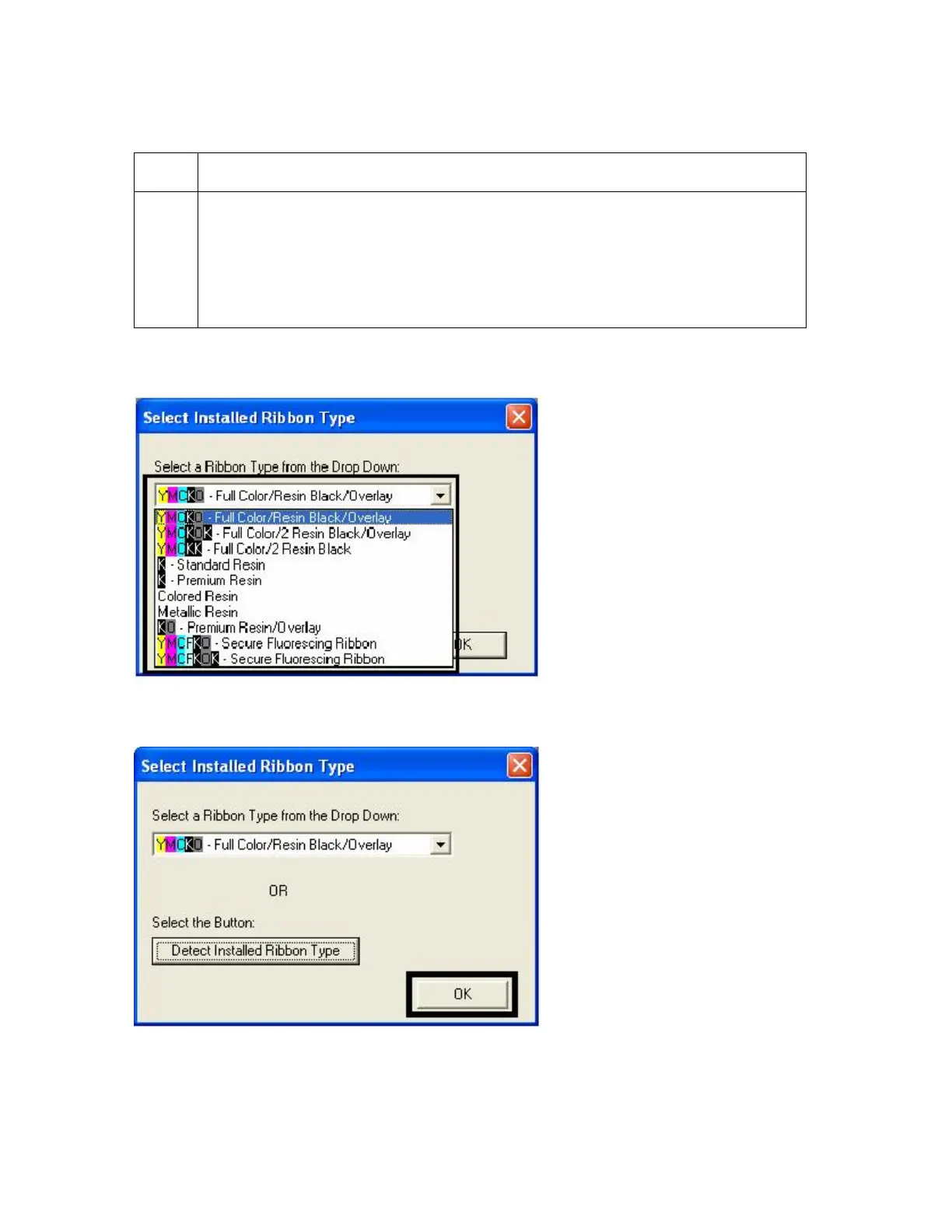
12 Select the Ribbon Type from the dropdown menu. See Display A below.
OR
If the Ribbon Type is not known, select the Auto Ribbon Select button. See
Display B below. (Note: The Ribbon needs to be installed for this procedure
to work.)
Display A
Display B



 To Next Page