FARO
®
Laser Scanner Manual
70
Chapter 7: Controller Software
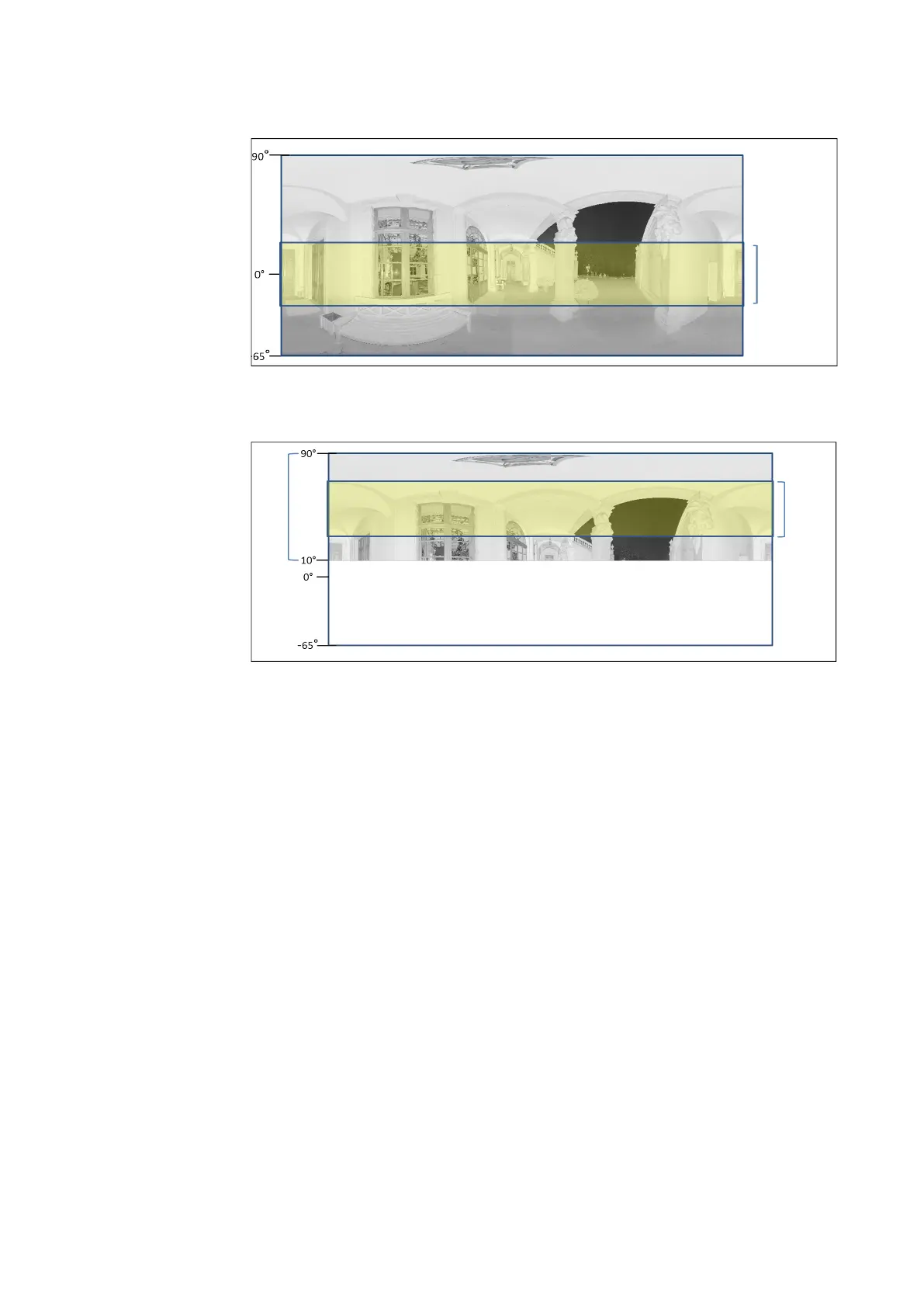
then be moved up or down and set to the center of the remaining vertical scan
area. The following figures illustrate this behavior.
Figure 7-13: Exposure metering area (highlighted yellow) for the full vertical
scan area
Figure 7-14: Exposure metering area for a limited vertical scan area set to
e.g., 10° to 90°
Zenith Weighted Metering - With zenith weighted metering, the camera will
use the light information coming from above the scanner to determine its
exposure setting. Use this mode if there is very bright light coming from
windows or other sources, and if you want to achieve the most correct balance
of light and exposure for objects at the ceiling of building (e.g., for ceiling
Exposure
metering
area
Exposure
metering
area
Vertical
scan
area



 To Next Page