FARO
®
Laser Scanner Manual
77
Chapter 7: Controller Software
to duplicate and tap the Duplicate button at the bottom of the list. The
newly created project has the same settings and properties as the original
project.
Delete a scan project
To delete a project or cluster, select it in the list and tap on the
Delete button. If
the project or cluster has subordinates, they will be deleted too.
How scan projects are saved
Scan projects are stored on the SD card. If you remove the SD card from the
scanner, the entire structure of the currently selected project and cluster, as
well as the Default_Project remain on the scanner. All other projects will be
removed from the list, but will be kept on the removed SD card of course. If
you insert a new SD card, the selected project will be saved to the new SD
card as soon as you make changes to it, or as soon as a scan has been
started. If the new SD card already contains projects, it will be added to the
projects list.
Editing a Scan Project
To edit a scan project, select it in the list and tap it once again to reach to its
details view.
Selecting a Scan Project
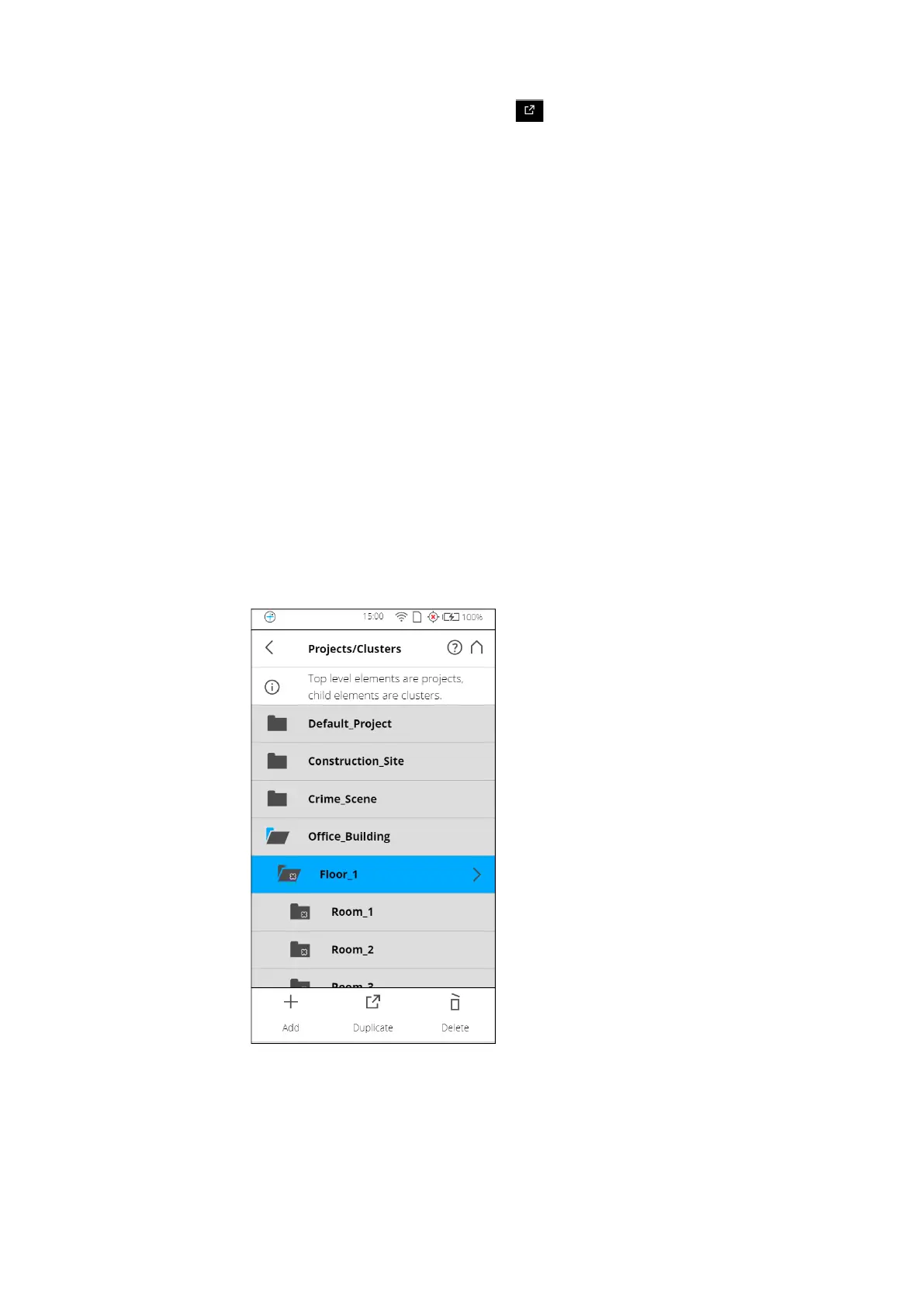
Figure 7-20: Project List
The project list contains the currently selected project and all further projects
stored on the SD card.



 To Next Page