FARO
®
Laser Scanner Manual
76
Chapter 7: Controller Software
list. The currently edited item will then be assigned as a cluster to this
project/cluster.
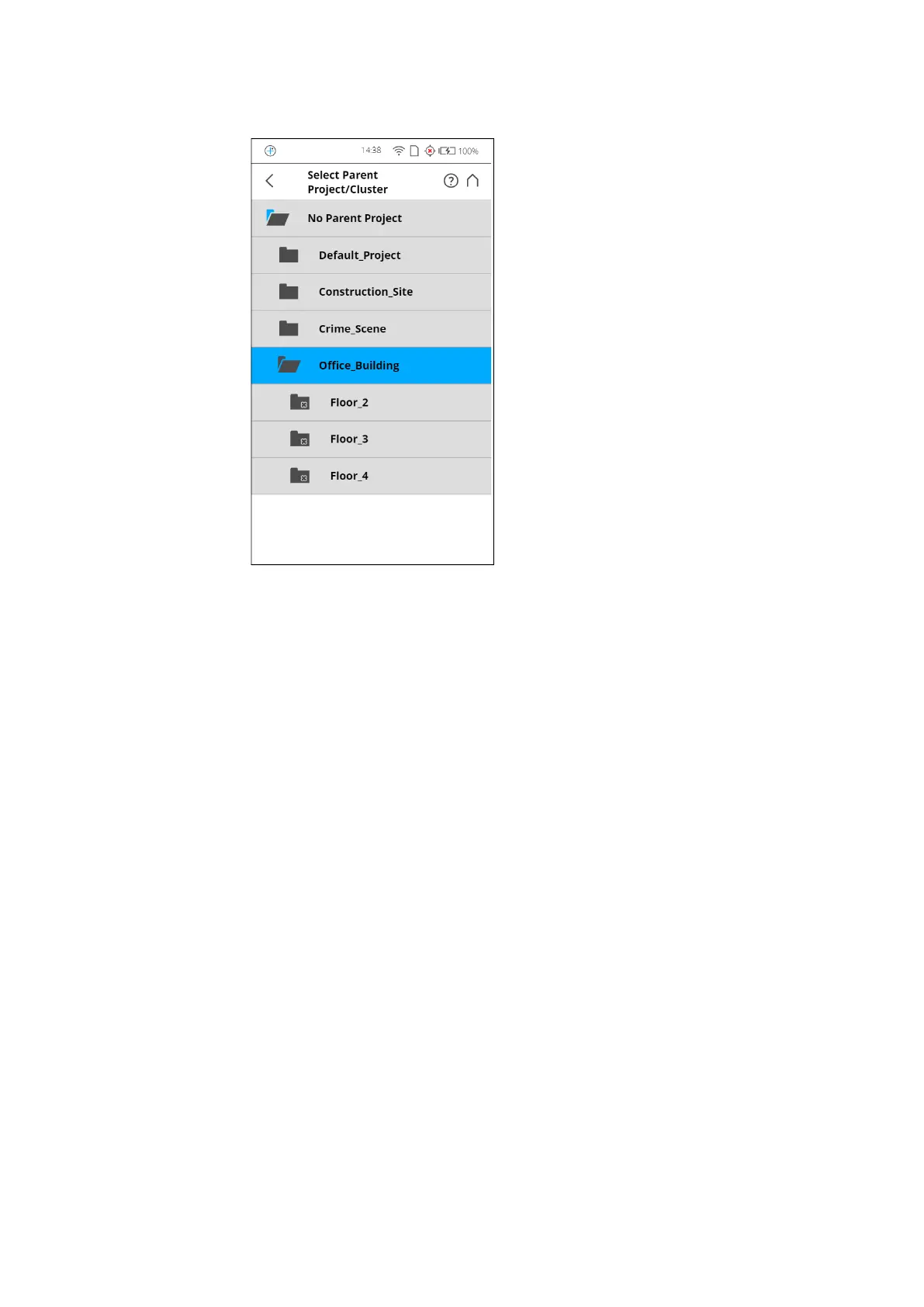
Figure 7-19: Select Parent Project/Cluster
This view shows all available projects and clusters that are applicable to be a
parent project/cluster. Tap on a button to select the parent project/cluster. The
selected parent project/cluster will be highlighted.
No Parent Project Tap this button if the project is supposed to be a project with no parent project.
Project Information
Customer If you are carrying out the scan project for a customer, you can enter that
name here.
File Base Name The scan will be saved with a file name consisting of this base name followed
by the current scan number.
Initial Scan No. Automatically increments with each successive scan. Can be reset and can be
used to indicate the number of scans per scan session.
Additional Info Additional project information.
Latitude [°] Enter the approximate (+/- 10° is sufficient) latitude position of the scan
project. This information helps to improve the accuracy of the inclination
sensor and leads to better scan registration results. Enter the latitude value in
decimal degree notation.
Duplicate a scan project
Instead of adding a completely new project or cluster, you can also create new
projects by duplicating existing ones. For this, select the project that you want



 To Next Page