FARO
®
Laser Scanner Manual
89
Chapter 7: Controller Software
GPS precision - Provides information about the precision of the currently
measured coordinates in meters or feet. The DOP (dilution of precision)
values are an indicator of the quality of the geometry of the current satellite
constellation. In general, good position measurements can be achieved, when
the satellites are located at wide angles relative to each other. In this case the
DOP values are low. Higher DOP values indicate a poor satellite geometry
which might have a negative effect on the position accuracy.
The current GPS status and signal quality is indicated by different GPS icons
in the status bar of the operating software.
Before starting a scan, you should always look at the GPS icon and the
indicated quality. If no GPS data is available or position deviation is high, try to
find a position with better signal quality.
A limited GPS signal can have many different causes. As with portable
navigation devices, make sure that the scanner always has an unobstructed
view of the sky. Obstructions can block the signal reception, causing position
inaccuracy or no position data. The GPS signal can also be reflected by
objects (for example, buildings or mountains), causing the measured position
to wander. The more satellites the sensor has in view, the better the fix is.
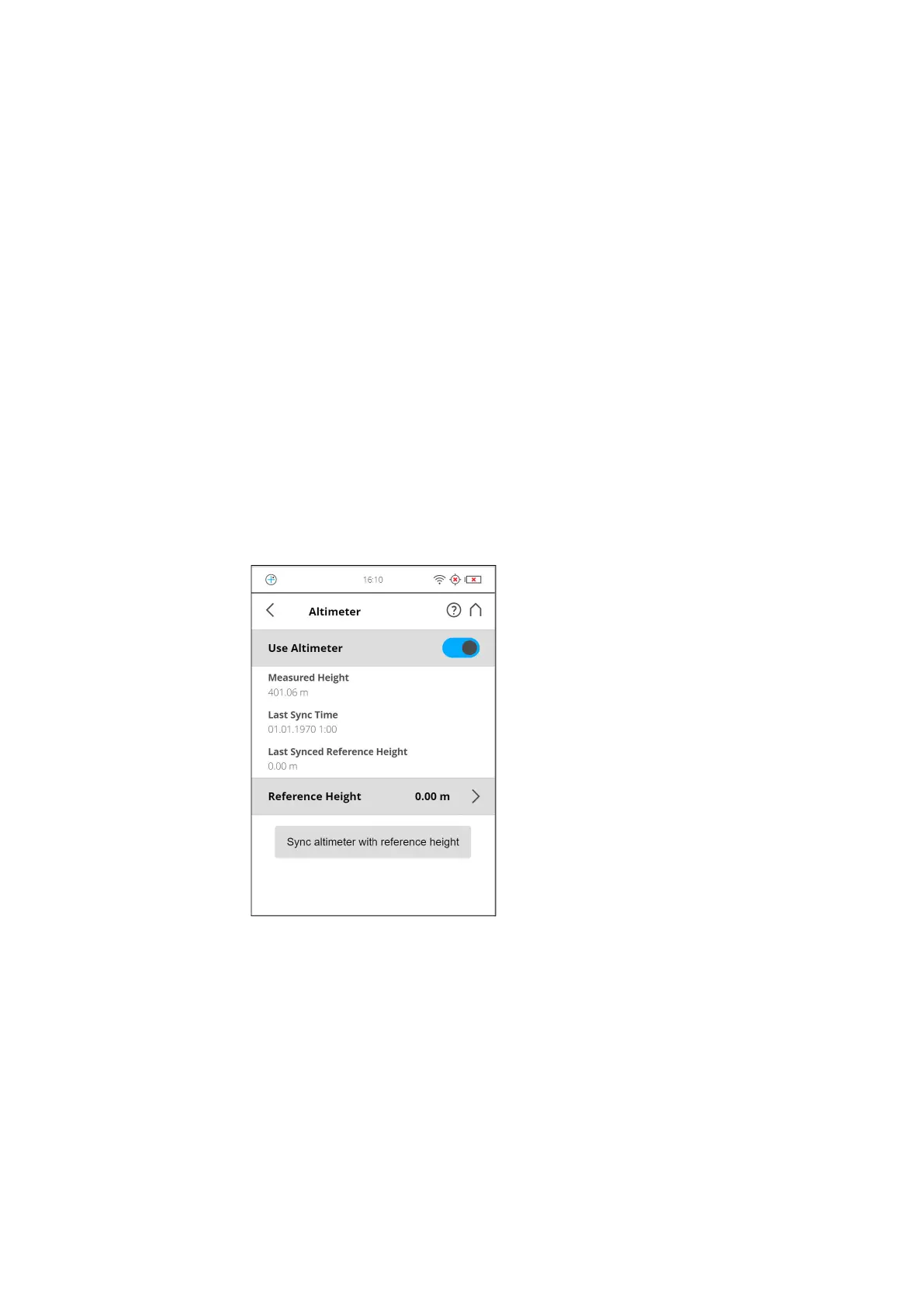
Altimeter
(Manage > Sensors > Altimeter)
Figure 7-30: Altimeter
The barometric height sensor (altimeter) determines the altitude of the current
scanner position. The altitude determination is based on the measurement of
the atmospheric pressure. The measured altitude is attached to each scan
and can be used for the scan registration in SCENE (see SCENE user manual
for more information). If you want SCENE to automatically use the measured
altitude for the scan registration, switch the Use Altimeter button to ON, else
switch it to OFF. This setting affects the current scanning parameters and has
the same function as the equivalent button in the parameters settings.
For more information, see Setting the Scanning Parameters on page 44.



 To Next Page