⚫ Primary/Secondary Server: The time zone server, normally will
automatically obtain the time when connecting to the network. The
secondary server will take effect when the primary server is invalid.
⚫ Update Interval: it is available when you choose Auto. To configure interval
between two consecutive NTP requests.
6. LED Setting
6.1. Infrared LED Setting
Infrared LED is applied in a dark environment in which a resident might not be
able to see a visitor clearly via the video from the door phone. If the infrared
LED is turned off, the door phone will turn to night mode so that you can have a
clear view of the visitor. You can set up it on the device web Intercom >
Advanced interface.
Parameter Set-up:
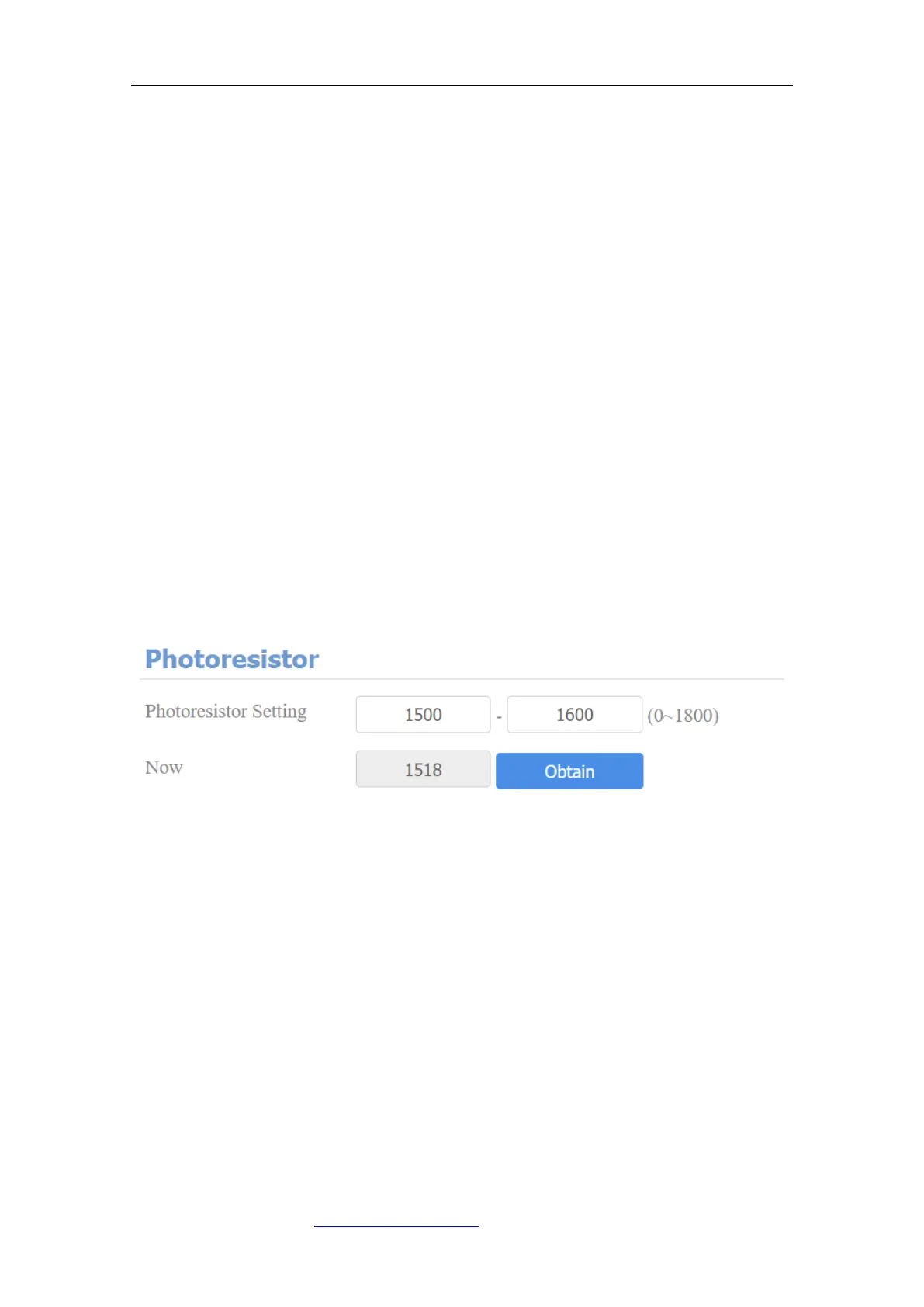
⚫ Photoresistor Setting: set the triggering points for disabling the infrared
LED and enabling the infrared LED. For example, if you set the triggering
points at 1500-1600, the infrared LED will be enabled when the
photoresistor value gets higher than 1600 (the video image you see from
the door phone will become black and white) and if the value gets lower
than 1500, then the infrared light will be disabled ( the video image you see
will have color).
⚫ Now: click Obtain to obtain the current environment brightness and use it
as a reference to set up the photoresistor setting.



 To Next Page