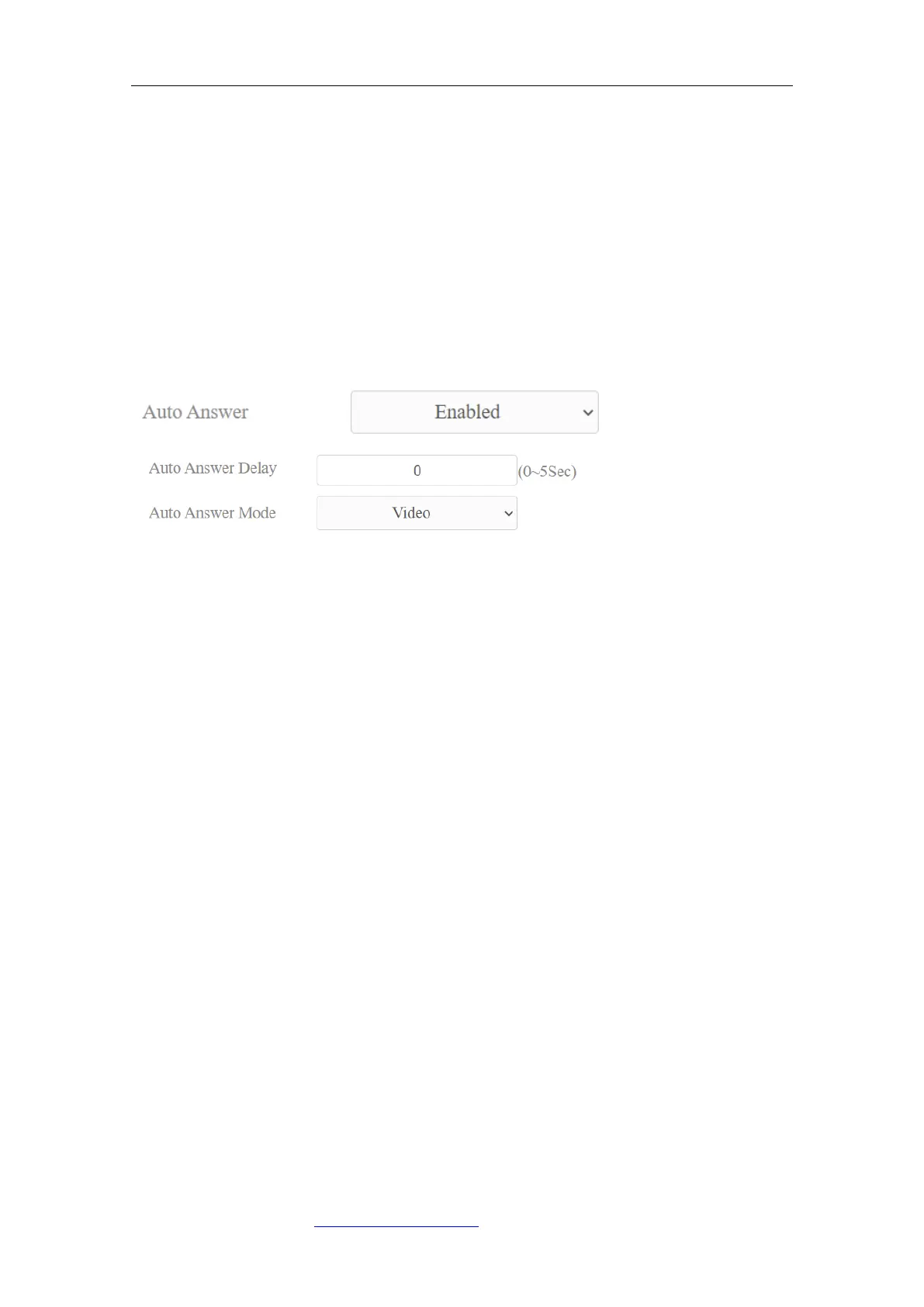
9.3.6. Auto Answer
You can define how quickly the door phone should respond in answering the
incoming SIP/IP call automatically by setting up the time related parameters.
In addition, you can also define the mode in which the calls are to be answered
( video mode or audio mode). To enable this feature on web Account >
Advanced > Call interface, you can set up the related parameters on web Phone >
Call Feature>Others.
Parameters Set-up:
⚫ Auto Answer: Turn on the Auto Answer function by clicking “Enable”.
⚫ Auto Answer Delay: Set up the delay time (from 0-5 sec.) before the call
can be answered automatically. For example, if you set the delay time as 1
second, then the call will be answered in 1 second automatically.
⚫ Auto Answer Mode: Set up the video or audio mode you preferred for
answering the call automatically.
9.3.7. Multicast
Multicast uses one-to-many mode to communicate in a range. Door phone can
be a listener and receive the audio from the listened part. To do the
configuration on the web Phone > Multicast interface.
Parameters Set-up:
⚫ Paging Barge: multicast or how many multicast calls are higher priority
than SIP call, if you disable Paging Priority Active, SIP call will have high
priority.



 To Next Page