⚫ RTSP Authentication Type: select RTSP authentication type between
“Basic” and “Digest”. “Basic” is the default authentication type.
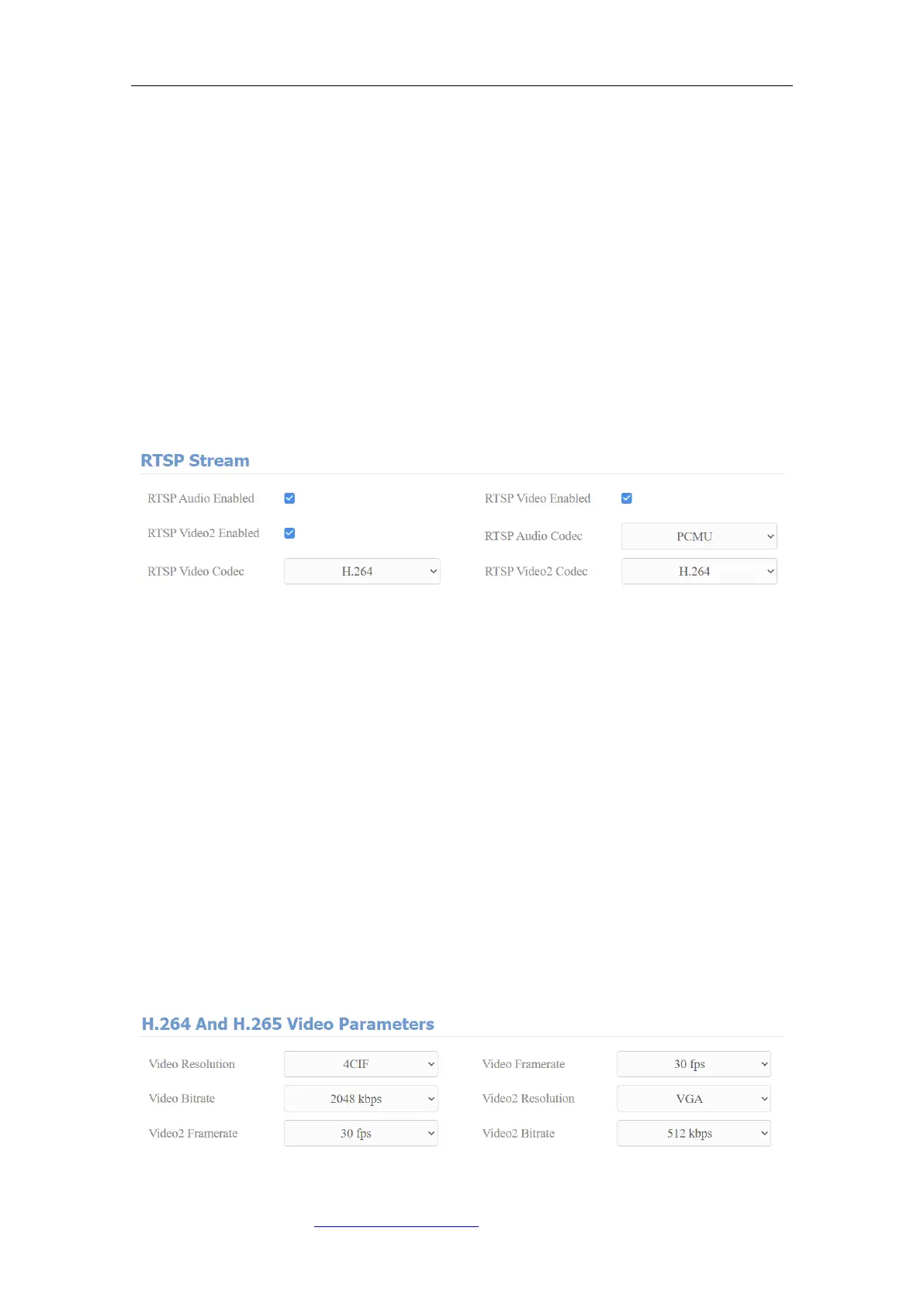
14.1.2. RTSP Stream Setting
You can select the video codec format for the RTSP stream for the monitoring
and configure video resolution and bit-rate etc based on your actual network
environment on the web Intercom > RTSP > RTSP stream interface.
Parameter Set-up:
⚫ RTSP Audio Enabled: tick to enable RTSP audio which means, the door
phone can also send audio information to the monitor by RTSP.
⚫ RTSP Video Enabled: the door phone can send the video information to the
monitor. After enabling RTSP feature, the video RTSP is enabled by default
and can not be modified.
⚫ RTSP Video2 Enabled: Fasttel door phones support 2 RTSP streams, you
can enable the second one.
⚫ RTSP Audio Codec: choose a suitable audio codec for RTSP audio.
⚫ RTSP Video/Video2 Codec: choose a suitable video codec for RTSP video.



 To Next Page