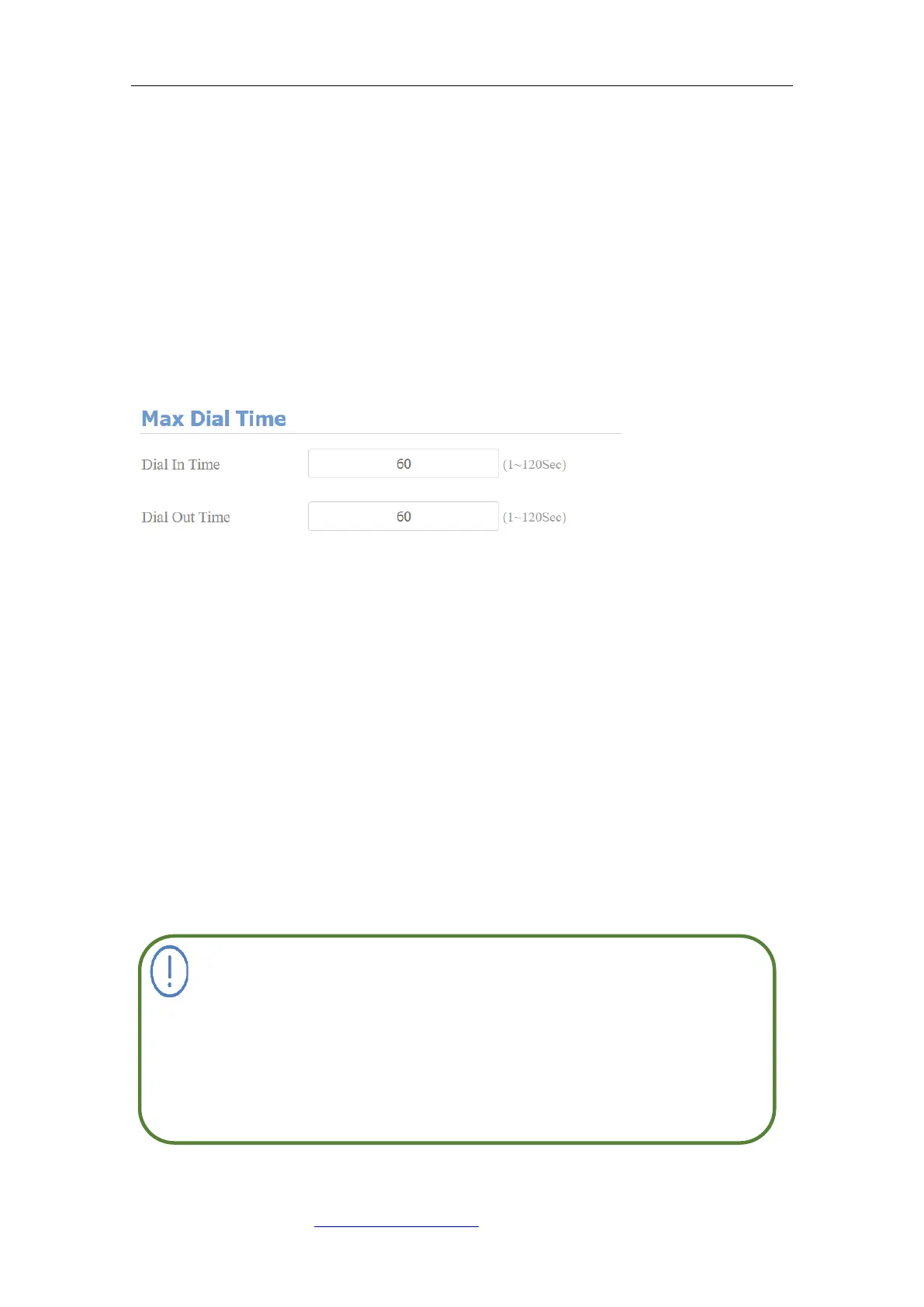
9.3.9. Maximum Dial Duration
Maximum Dial duration consists of Maximum dial in time duration and the
maximum dial out time. Maximum dial in time refers to the maximum time
duration before the door phone hangs up the call if the call is not answered by
the door phone. On contrary, Maximum dial out time refers to the maximum
time duration before the door phone hangs up itself automatically when the call
from the door phone is not answered by the intercom device being called. To
do this configuration on the web Intercom > Basic> Max Dial Time interface.
Parameters Set-up:
⚫ Dial in Time: enter the dial in time duration for your door phone (ranging
from 30-120 sec). For example, if you set the dial in time duration is 60
seconds in your door phone, then the door phone will hang up the incoming
call automatically if the call is not answered by the door phone in 60
seconds. 60 seconds is the dial in time duration by default.
⚫ Dial out Time: enter the dial in time duration for your door phone (ranging
from 5-120 sec). For example, if you set the dial out time duration is 60
seconds in your door phone, then the door phone will hang out the call it
dialed out automatically if the call is not answered by the device being
called.
Max call time of the device is also related to max call time of the SIP
server. If using SIP account to make a call, please pay attention to
the max call time of the SIP server. If the max call time of SIP server
is shorter than the max call time of the device, the shorter one is
available.



 To Next Page