⚫ RelayID: tick the checkbox of the relay. You can choose one or all relays.
11.3. Web Relay Setting
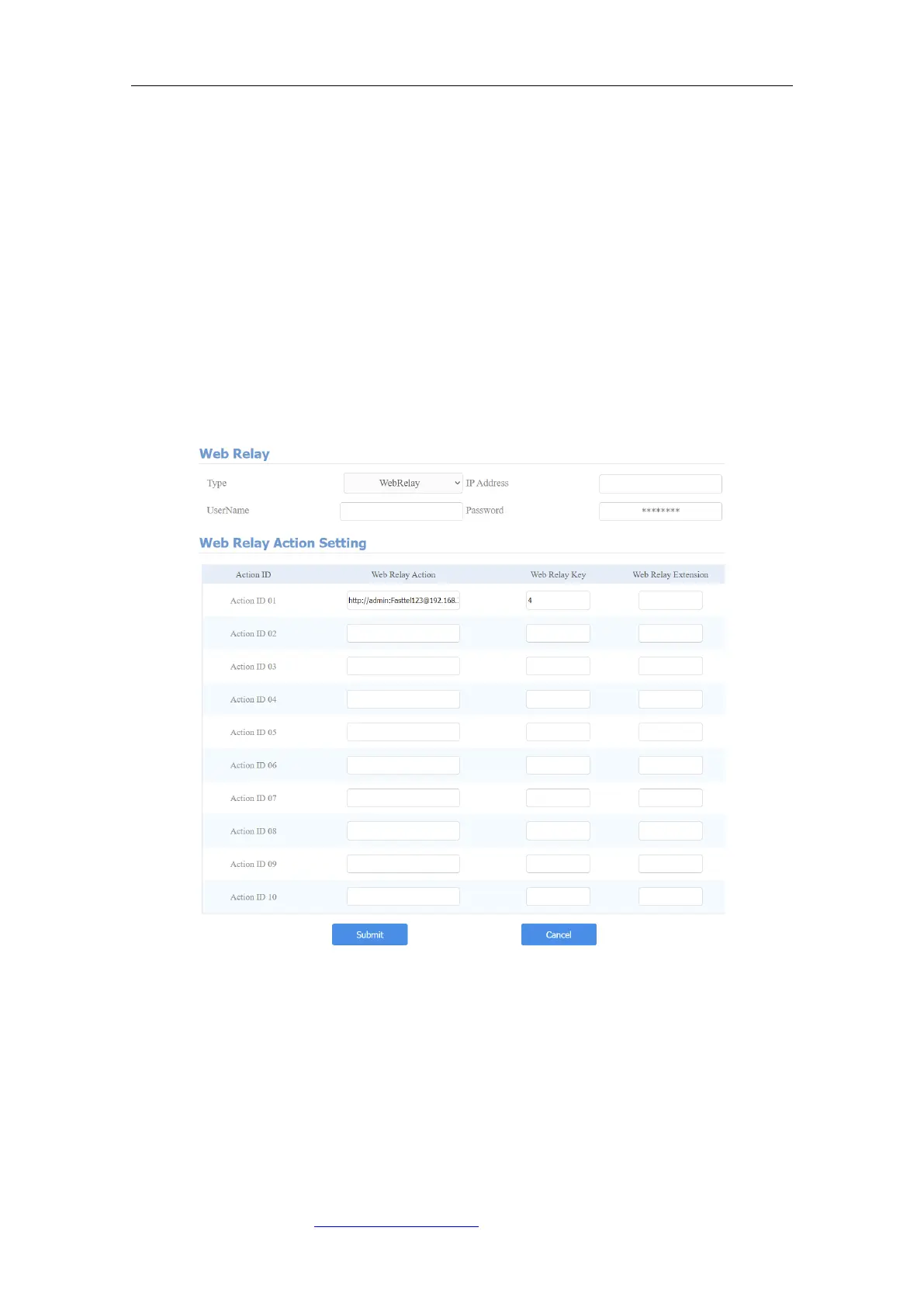
In addition to the relay that is connected to the door phone, you can also control
the door access using the network-based web relay on the device and on the
device web interface. Web relay needs to be set up on the web Phone >
WebRelay interface where you are required to fill in such information as relay
IP address, password, web relay action, etc before you can achieve the door
access via web relay.
Parameter Set-up:
⚫ Type: select among three options “Disabled” “WebRelay” and “Both”. Select
“Webrelay” to enable the web relay. Select “Disable” to disable the web relay.
Select “Both” to enable both local relay and web relay.
⚫ IP Address: enter the web relay IP address provided by the web relay
manufacturer.



 To Next Page