13.3.3. SIP Call Notification Setting
In addition to FTP and Email notification, the door phone can also make a SIP
call when some feature action is triggered. To configure a SIP call notification
on web Intercom > Action > SIP Call Notification interface.
Parameter Set-up:
⚫ SIP Call Number: to configure the SIP call number.
⚫ SIP Call Name: to configure the display name of door phone.
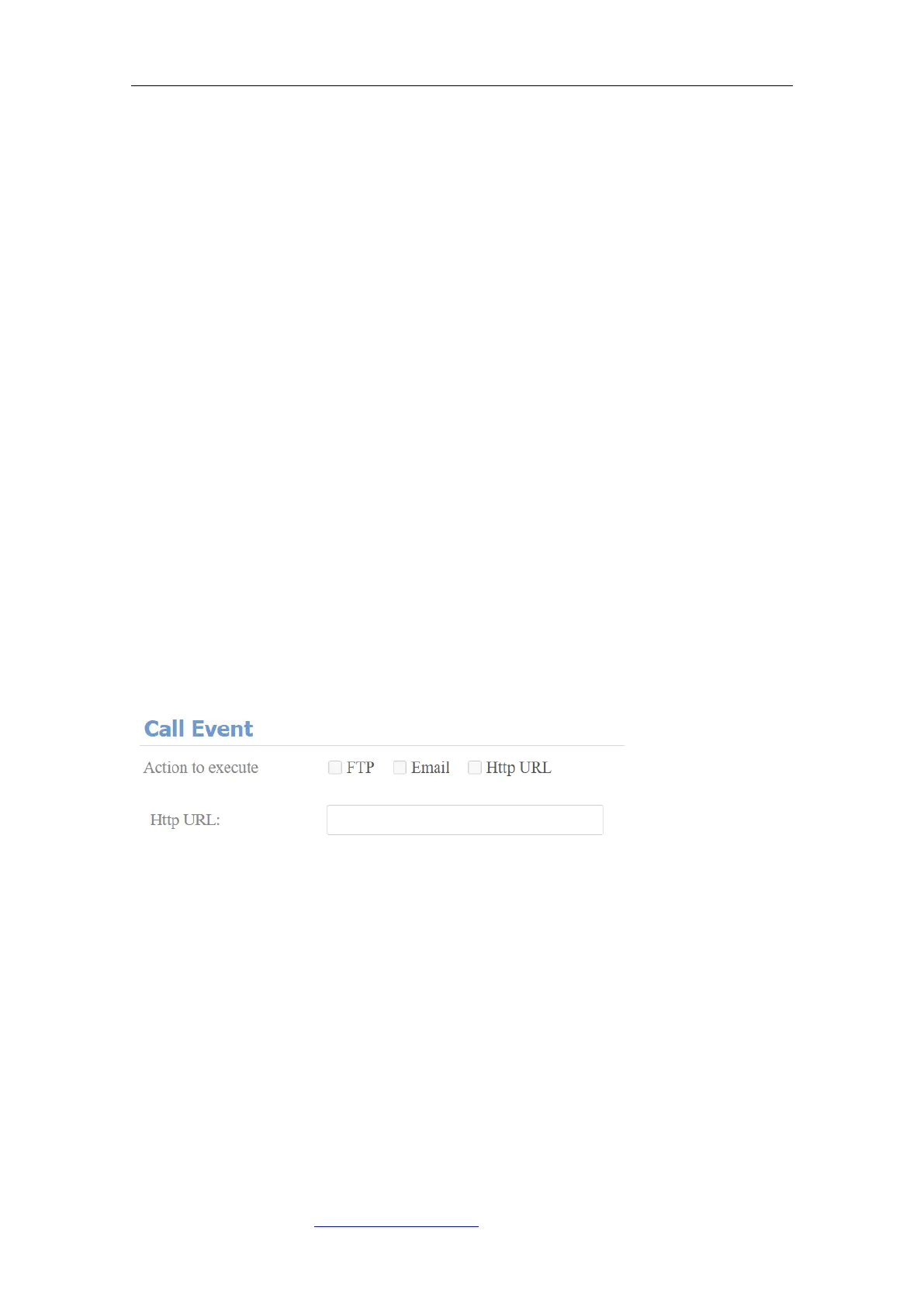
13.3.4. Call Event Notification
Enable this feature if you want to be notified when any outgoing calls from the
door phone are not answered. The notification is made via FTP, Email, and HTTP.
On the web, navigate to Intercom > Basic > Call Event.
Parameter Set-up:
⚫ No Answer Action: enable the feature if needed.
⚫ Action To Execute: select FTP, Email or HTTP method for the notification.
If FTP is selected, a screenshot of the caller will be sent via a notification.
If Email is selected, the Emails containing a screenshot of the caller will be
sent. If HTTP is selected, you can add the event message to the HTTP URL
before sending.
⚫ Http URL: enter the HTTP URL that will be sent to the Http server. For
example:http//192.168.31.6/door phone#1.



 To Next Page