14. Monitor and Image
14.1. RTSP Stream Monitoring
Fasttel door phones support RTSP stream that allows intercom devices such
as indoor monitor or the monitoring unit from the third party to monitor or
obtain the real time audio/ video (RTSP stream) from the door phone using the
correct URL.
14.1.1. RTSP Basic Setting
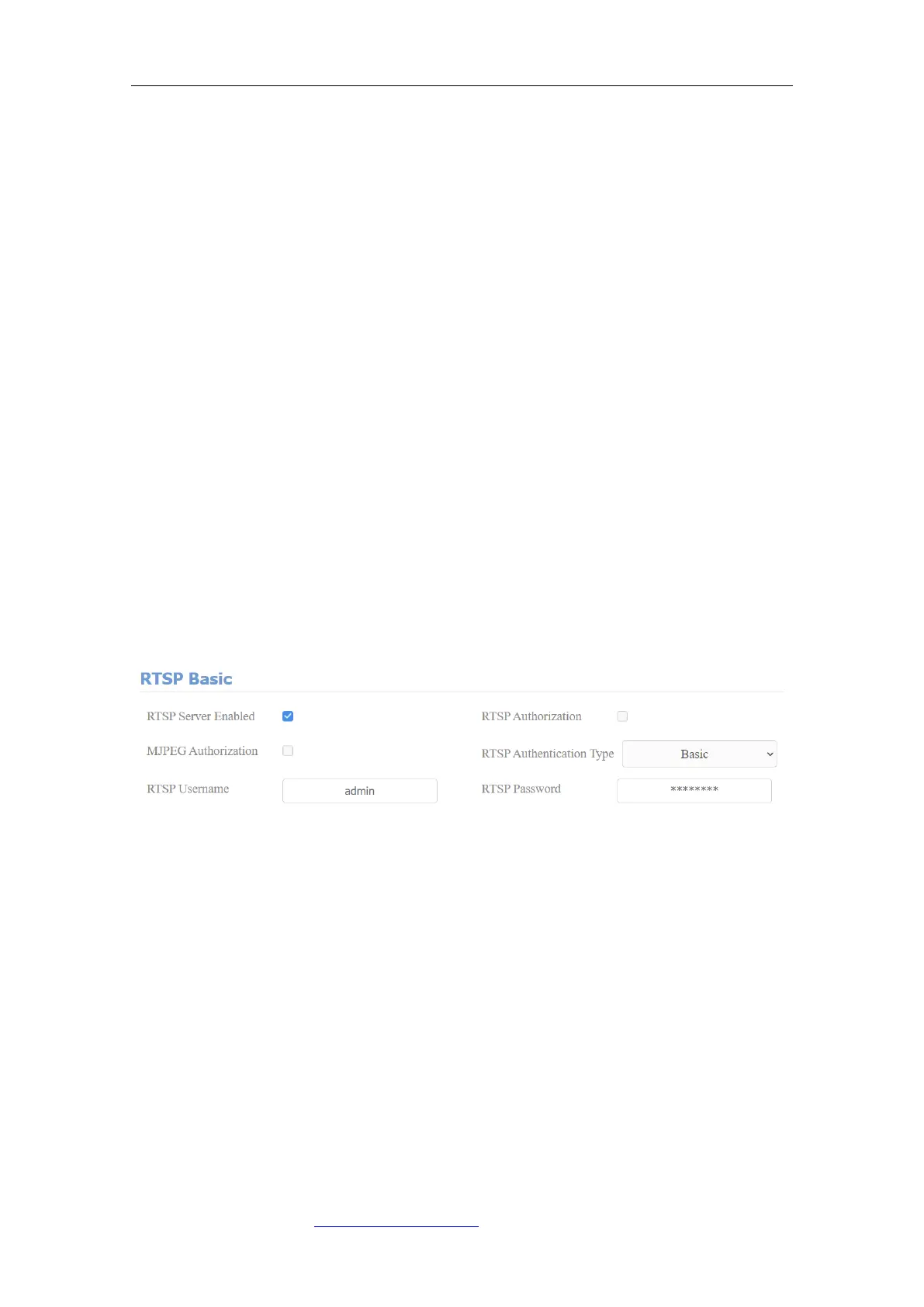
You are required to set up RTSP function on device web Intercom > RTSP >
RTSP Basic interface in terms of RTSP Authorization, authentication and
password, etc before you are able to use the function.
Parameter Set-up:
⚫ RTSP Server Enable: click on Enable and Disable in RTSP Enable field to
turn on or turn off the RTSP function.
⚫ RTSP Authorization: click on Enable and Disable in RTSP Authorization
field to enable or disable the RTSP authorization. If you enable the RTSP
Authorization, you are required to enter RTSP Authentication Type, RTSP
Username, RTSP Password on the intercom device such as indoor monitor
for authorization.
⚫ RTSP User Name: enter the name used for RTSP authorization.
⚫ RTSP User Password: enter the password for RTSP authorization.



 To Next Page