Chapter 4: Configuring the FT-50 for Operation
4-3
Chapter Overview
Before you can use your FT-50 Inspection System you must
configure the FT-50 and the rejector to operate on your production
line. There are two parts to configuring the inspection system:
• Mechanical Configuration consists of physically adjusting and
aligning the FT-50 sensors and the rejector.
• Software Configuration consists of activating and setting all
operational parameters for the inspection functions.
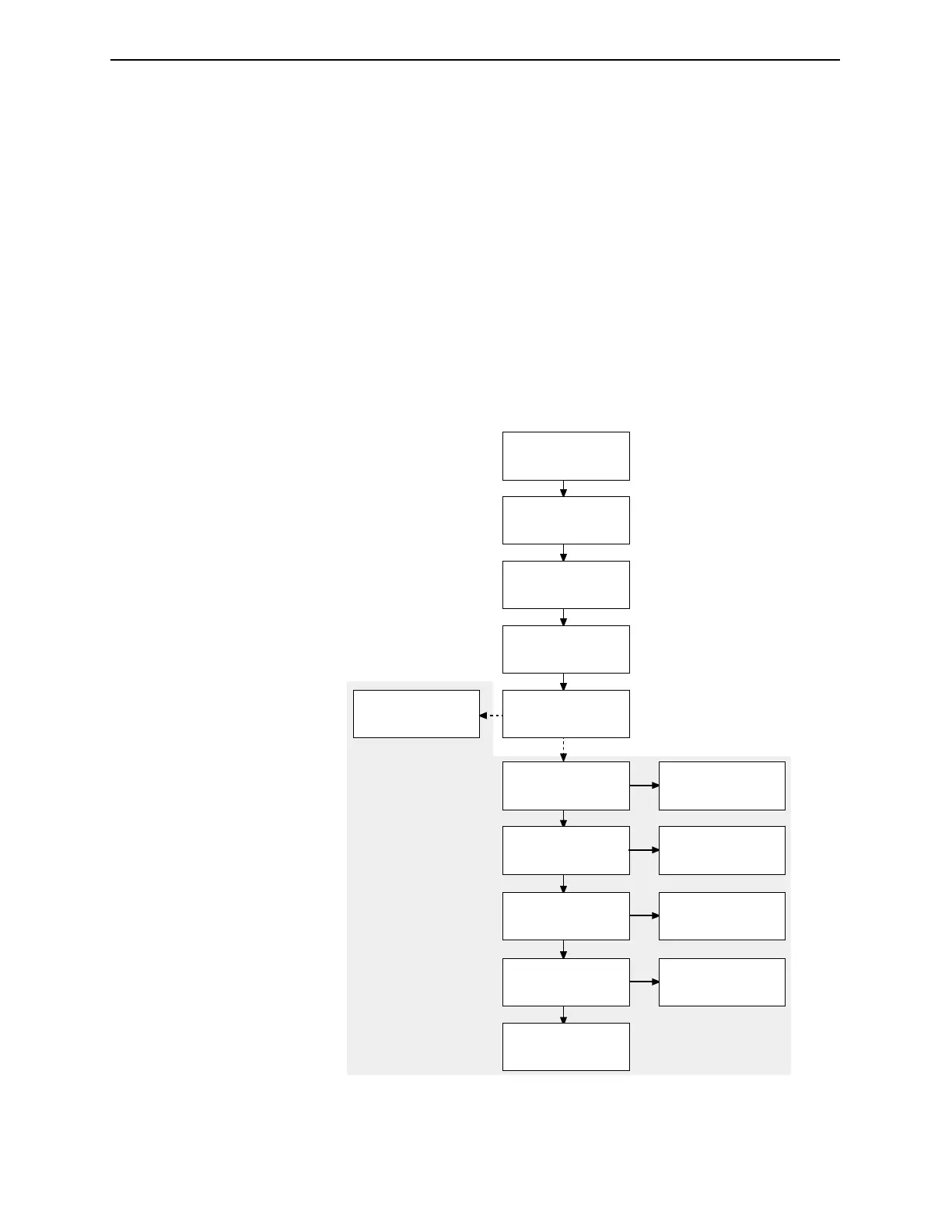
The following flow chart explains the configuration order.
Figure 4-1. FT-50 Inspection System Configuration Flow Chart.
Adjust head height for
fill level inspection.
Adjust inspection
trigger height.
Calibrate encoder
(if applicable) and
rejector timing.
Determine the inspection
looktime gate.
Determine the
gamma threshold.
Perform fill level
optimization, if need.
Configure down can
function.
Configure dud
detection function.
Adjust missing lid sensor.
Adjust bulged
end sensor.
Adjust dud detection
sensor.
Configure external
reject function.
Adjust down can sensor.
Configure bulged
end function.
Configure missing lid
function.
Your FT-50 may not
contain these options.
These procedures apply
only if your FT-50 is so
equipped.
Industrial Dynamics Company, Ltd. Document 40255-0600



 To Next Page