Chapter 4: Configuring the FT-50 for Operation
4-17
Configuring the Inspection Looktime Gate
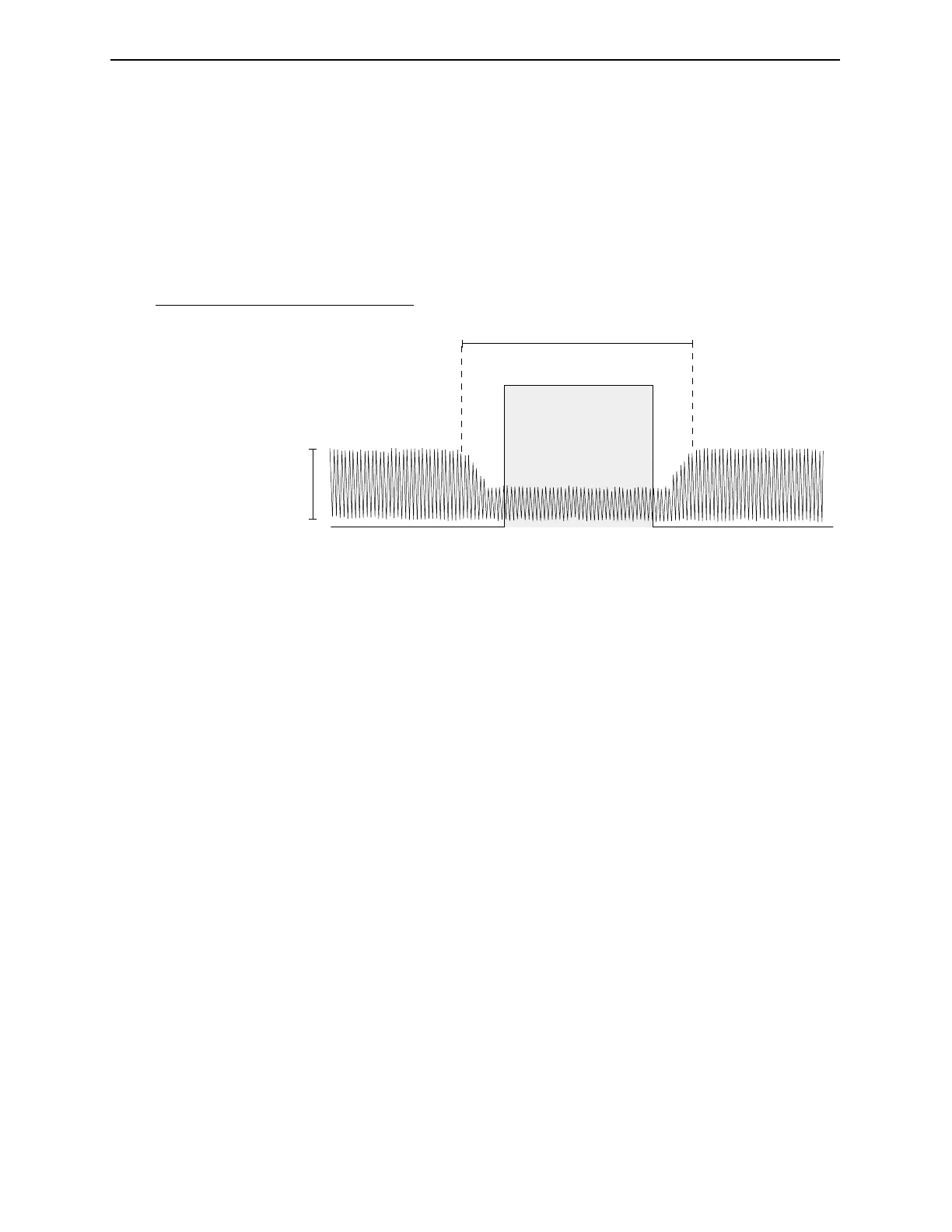
The Inspection Looktime Gate defines the time interval when the
radiation measurement is taken. This interval coincides with the
moment the container passes through the inspection beam.
Figure 4-8. The Inspection Looktime Gate.
1. Open the radiation source safety shutter by pulling the
actuating rod out until it stops.
2. Start the conveyor and run it at the maximum production
speed.
3. If your FT-50 is not in the Calibrate Mode, Press Key 5 until you
reach SYSTEM DISPLAY and then press the Arrow Key to
enter the CALIBRATE MODE.
4. Press Key 5 until TIME WIDTH OF CAN appears.
5. Place a sample production container on the conveyor far
enough upstream of the FT-50 so that it does not slip on the
chain and is positioned correctly as it passes through the
inspection tunnel.
6. Record the value that appears in the TIME WIDTH OF CAN
display.
7. Repeat steps 5 and 6 four more times and then average the
values.
1
2
3
5
4
No. Description
1 Gamma Counts
2 Container enters Gamma beam
3 Container exits Gamma beam
4 Time Width of Container
5 Looktime Gate
abcde++++()
5
--------------------------------------------D=
Industrial Dynamics Company, Ltd. Document 40255-0600



 To Next Page