Guider IIS series User Guide | www.flashforge.com
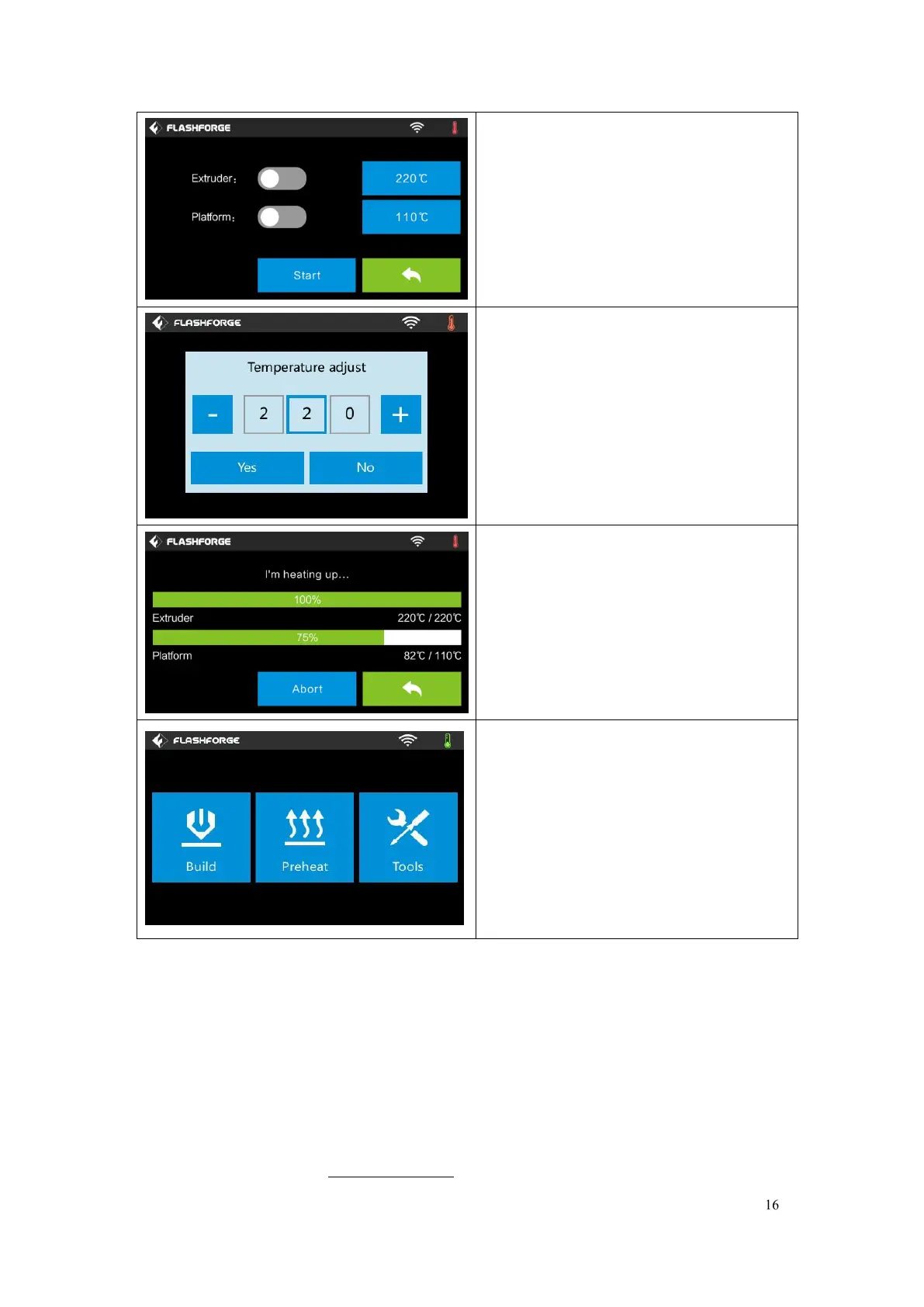
Tap the [Preheat] button to enter the
preheat interface. Tap the [Start] button
to heat up to the setting temperature.
The default temperature is 220℃.
Tap the temperature display bar to set the
temperature.
To set the preheat temperature.
Tap [Yes] to save the setting while tap
[No] to cancel the setting.
The picture displays the preheat interface.
It shows the actual temperature and the
target temperature. Tap the
[Abort]
button to abort the preheat job.
Tools
Tap
[Tools]
to enter tool options.
Filament: To load/unload the filament.
Level: To adjust the build plate.
Home: To make the X, Y and Z axes
back to the zero point.
Manual: To manually adjust the
positions of X, Y and Z axes.















 To Next Page