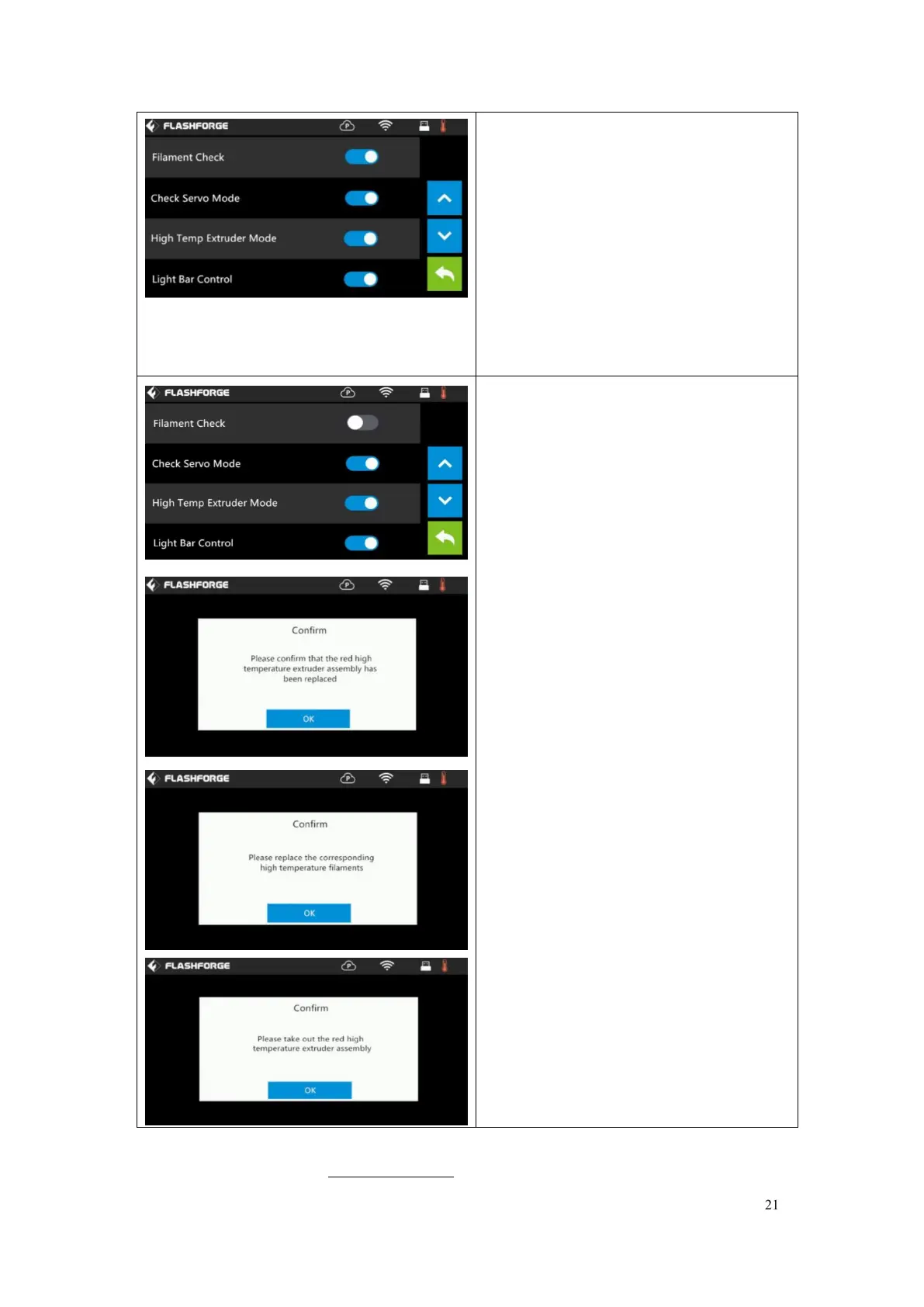
Turn on [Filament Check]:
Left picture showed is the [Filament
Check] turned on status.
Filament abnormal status will be detected
when filament is used up or suspended.
[Filament Check] function should be
used with filament in the filament
cartridge.This function is invalid if using
filament out of the cartridge.
Turn off [Filament Check]:
Left picture showed is the [Filament
Check] turned off status.
Filament abnormal status won
’
t be
detected when filament is used up or
suspended.
Check Servo Mode: To turn on/off the
check servo mode.
High Temp Extruder Mode:
To turn on/off the high temp extruder
mode. After High Temp Extruder Mode is
turned on, operate according to the
prompts on the touch screen.
Guider IIS is updated, the extruder support
300 degree. The high temp extruder mode will
be set before leaving factory.
If you need to print normal temperature
material, no need to change this mode.















 To Next Page