Guider IIS series User Guide | www.flashforge.com
others under his own polar cloud account.
7.3.1 Connect from Polar Cloud
For detailed connection method,please refer to 7.2.5
After Guider IIS series printer has added to Polar Cloud account and
connected successfully(Guider IIS series printer and your computer should
link to Internet by Wi-Fi or Ethernet cable, printer and computer do not need to
connect the same Wi-Fi signal), Then Guider IIS printer's camera can be
used to monitor the real-time printing status.
7.3.2 Direct Connect from computer
1) Connect your Guider IIS series printer and your computer to a same WIFI
signal.
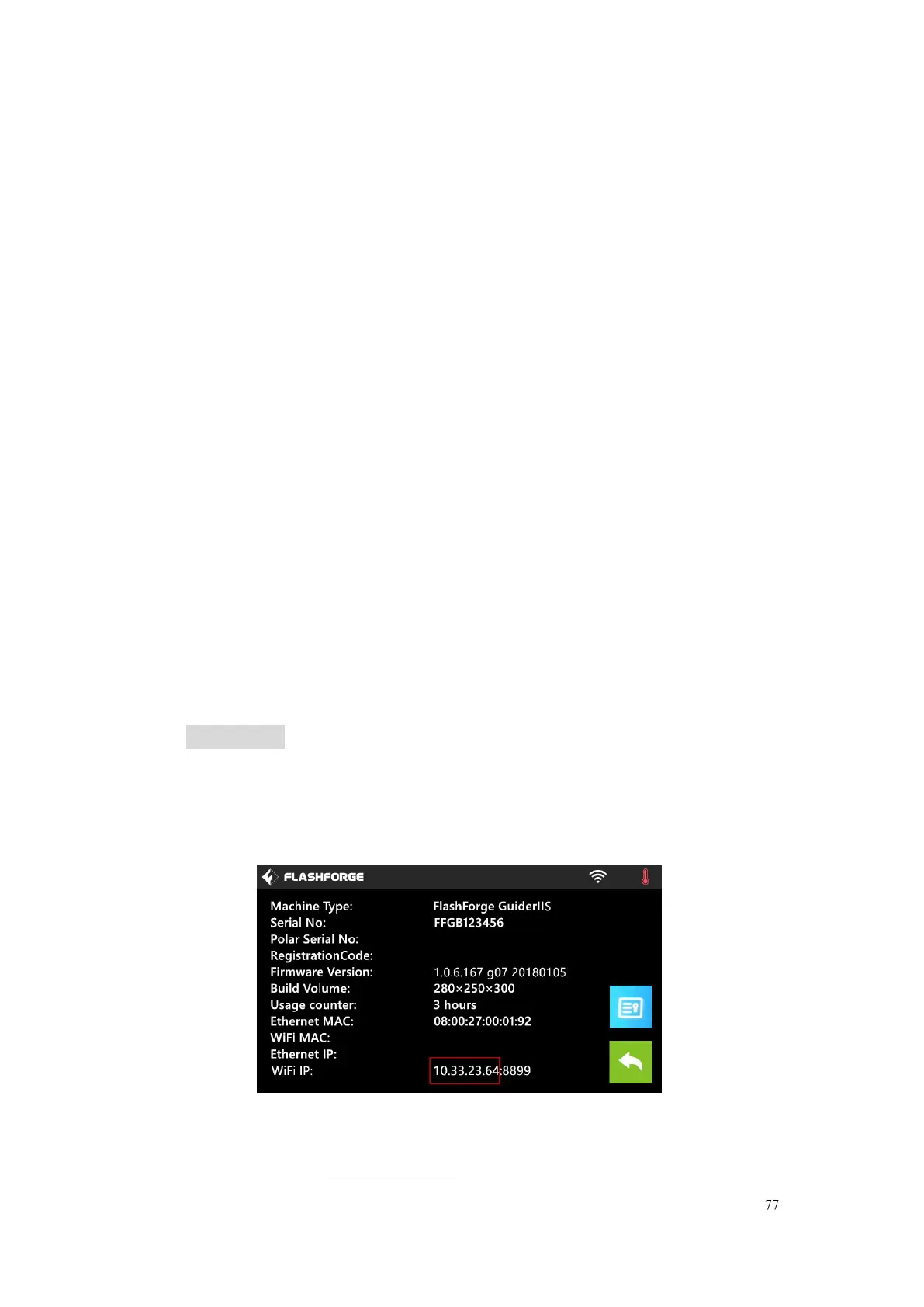
2) Install and start up Firefox browser(software) on your computer, type in the
following address as the format showed below, then you can monitor the
real-time printing status by the camera.
http://10.33.23.64:8080/?action=stream
( 10.33.23.64 is your printer ’ s present IP address, this address must be
edited according to your printer IP address showed on printer touch screen.)















 To Next Page