Set up UltraPierce in FlowCUT
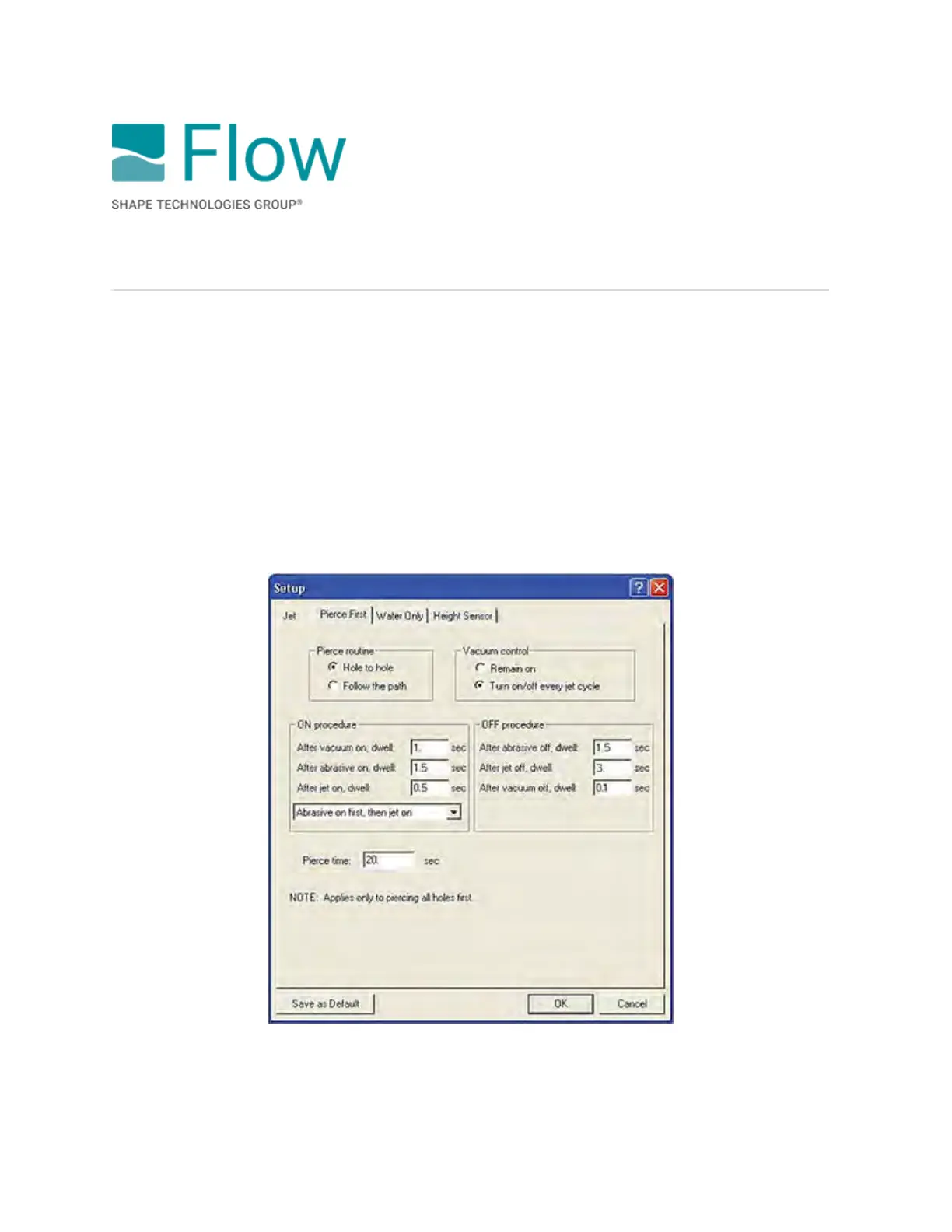
To set up the device in FlowCut, do the following:
1. Go to Setup > Jet. In the dialog box, select Pierce First.
2. Under Pierce routine, choose a routine.
3. Under Vacuum control, choose an option.
4. Under ON procedure, enter the time (in seconds) of each dwell, and then select Abrasive on
first, then jet on to minimize delamination.
5. Under OFF procedure, enter the time (in seconds) of each dwell.
6. In the Pierce time box, enter the length of time.
7. Select Save as Default or OK.
© 2021 Flow International Corp.
Retrieved from Flow KB on April 14, 2021 PST
Ancillary option: UltraPierce Vacuum Assist



 To Next Page