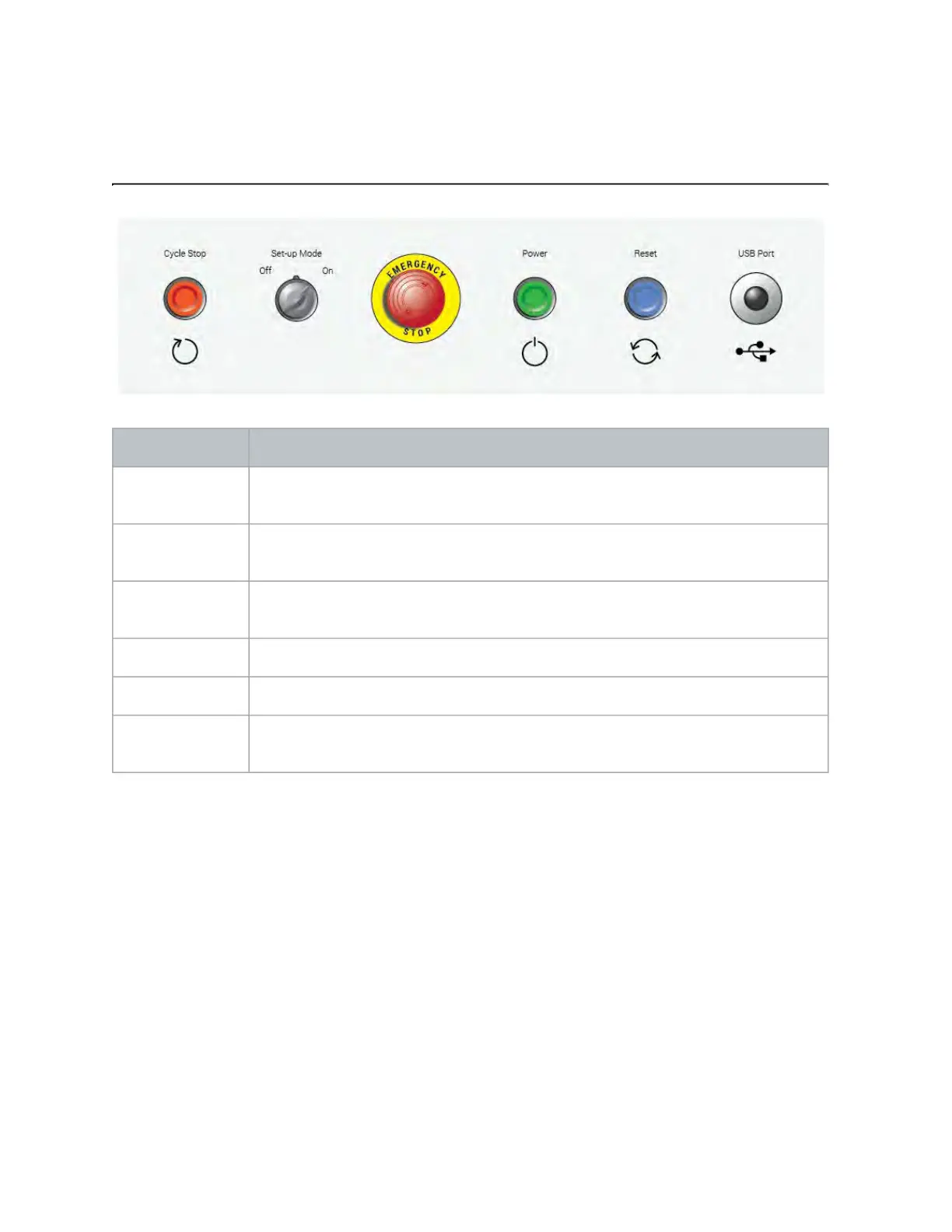
What do all the buttons do?
Item What does it do?
Cycle Stop Pauses the part program and stops the high-pressure water stream and abrasive
flow.
Set-up Mode
key switch
See Set-up Mode article.
Emergency stop Disables the drives, and stops the high-pressure water stream, abrasive flow,
and the pump.
Power Enables the drives.
Reset Resets the drives.
USB Port Connection point for peripherals. Keep the USB port covered with the cap when
not in use to prevent corrosion.
© 2021 Flow International Corp.
Retrieved from Flow KB on April 14, 2021 PST
Get started: Operation Basics · Mach 300



 To Next Page