About Actions (for Windows Users)
143
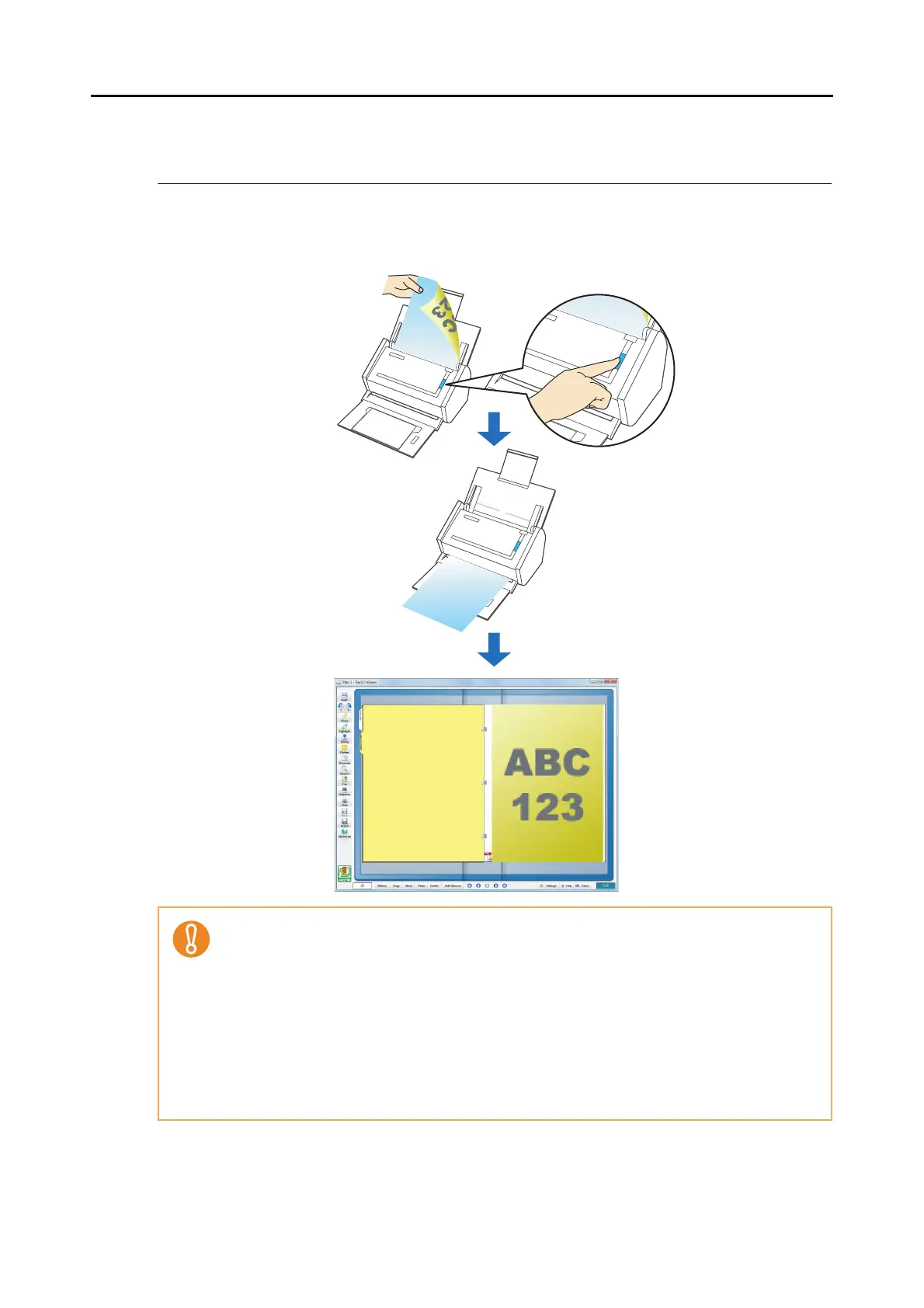
■ Saving to Rack2-Filer
This section describes how to save PDF files created with the ScanSnap, in Rack2-Filer Trial
Version supplied with the ScanSnap or Rack2-Filer (V5.0 recommended) (bundled or sold
separately).
• Rack2-Filer trial version supplied with the ScanSnap or Rack2-Filer (V5.0 recommended)
(bundled or sold separately) is required to use this function.
Rack2-Filer is a software program that converts paper documents and electronic documents
into PDF files and manages them in a computer. You can manage documents in such a man-
ner that you just bind your paper documents in binders and store them on a cabinet shelf and
can browse documents as if you flip through a book.
• The following settings are disabled when the scanned image data is saved to Rack2-Filer.
- Set a password for the created PDF file
- Rename file after scanning
- Color high compression
• For details about how to use Rack2-Filer, refer to the Rack2-Filer User's Guide.



 To Next Page
 Loading...










