How to Perform a Scan (for Mac OS Users)
194
■ Using the Quick Menu
The scanning method described below is for the case when you use the Quick Menu.
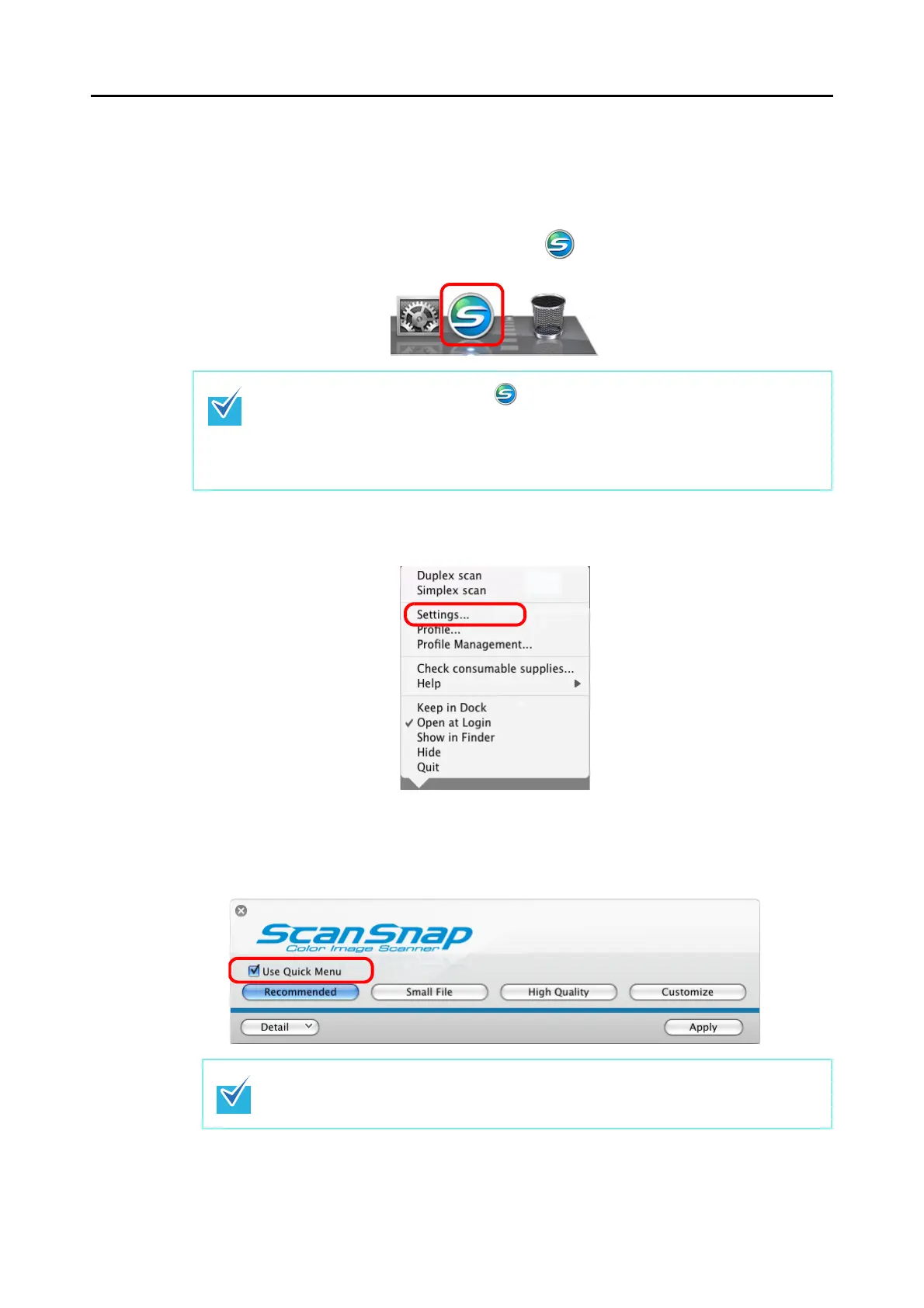
1. Check for the [ScanSnap Manager] icon in the Dock as shown below.
2. From the ScanSnap Manager menu, select [Settings].
⇒
The ScanSnap setup window appears.
3. Select the [Use Quick Menu] checkbox.
When the [ScanSnap Manager] icon is not displayed, from the Finder, select [Appli-
cations] → [ScanSnap] → [ScanSnap Manager] to start up ScanSnap Manager.
If the [ScanSnap Manager] is not shown in the Dock when Mac OS starts up, from the
[System Preferences] window, select [Accounts] → [My Account] → [Login Items] → [+]
→ [ScanSnap Manager] to register ScanSnap Manager.
For details about scanning documents without using the Quick Menu, refer to "Without
Using the Quick Menu" (page 199).



 To Next Page
 Loading...










