Loading Documents
28
Loading Documents
Load documents onto the ScanSnap as follows:
1. Check the number of sheets in the document stack.
The maximum number of sheets that can be loaded on the ScanSnap is as follows:
For A4-size paper or smaller: A document stack of 5 mm or less
(50 sheets at 80 g/m
2
or at 20 lb)
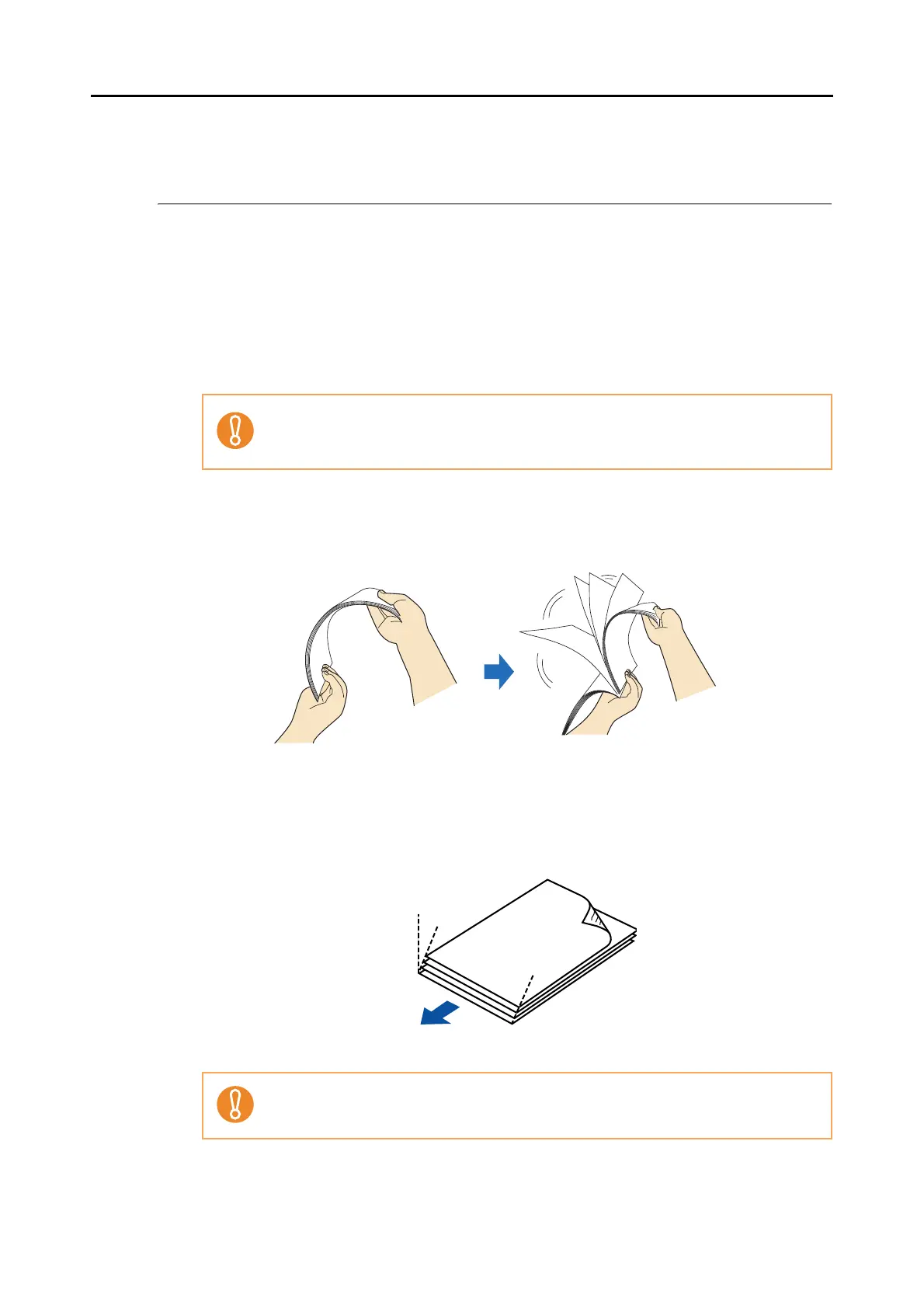
2. To prevent paper jams, fan the document.
1. Hold the document with both hands and fan it out as shown in the figure below.
2. Turn the document by 90 degrees, and then fan it in the different orientation again.
3. Straighten the edges of the document, and load it onto the ScanSnap so
that the top edges of the paper form a step-like pattern.
If you try to scan more sheets that can be loaded, the following problems may occur.
• A file may be improperly created due to an excessive file size.
• A paper jam or other irregular feeding may occur.
If the document is scanned with its both edges not straightened, the document might be
jammed or be damaged.
Back
Step-like
Scanning direction



 To Next Page
 Loading...










